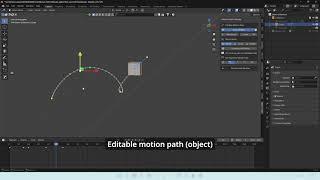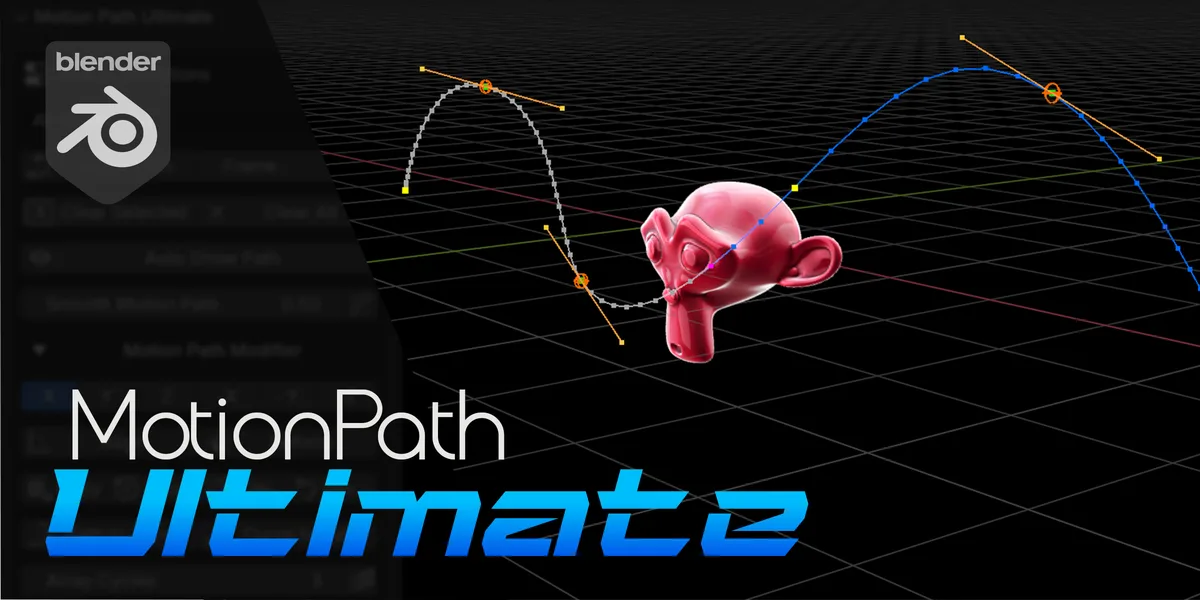
Motion Path Ultimate is a Blender add-on by Hoa Vu for editing object and armature motion paths in the 3D viewport. It gives animators a way to adjust path points and handles while viewing the scene, with move, rotate and scale gizmos for more controlled edits.
Edit object and bone motion paths
Its documentation describes a dedicated Pose Mode panel for editing bone paths directly in the viewport. For Blender 5.0, the product’s update history says the menu panel moved into the Animation tab of the N-panel.
Adjust points and keyframes
Motion Path Ultimate includes proportional editing and tools named Smooth, Space and Reduce Keys. You can adjust motion path keyframe points with the G, R and S keys, and use Ctrl+click to select loop points. The update history also records changes to object and bone path handling, along with performance improvements for Blender 5.0 and 5.1.
The developer’s FAQ confirms Motion Path Ultimate can adjust the motion path for an entire animation, but advises against doing so on animations with many keyframes or expansive scenes containing numerous objects because it can cause stuttering or lag. For details, see the Motion Path Ultimate FAQ .
Compatibility, installation and license
The product listing marks Motion Path Ultimate as Blender Extension Compatible and lists Blender 5.0–5.1. The catalog record lists version 1.5.2, while Superhive’s product listing also records v1.5.3, dated 27 September 2026, with a performance optimization. Check the current listing for the available package and compatibility details.
The documentation describes installing the add-on from a ZIP file through Blender’s Edit > Preferences > Add-ons > Install controls, then enabling Motion Path Ultimate from the add-on list. The listing identifies the license as GPL.