MotionSpice 2 is an After Effects panel for browsing motion presets and saving project elements as reusable assets. It docks beside the timeline, so you can search the library, preview a motion, and apply it to the selected layer at the playhead. The catalog lists version 2.2.0; the developer page's version field says 2.5.0, while its history lists 2.5.1 dated Aug 7, 2026, so confirm the release available with your download.
Browse and apply motion presets
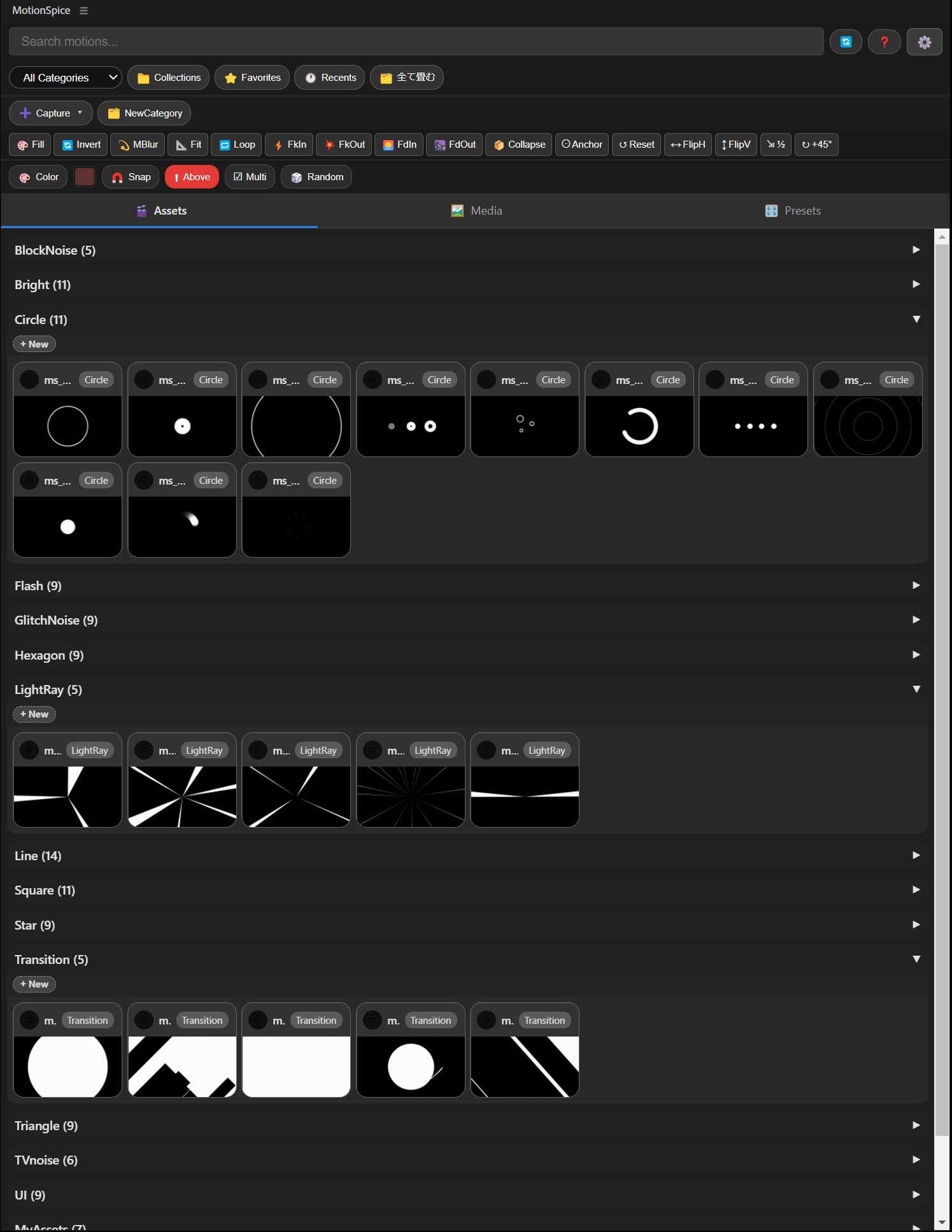
The panel groups built-in motions into categories and supports searches in English, Japanese, Korean, and Chinese. Hover previews show an animation before you apply it, and a larger preview is available in a popup. Smart Import tools include Auto Color, which applies a chosen color through Tint or Hue Shift, and Snap Drop, which aligns an asset with markers or layer in-points. Multi-select and batch modes are also documented in the product history.
Save compositions and layers for reuse
CompToAsset saves a composition to the panel library. LayerToAsset, introduced in version 2.2.0, saves selected layers with their effects, keyframes, and expressions. A saved single layer can be placed as a layer in another composition, while multiple selected layers are brought in as a precomposition. The developer says the save operation does not modify the open project.
The developer’s version 2.5 listing also describes a Capture menu for saving compositions, layers, effect presets, and expressions. Its Media Library accepts audio, images, video, and numbered image sequences; folder import can include subfolders. Check the MotionSpice developer listing for the feature set available with your download.
Organize a personal motion library
Collections and tags help sort assets, while recent history keeps recently used items close at hand. You can hide motions from the panel without deleting them and restore built-in motions later. MotionSpice also supports browsing and applying After Effects effect presets in .ffx format. For large libraries, the developer documents lazy thumbnail loading and controls for static, hover, or always-playing previews.
Installation and compatibility
MotionSpice is a ZXP extension for Windows and macOS. The developer lists installation through the aescripts manager app or a ZXP installer; after installation, restart After Effects and open the panel under Window → Extensions → MotionSpice. The supplied catalog record lists After Effects 2022 through 2026, while the developer’s current listing says After Effects CC 2022 or later. Check that listing for the release you plan to use.
FFmpeg is needed only to generate GIF thumbnails. The developer says browsing, applying presets, and importing media work without it. After installation, MotionSpice can run offline; license activation through the aescripts framework is a one-time step.