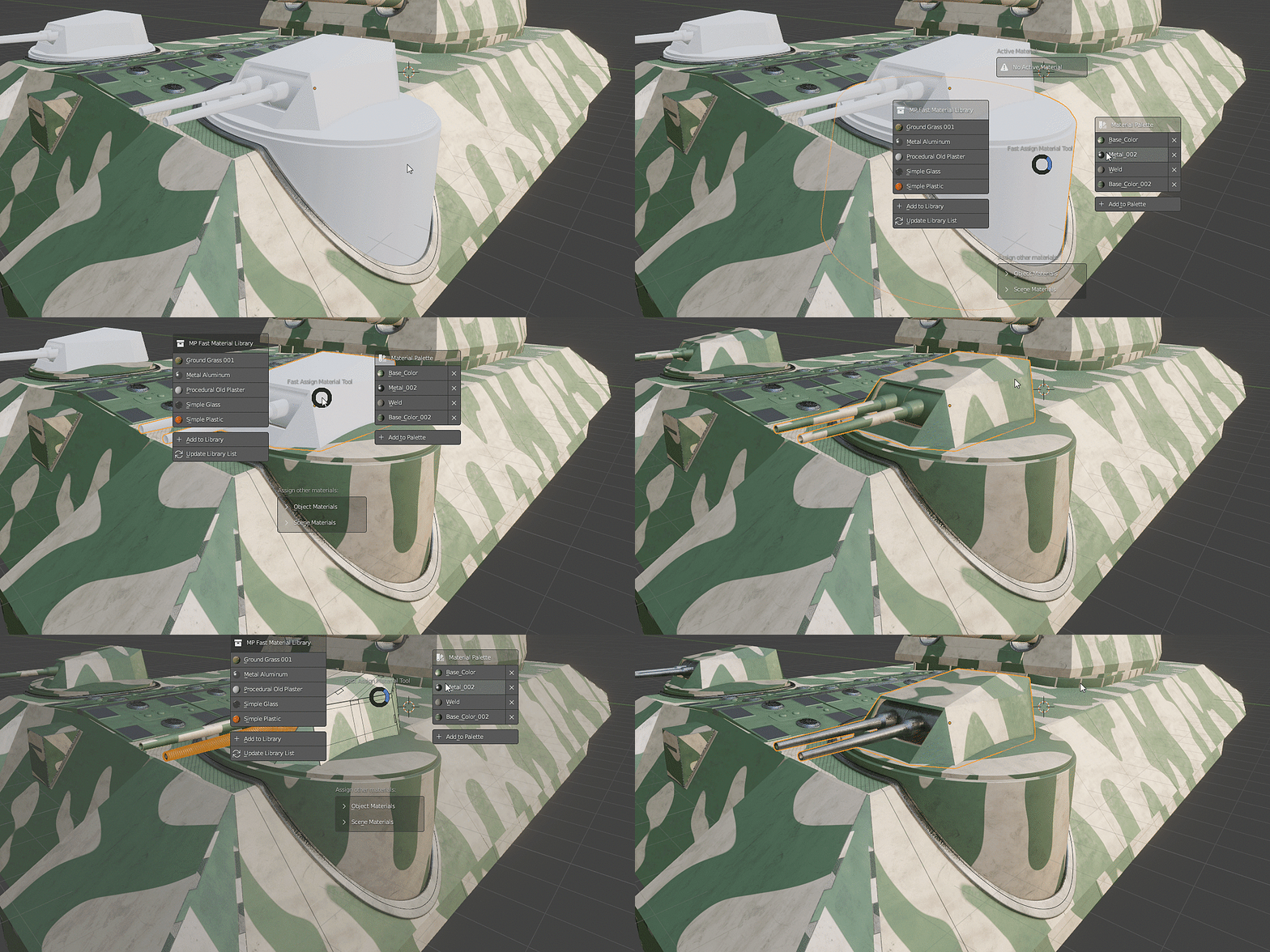
MPalette Pro is a Blender add-on for keeping frequently used materials close at hand. Its per-file Material Palette collects materials for a scene, while the Fast Material Library lets you save and reuse materials across blend files. Both are designed to make assigning materials to objects a quick step in the shading workflow. CGoutset’s product listing describes these features.
Keep a scene’s materials in a palette
Add commonly used materials from a blend file to its Material Palette, then assign them to objects with one click. MPalette Pro can also show materials from the whole scene or limit the choices to materials on the selected object. This suits projects where the same small set of materials is applied to several objects.
Reuse materials between blend files
The Fast Material Library saves materials to a folder you choose. MPalette Pro generates an icon for each material and packs its textures. You can then use that folder with the add-on in another blend file or on another computer where MPalette Pro is installed. The product FAQ adds an important detail for materials with drivers: when a material is added to the library, the add-on automatically deletes its drivers in both the material file and the blend file.
Material controls come with a separate add-on
MP Fast Props is a separate add-on that can be bought and used on its own. It adds Material Variables, which let you expose custom parameters on node sockets and change them with a shortcut. Its Global Variables can control a property across multiple materials from one place, and those properties can be animated. CGoutset’s listing flags Global Variables as unsupported in Blender 3.0 and later, so check the MP Fast Props documentation for current details before relying on that feature.
Check compatibility before installing
The marketplace listing labels MPalette Pro as compatible with Windows only. Its FAQ says the add-on was tested on Windows and that some features may not work properly on other operating systems. The listing names Blender 2.91, 2.92, 2.93, 3.0, 3.1 and 3.2; it does not confirm support for newer Blender releases. The listing identifies the license as GPL. Check CGoutset’s MPalette Pro documentation and update log for current installation and compatibility information.