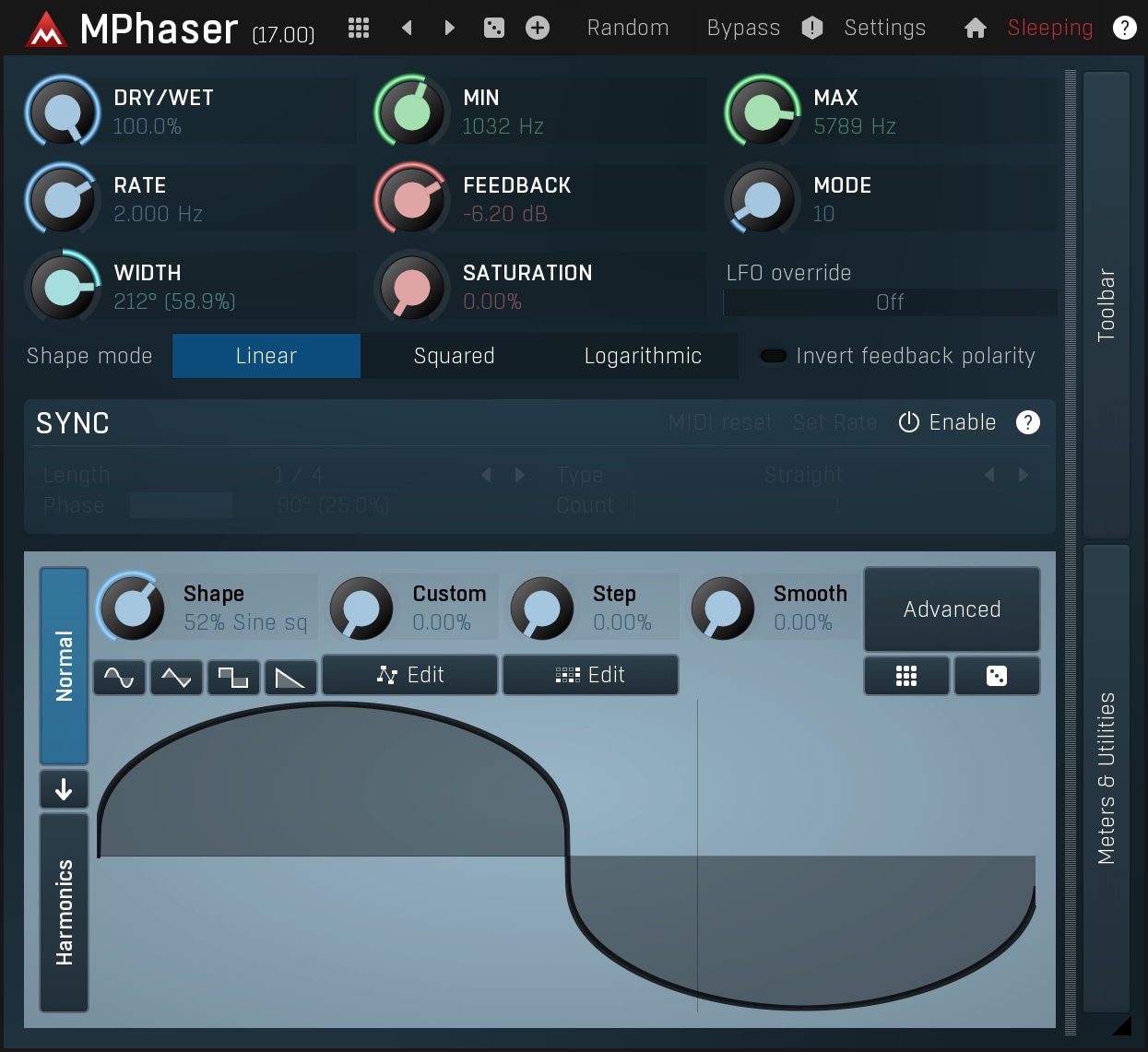
MPhaser is MeldaProduction’s phasing effect with an adjustable sweep. Its Normal mode combines preset shapes, a custom-drawn waveform, and a step sequence; Harmonics mode provides direct control over harmonic levels and phases. MPhaser is available as a free effect through MeldaProduction’s MFreeFXBundle.
Shape the phaser sweep
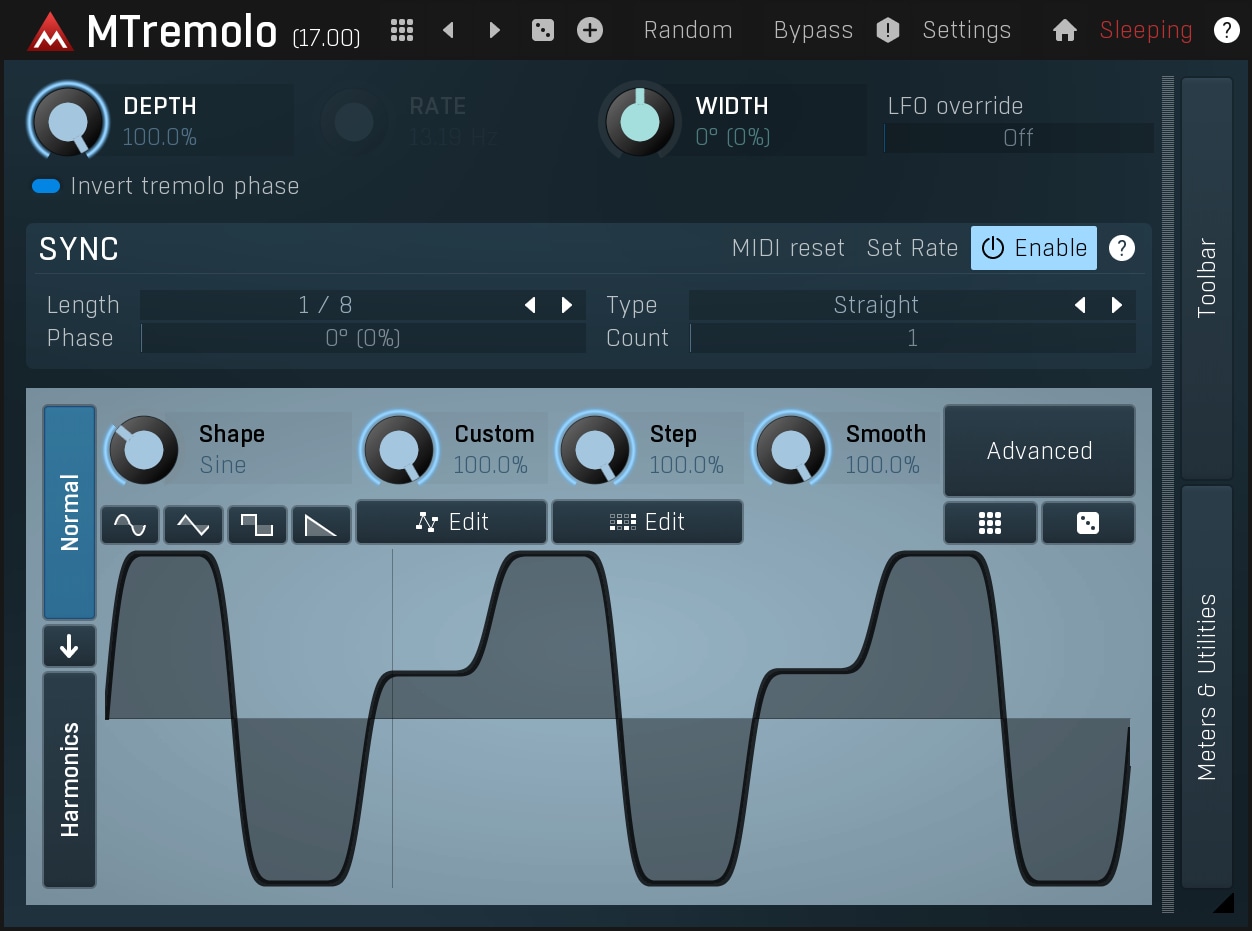
Use the normal oscillator mode to combine a preset shape with a custom envelope and step sequence. Smoothing can soften abrupt changes in the sequence. Harmonics mode gives direct control over harmonic levels and phases, which is useful when you want to design the oscillator’s harmonic content instead of drawing its curve.
The phaser’s Min and Max frequency controls set the sweep range. Rate controls the low-frequency oscillator speed when host sync is off, while Feedback, Saturation, and Dry/Wet adjust the effect. The Mode control ranges from 1 to 100 phaser delays and changes the sound character. Adjustable upsampling is also available from 1x to 1024x. MeldaProduction’s manual notes that oversampling uses more CPU and can add latency in high-quality mode, which may matter in real-time sessions.
Sync, automate, and compare settings
Every oscillator and modulator can synchronize to the host tempo. Choose a note length and type, such as straight or triplet, and set the phase offset. MIDI reset can restart the LFO from incoming notes. The LFO override can be automated or controlled by a modulator if the plugin provides one.
Multiparameters can link several controls to one controller for automation. A-H slots store and compare up to eight settings, but exclude channel mode, oversampling, and potentially other global controls. An X-Y morph blends automatable or modulatable parameters across the first four slots, and the morph result is written to the selected slot.
Stereo and multichannel use
Width controls the phase difference between channels for stereo widening. Channel modes also include separate left and right processing and mid/side options. MeldaProduction documents surround processing for up to eight channels and ambisonics up to 64 channels, or 7th order. Both modes require a DAW that supports the relevant channel format. The MPhaser manual says VST2 surround processing requires global activation and a DAW restart; VST3, AU, and AAX do not require that step. Ambisonics requires its own global activation and restart, and MeldaProduction notes that DAW support remains uncommon.
Compatibility and access
MPhaser supports 64-bit VST, VST3, and AAX hosts on Windows, and 64-bit VST, VST3, AU, and AAX hosts on macOS. MeldaProduction lists Intel/AMD processors with SSE2 for Windows and Intel/AMD or Apple Silicon CPUs for macOS. The listed minimums are Windows 10 or 11 and macOS 10.14 or newer. MeldaProduction notes MPhaser may still work below them and recommends using the trial period to check. Linux is not directly supported. MeldaProduction says Wine may work if the .wine/drive_c/windows/Fonts/ directory is populated with Microsoft TrueType fonts before installation. Check the MPhaser support page and system requirements for host-specific compatibility. MeldaProduction says activation uses licence files and does not require a dongle or internet access; its licences are assigned to a person and can be used on that user’s computers. See the MPhaser feature details and product manual for more information.