MRecorder is a MeldaProduction effect plug-in that records the audio reaching it to a WAV file in a folder you choose. Place it in a DAW signal chain where you want to capture audio; moving it changes which point in the chain it records.
Recording and file controls
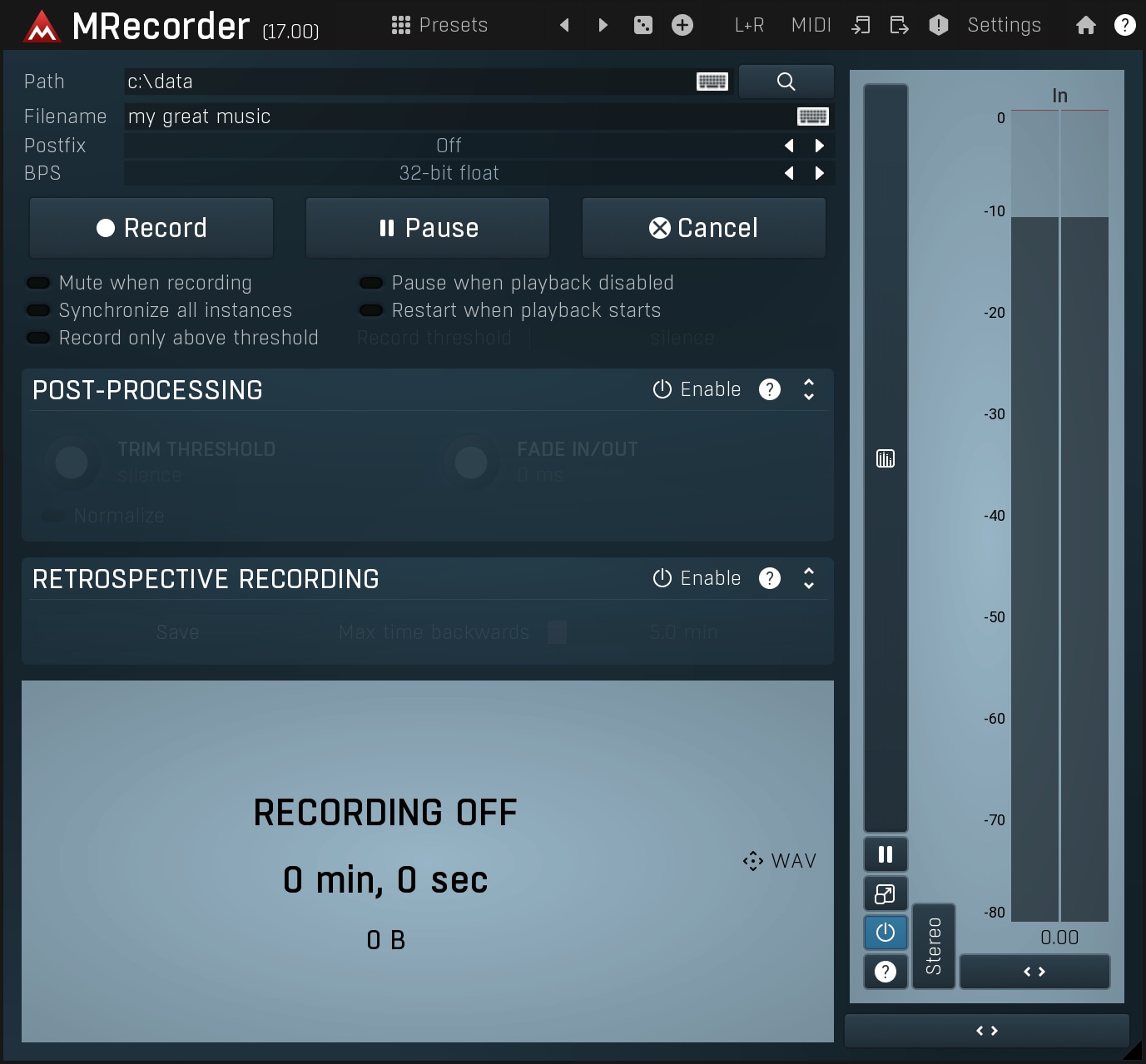
Set the output path and filename, then choose 8-bit, 16-bit, 24-bit or 32-bit floating-point WAV. You can pause a recording, mute output while recording, or have recording pause when DAW playback stops. To control recording across multiple MRecorder instances, enable synchronization so Record and Pause actions follow across them.
For separate files on successive playback starts, enable Restart when playback starts and use Postfix to create a unique filename each time. You can also set a peak threshold so recording begins only when the input rises above it. Threshold settings belong to each instance and do not synchronize.
Capture audio that just happened
When enabled, retrospective recording keeps a rolling buffer even when the main recording is inactive or paused. Save the recent audio when you need it. The buffer window can be set from 1 to 60 minutes, with 5 minutes as the documented default. This uses memory: MeldaProduction estimates about 21 MB per minute for two channels at 48 kHz.
Prepare the WAV after recording
Post-processing can trim quiet audio from the beginning and end, apply fades of up to 10 seconds, or normalize the file to -0.5 dB. Normalization converts the output to 24-bit integer WAV. Post-processing reloads and resaves the file, so it may take some time.
Take care with file names: starting a recording deletes an existing file with the same path and name. Use Postfix to avoid overwriting files. Cancel stops recording and deletes the file being created.
Compatibility and availability
MeldaProduction lists 64-bit support for Windows 10 and 11, with VST, VST3 and AAX formats, and macOS 10.14 or newer, with VST, VST3, AU and AAX formats. Linux is not directly supported; the developer says the plug-ins may run through Wine, provided the .wine/drive_c/windows/Fonts/ directory contains Microsoft True Type Fonts before installation. Check the MRecorder support information for requirements, and consult the MRecorder manual for control details. MeldaProduction lists MRecorder as a free effect available through the MFreeFXBundle.