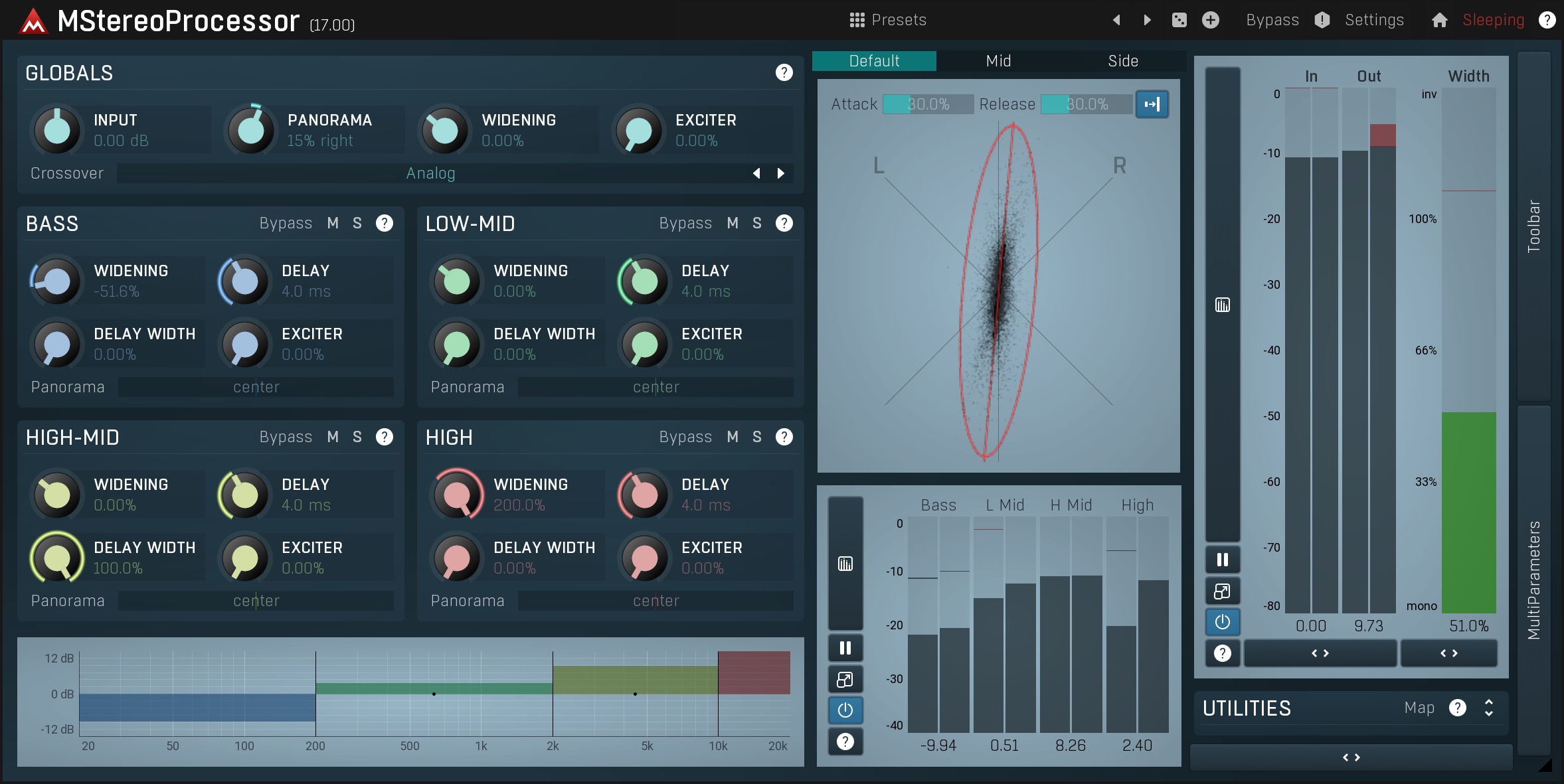
MeldaProduction’s MStereoProcessor is a multiband stereo analyzer and enhancer for working with the stereo image already present in a recording. It is intended mainly for the later stages of mixing and mastering. It does not create stereo from a mono or thin signal.
Shape width by frequency range
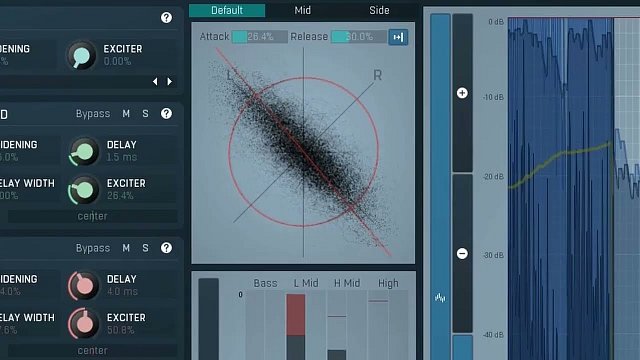
The plugin splits audio into bass, low-mid, high-mid and high bands. Each band has controls for widening, delay-based width, excitation and panorama, plus bypass, mute and solo. You can move the crossover points, then solo or mute a band to find where the stereo content sits before changing it. The exciter uses tube-like saturation to add upper harmonics and clarity to a band.
Use the band meters, output mode and phase scope to inspect the result, and listen in mono to check compatibility. The manual recommends keeping low frequencies relatively narrow or mono because they can cause phase problems. Large amounts of widening can also sound unnatural or fatiguing, so judge changes by listening as well as by the meters.
Crossover choices and comparisons
MStereoProcessor offers analog, linear-phase and hybrid crossovers. Analog is a minimum-phase option that is fast, though it changes phase differently across frequencies. Linear-phase provides steeper band separation but adds latency, uses more CPU and can cause pre-ringing. Hybrid is a linear-phase option between the other two in steepness and speed. Choose a different mode when you can hear an improvement in your material.
Automatic gain compensation can match output loudness to input loudness, which helps when comparing settings. The A-H selector stores up to eight sets of settings; A/B switches between the last two selected sets, and an X-Y control can morph among the first four. The quick start guide explains these controls and the band meters.
Compatibility, licensing and trial
For Windows 10 and 11, it lists 64-bit VST, VST3 and AAX support and requires an Intel or AMD processor with SSE2. On macOS 10.14 Mojave or newer, it lists 64-bit VST, VST3, AU and AAX support, with Intel, AMD and Apple Silicon processors. Your audio host must support the relevant plugin format. Linux is not directly supported; MeldaProduction describes Wine as a possible workaround that requires Microsoft TrueType fonts in Wine’s Windows fonts folder. See the support page for requirements and installation details.
Licences are personal and may be used on the owner’s computers while that person is the user. Activation uses licence files and does not require a dongle or internet access. The official product page lists a free trial.