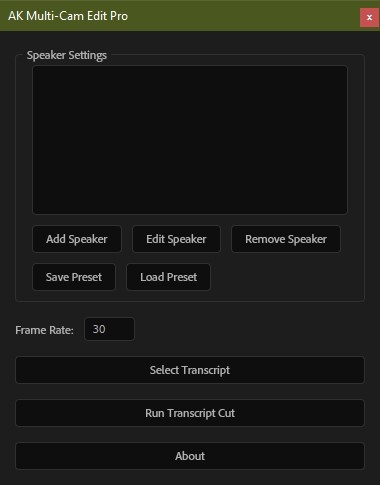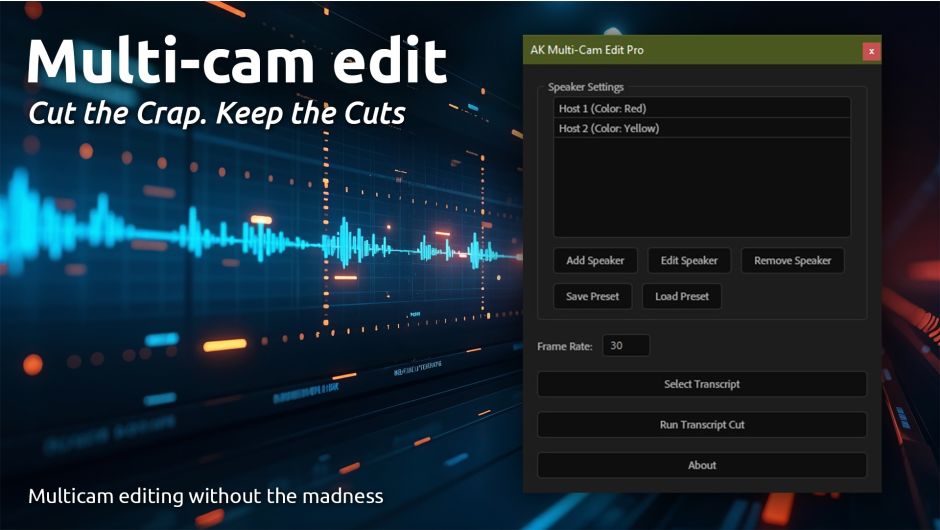
Multi-Cam Edit Pro is an After Effects script that creates multi-camera cuts from a transcript exported by Premiere Pro. It reads the transcript's timecodes and speaker names, then cuts the corresponding video layers. See the developer's product listing for current details.
Build an edit from a transcript
Start with a transcript exported from Premiere Pro and saved as a text file. In After Effects, select a composition, load the transcript, and generate the edit. The transcript provides the timing and speaker information for the cuts, which can reduce the manual work of locating and trimming each speaker segment.
The script detects the composition frame rate and matches it with the transcript. The developer describes edit generation as a one-click step after the composition and transcript are set up.
Organize the resulting cuts
The generated sequence uses compact, colored cuts for each speaker. The product listing says the sequence has no black frames between clips. Speaker presets let you save names and reuse them across projects, which can reduce repeated setup for familiar workflows.
Editors working from speaker-labeled Premiere Pro transcripts are the clearest fit. Before using the result in a finished edit, check the cuts against the footage. During a trial, a short composition with a transcript you know well gives you a practical way to review the timing, speaker segments, and frame-rate match.