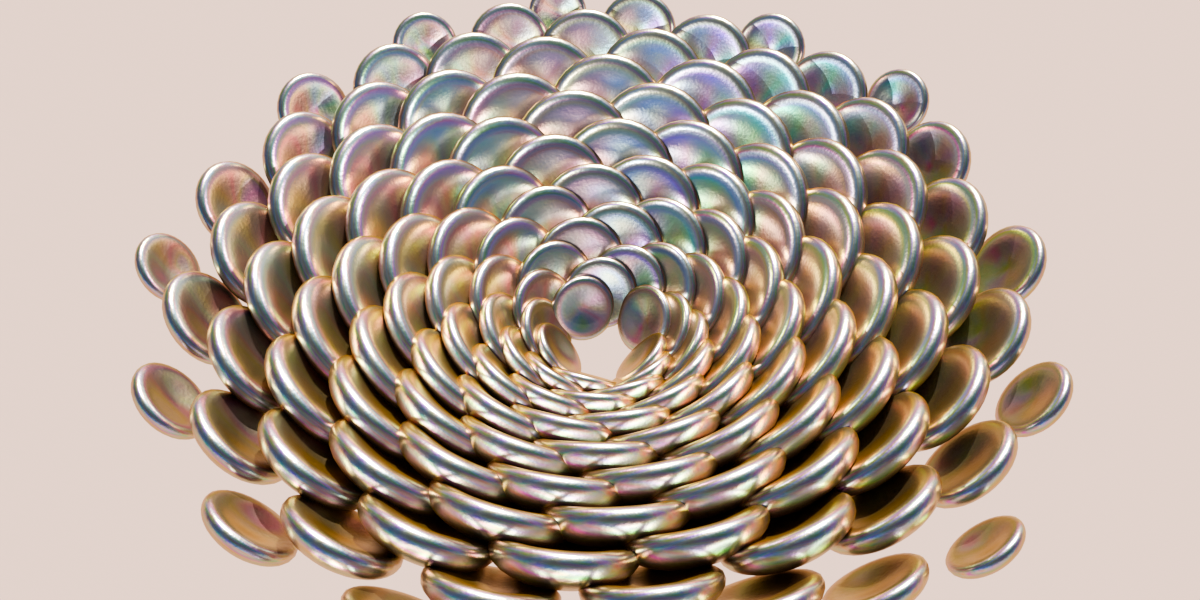
Natural Spirals (Phyllotaxis Arrays) is a Blender add-on that arranges copies of a mesh in a spiral. Select a mesh as the seed, create an array in a dedicated collection centered on the 3D cursor, then adjust its parameters with live updates.
Shape the spiral and its growth
The divergence angle defaults to the Golden Angle, and the Parastichy Helper sets it from two spiral counts, P1 and P2. You can set the instance count and direction, control the start and end radii with a Radial Bias curve, and add axial growth with an Axial Bias for tapered stacks or cones.
Further controls include global scale bias, linear or parabolic taper, phase rotation, optional Point to Center orientation, and randomized position and rotation wobble. These settings let you adjust the spacing and overall arrangement without changing the seed mesh.
Reduce spoke-like patterns
Simple fractions of a full rotation can line points up into visible radial arms. The product documentation recommends consecutive Fibonacci counts for P1 and P2. These pairs steer the divergence angle toward the Golden Angle, about 137.5 degrees, and can reduce radial banding.
Keep the array adjustable
The add-on uses object instancing from the active object's mesh data and hides the source automatically for edit and render. Create/Reset and Delete Array manage the result; when you want a single mesh, Finalize joins the instances into one editable mesh. Finalize is optional, so you can continue changing parameters while the array remains an array.
Start in Blender
Select a mesh object, open the Natural Spirals panel in View3D → Sidebar → Create, and choose Create Array. Adjust the parameters as the result updates. The listing marks the add-on as Blender Extension compatible and lists Blender versions 3.0 through 4.4. Check the current product listing for compatibility details if you use a later version.