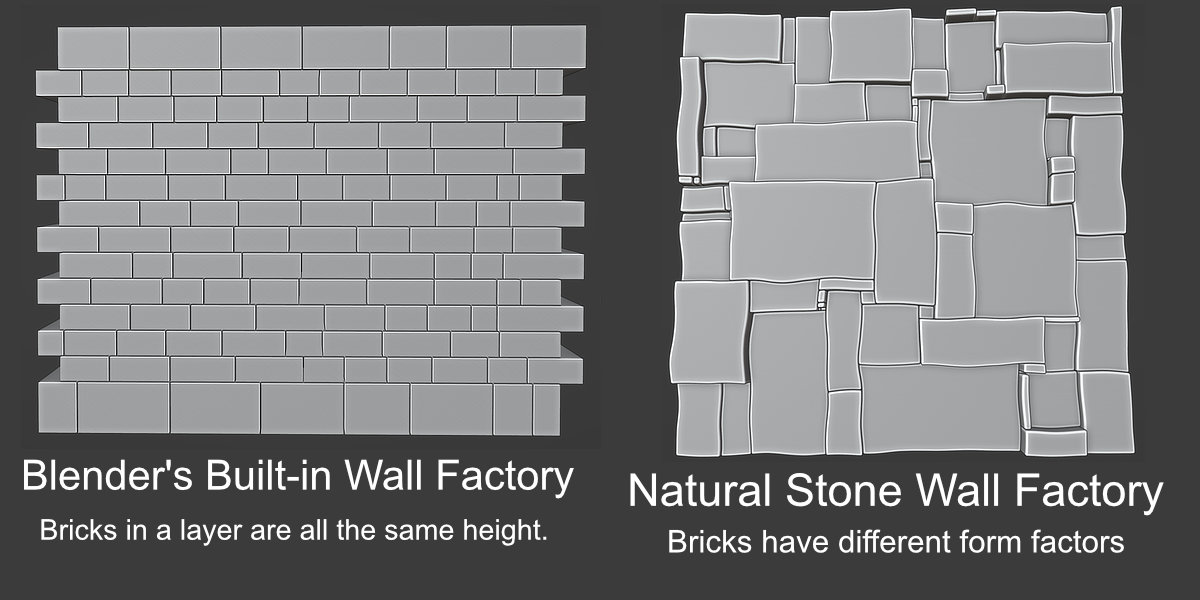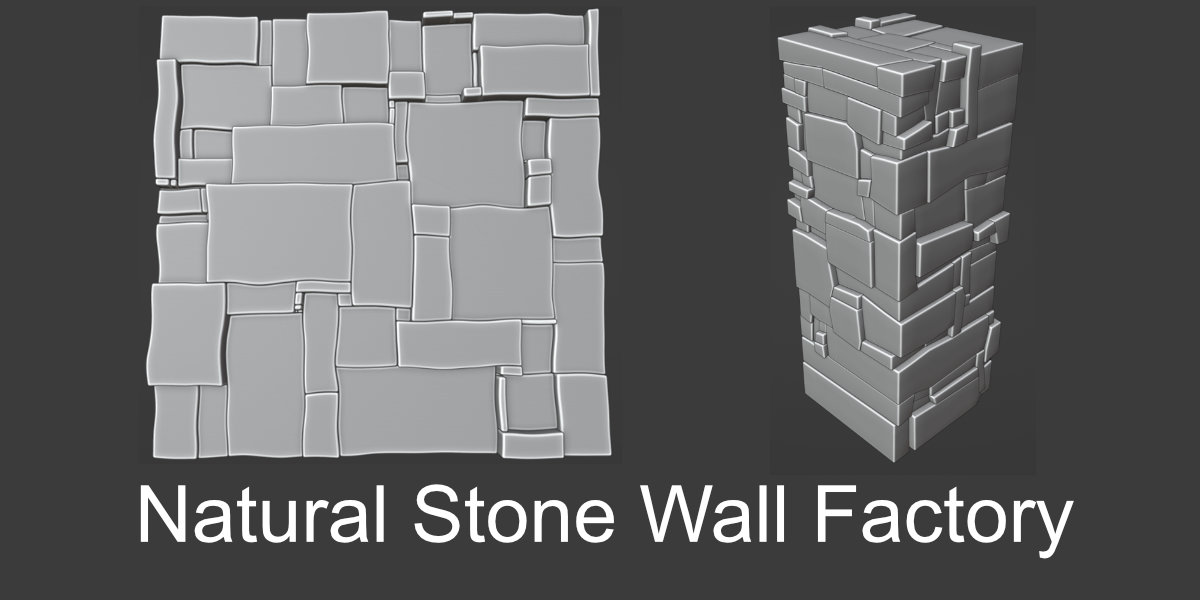
Natural Stone Wall Factory is a Blender add-on for creating stone floors, walls, and columns. It generates bricks that interlock in three dimensions, avoiding the manual vertex adjustments used to make individual stones fit together.
Install and use it in Blender
Before following these steps, compare your Blender version with the listing, which reports Blender 4.5; the documentation does not specify which releases its menu steps cover. The product documentation describes installing the downloaded addon_NaturalStoneWall.zip through Blender's Edit > Preferences > Add-Ons panel. After installation, search for “Natural Stone Wall” in the add-on preferences and enable it. The documented creation command is at Add > Mesh > Add Natural Stone Wall; choose the available parameters for the piece you want to make. See the product documentation for the listed steps.
Version and license
The Superhive listing reports Blender 4.5 compatibility and an MIT license. That version entry does not confirm support for other Blender releases. The documentation also does not specify which releases its installation menu steps cover, so check the product listing and your Blender version before installing. The listing identifies the add-on's license as MIT.