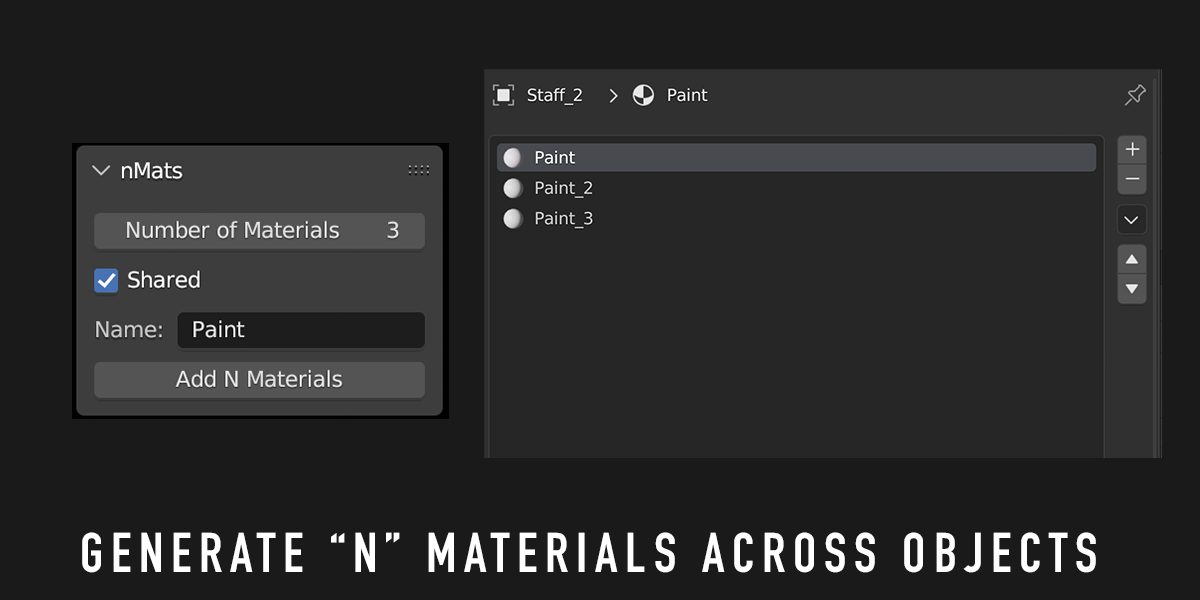
nMats is a Blender add-on by EnnJinn for creating and naming multiple materials across selected objects. Choose how many to make, then decide whether the materials should be shared across the selection or created separately for each object.
Choose shared or unique materials
In shared mode, nMats creates the number of materials you enter and shares them across the selected objects. For example, selecting three objects and entering five creates five shared materials. In unique mode, it creates that number for each object, so the same selection and count produces 15 materials, with five for each object.
Set a naming pattern
Unique materials use the object name followed by an incremental letter. For an object named Cube, a count of four produces Cube_A, Cube_B, Cube_C, and Cube_D. Add a suffix such as “metal” and the names become Cube_Metal_A, Cube_Metal_B, and so on.
Shared materials use newmaterial_01, newmaterial_02, and similar names when no custom name is entered. With a name such as “Metal,” the shared set uses Metal_01, Metal_02, and onward.
Compatibility, license, and availability
The Superhive product page lists Blender 3.0, 3.1, 3.2, 3.3, 3.4, 3.5, 3.6, and 4.0, and identifies the license as GPL. The listing currently says “Currently unavailable.” A creator note says the add-on may be provided free again if revenue is sufficient to cover the subscription. Check the product page for current availability and terms before planning to download it.