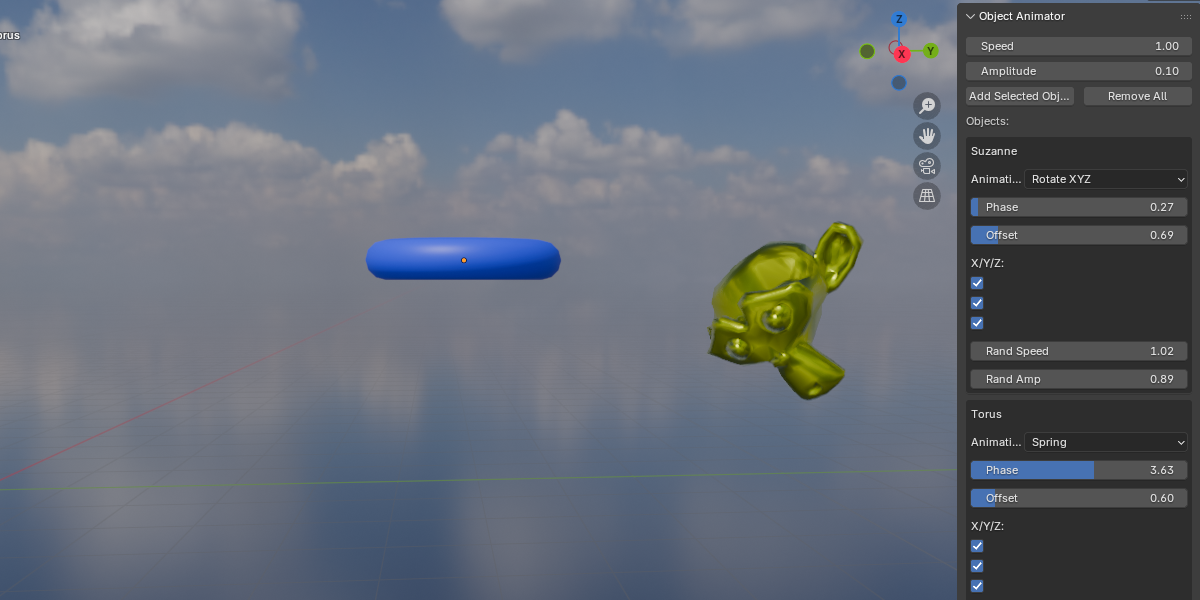
Object Animator is a Blender add-on for applying live procedural animations to multiple objects at once. Its library includes more than 30 animation types, such as wave, bounce, float, shake, rotation, pulse, spiral, jitter, noise and color effects.
The Superhive product listing credits Mergim Sahiti, lists Blender versions 4.0 through 4.5 and identifies the license as GPL.
Animate and adjust several objects
Choose animation types and tune their phase, offset and axes. Object Animator can randomize speed and amplitude for each object, so objects in the same scene can move with variation. Its transformations include location, rotation and scale across multiple axes. Color and gradient effects are available; the product FAQ notes that Color Pulse, Flicker and Gradient Shift require an assigned material.
Preview motion and bake it to keyframes
Start a live animation to preview the result in the scene. Live animations are undoable while you work. When the motion is ready, use Bake to Keyframes to put it on the timeline. Reset Transform restores an object's original position.
Install and use the add-on
- Download the Object Animator Python file (.py).
- In Blender, open
Edit > Preferences > Add-ons > Install, select the file and enable the add-on. - Open the 3D Viewport and find the add-on in the
SUOA3tab. - Select the objects to animate and click Add Selected Objects.
- Choose animation types and adjust the available controls, then click Start Live Animation to preview.
- Use Bake to Keyframes to bake the animation to the timeline. The Superhive documentation describes these installation and usage steps.
Superhive lists Blender 4.0 through 4.5 for the add-on. Compatibility with versions outside that range is not stated in the supplied listing, so check the current product page before installing on another release.