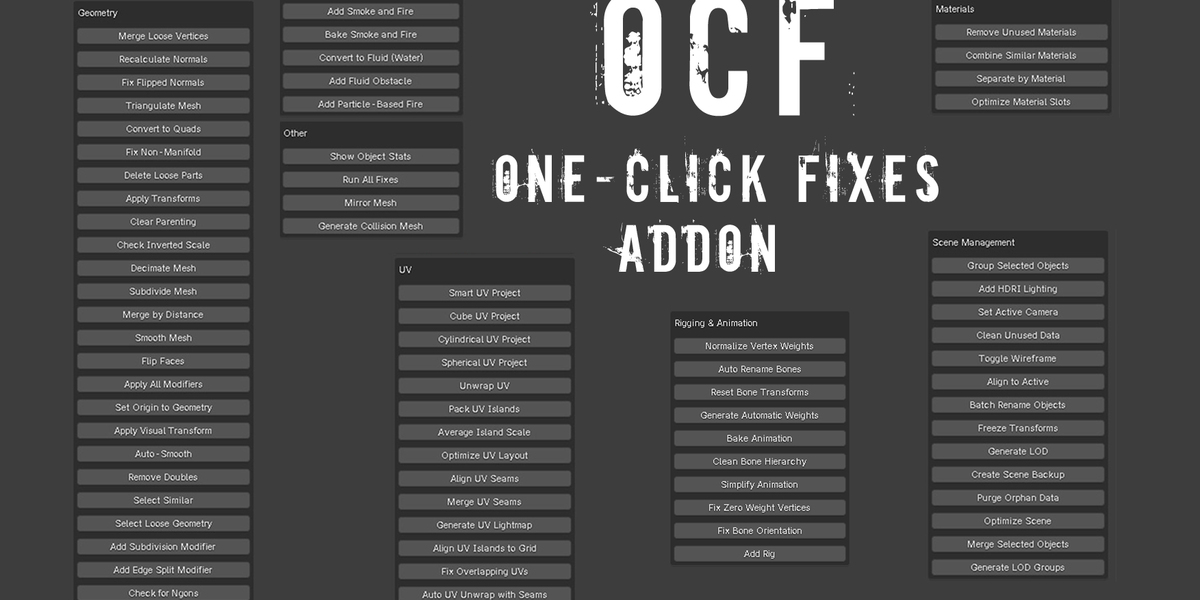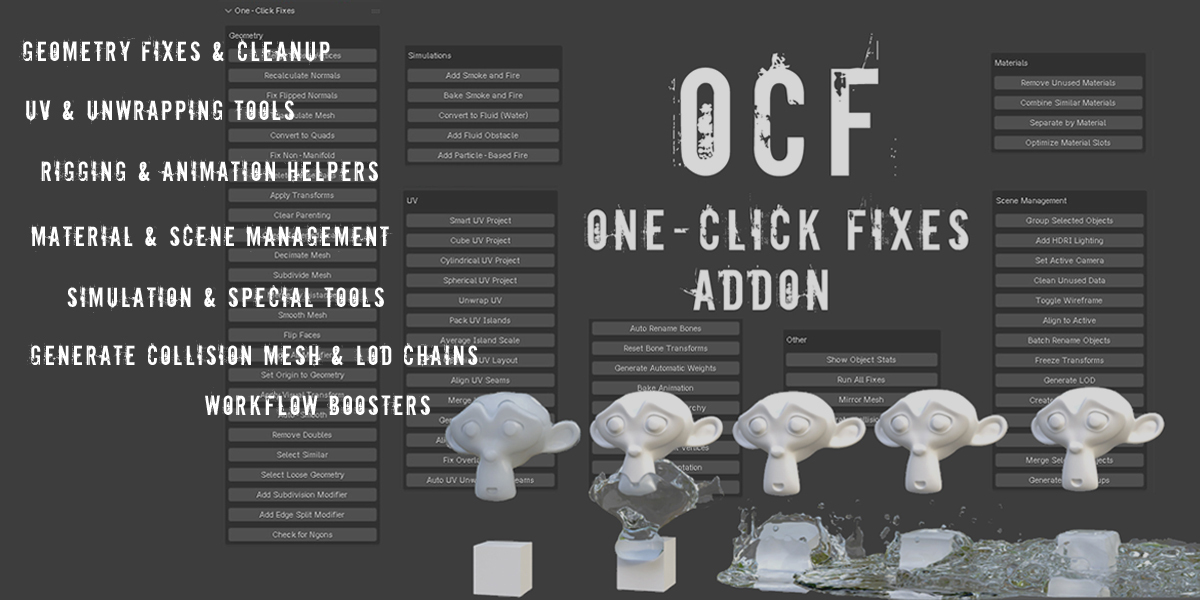
One-Click Fixes is a Blender add-on with more than 100 operators for geometry, UV, rigging, simulation, materials and scene management. The tools are organized in panels under the Fixes tab in the 3D View Sidebar, so common cleanup and setup operations are available in one place.
Geometry and UV cleanup
Geometry tools merge loose vertices, remove doubles within a custom threshold, recalculate normals and fix flipped normals. They can triangulate meshes or convert triangles to quads, and select loose or non-manifold parts for inspection or removal. Other operators decimate, subdivide and smooth meshes, auto-smooth or flip faces, and check ngons.
For UV work, the add-on includes Smart UV Project and angle-based or conformal unwraps, plus cube, cylinder, sphere and lightmap projections. Island packing, scale averaging and seam alignment tools help prepare layouts for texturing or baking.
Rigging, animation and scene management
Rigging helpers normalize vertex weights, generate automatic weights, rename bones, reset pose transforms and clean bone hierarchies. They also identify zero-weight vertices and adjust bone orientation. Animation tools bake motion to keyframes and simplify f-curves.
Material and scene operators remove unused materials, organize material slots, and separate or combine objects by material. You can group objects, batch-rename them, create backups, set an active camera, add HDRI lighting and purge orphan data.
Simulation and geometry preparation
The simulation tools set up and bake smoke, fire, water and particle-based fire with default domain and emitter settings. Other operators generate collision meshes and LOD chains, mirror meshes, align objects to an active object, and apply visual transforms.
The Run All Fixes operator applies the add-on's major geometry cleanup and rig-preparation steps. For a task that needs more control, use an individual operator. The product listing does not specify every operation included in Run All Fixes, so review the scene after using it. The add-on also includes options to create backups.
Compatibility
The product page's compatibility text says Blender 4.5.0 and later, while its details panel lists Blender 4.5 to 5.0. It states that the add-on runs on Windows, macOS and Linux with no external dependencies. Check the Superhive product page for compatibility with your Blender release.