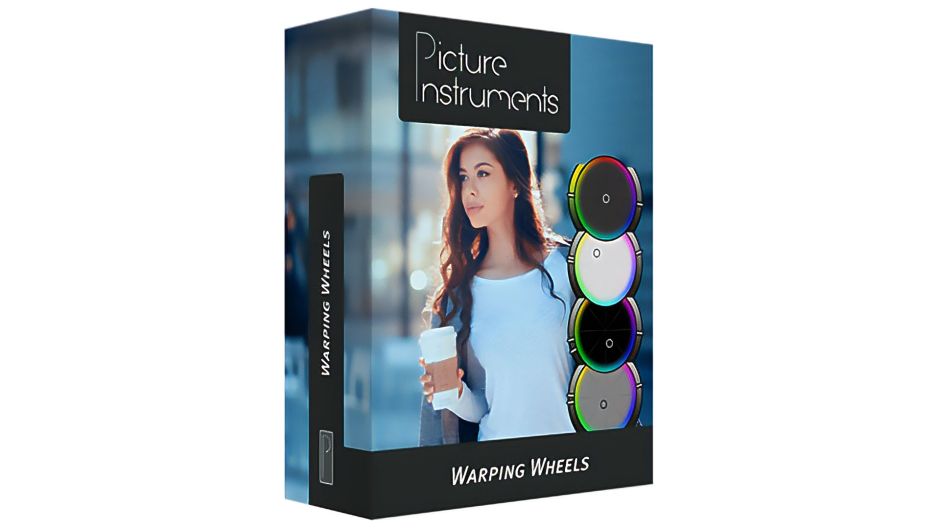
Picture Instruments Warping Wheel is a color-grading plugin for After Effects, Premiere Pro, Photoshop, Final Cut Pro X, and DaVinci Resolve. Its controls cover shadows, mids, highlights, skin tones, Sky Blue, Plant Green, and Film Contrast.
Adjust separate tonal ranges
The shadow, midtone, and highlight wheels tint different brightness areas of an image. Each has a range control to shift which part of that tonal band it affects, plus a smoothness control that widens or narrows its influence and softens the crossover to adjacent tones. A Master Wheel adjusts tint, saturation, and brightness across the full image; each tonal range also has its own brightness control.
A grading pass can start with a broad change on the Master Wheel, then use a tonal wheel for a more limited adjustment. Set the range to target the darker, middle, or brighter part of that band, then use smoothness to refine how the adjustment blends. These controls help keep a change to one part of the image from spreading too broadly.
Protect and adjust skin tones
Protect Skin Tones shields skin from the tint applied by the color wheels. Boost changes skin saturation independently, while Skin Tone Hue adjusts skin color. Picture Instruments says these controls can avoid separate mask work in many cases. The Warping Wheels manual notes that settings up to 50% on Protect Skin Tones protect pure skin, while settings above 50% also protect some brightness ranges in neutral tones. Results depend on source quality, so some shots may still need separate adjustments; check faces after a strong grade.
Color Warp and compressed footage
Picture Instruments' Color Warp technology bends colors smoothly through the color space, which the developer says can reduce compression artifacts such as blocking and banding. That may help when grading heavily compressed footage from phones, drones, or mini-gimbals. Sky Blue and Plant Green wheels target those colors, while Film Contrast adjusts contrast across brightness ranges. The Look Generator suggests starting looks; saved presets can move between supported hosts, and the toolbar can export a look as a LUT. The product uses the same color processing for photos and video, according to Picture Instruments.
Check the version and installation details
The version 1.0.1 listing names After Effects and Premiere Pro releases from CS6 and CC through 2020, plus Final Cut Pro X 10.4 or later. Picture Instruments' downloads page lists Warping Wheels 3.7.0 installers for Windows and Mac, with Adobe CC, FCPX, DaVinci, M1, and Intel compatibility labels. Check host and system requirements for the release you plan to install. FxFactory's listing says its edition requires FxFactory and that its latest release for Apple and Intel processors can only be installed through the app. The version 1.0.1 listing labels the plugin free, while current Picture Instruments and FxFactory product pages show paid purchase options. Confirm the release and licensing terms with the vendor before downloading.