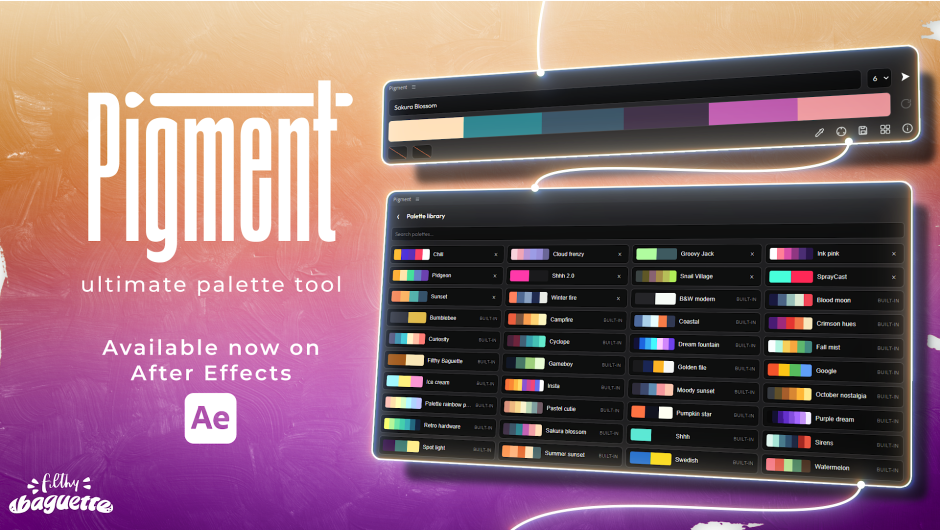
Pigment is a color palette tool for After Effects by Filthy Baguette. It helps motion designers build palettes from a base color or from colors sampled in a composition, then reuse those choices across a project. Its palette tools also feed a gradient effect, so you can carry a color scheme into fills and animated layers.
Create and organize color palettes
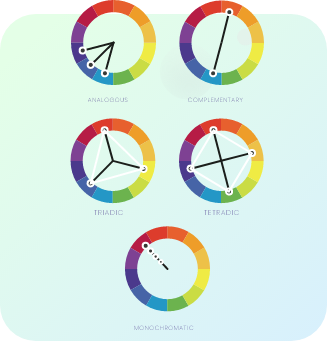
Choose from eight color harmony modes to develop a palette from a starting color, or sample colors from a composition with the eyedropper. Pigment includes 30 built-in palettes. You can adjust individual colors, separate fill and stroke choices with shortcuts, and apply a fill effect in one click.
Save palettes to the library, then load them when you need them again. Pigment can import and export palette files for sharing or backup. Its Project Sync tool links composition assets to a palette for automatic updates. Color vision simulation lets you preview how a palette may appear to people with different types of color vision deficiencies.
Turn a palette into a gradient
Version 1.2.0 introduced Pigment Ramp, an effect that turns a palette into a customizable linear or radial gradient on the selected layer. It supports gradients of up to nine colors and includes nine presets. The product page also says Pigment works with keyframes, so colors can be animated within an After Effects project.
The 1.2.0 release added a web export menu for copying palette values into web and app workflows. The developer's release history also lists version 1.3.1, dated August 31, 2026, with Adobe Swatch Exchange (.ase) palette import. When an imported palette has more than nine colors, Pigment opens a picker so you can choose which colors to keep.
Version, price, and compatibility
The aescripts listing shows Pigment for $29, with a $22 special price through November 30, 2026. Check the Pigment listing for current pricing, trial details, license terms, and release information.