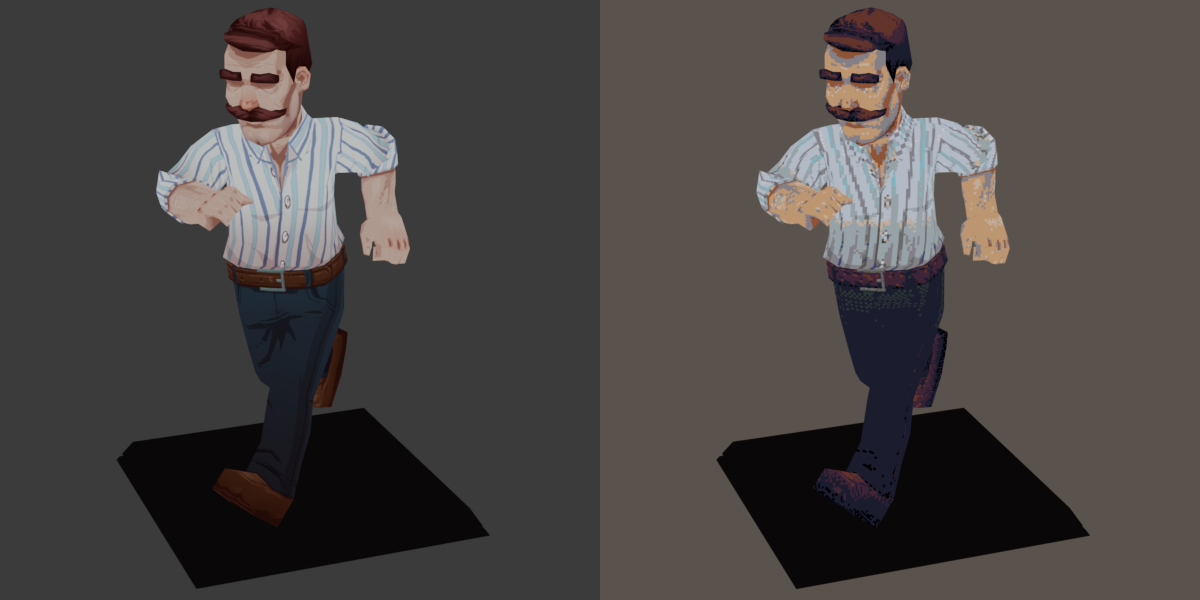
Pixelify - Send Your Renders Through Time is a Blender add-on for converting existing renders and textures into pixel art. It provides one-click conversion for individual textures or renders and batch processing for multiple textures using the same settings. The creator describes it as a texture conversion tool, so further adjustments may be needed after processing.
Convert individual textures or batches
For a single texture or render, Pixelify provides one-click conversion. When several textures need the same treatment, batch processing applies shared settings across them. A preset system saves and loads settings, and the non-destructive workflow lets you return to the original texture.
These options are useful when you want to reuse a setup or revise a conversion without losing the source texture. Processing time varies with computer hardware and texture size.
Choose dithering, sampling, and color settings
Pixelify includes several controls for shaping the converted texture. Its dithering engine offers Bayer, Floyd-Steinberg, and Median-Cut algorithms. Sampling modes range from nearest neighbor to Lanczos filtering, and you can use the built-in color palette or create a custom one.
Color adjustments include brightness, contrast, saturation, gamma, and hue. A smart logging system tracks performance. Together, these settings let you select a conversion approach and refine the resulting colors.
Blender support and texture limits
The Superhive product listing marks Pixelify as Blender Extension compatible and lists Blender versions 3.6 to 5.2. The listing says Pixelify is Windows-only for now, with a Mac version in development. Check the listing for current platform and Blender support before installing.
The creator says Pixelify works best with textures under 1K resolution. Processing time depends on the computer and texture size.