Polka Dots Maker is an After Effects panel for generating polka dot patterns. It creates a Dot Comp and Control Layer automatically, and can generate circles or squares from its simple UI. The controls let you adjust the complete pattern or individual dots. You can also edit and animate Dot Comp contents after generation.
Generate one or two dot compositions
Generate dots in one click. Version 2.0 added the option to create two DotComps. With Multi Comp checked, the two DotComps line up alternately.
Adjust the pattern, spacing and motion
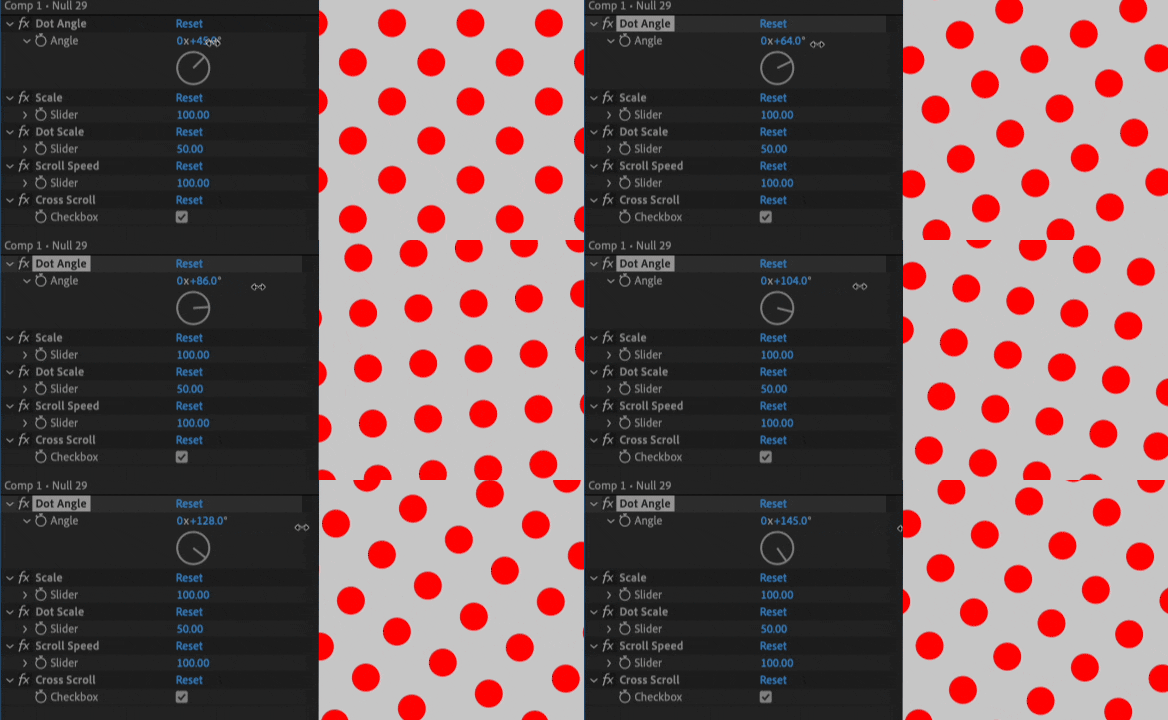
The controls affect different parts of the pattern:
- Dot Angle rotates the entire pattern.
- Scale changes the size of the entire pattern.
- Dot Scale changes the size of one dot and the distance between dots.
- Scroll Speed affects the speed of one row of dots.
- Cross Scroll adds an option for cross animation.
Edit the generated composition
Inside Dot Comp, you can change the shape and visual style, animate its contents or replace footage.
For example, use Dot Scale when you need to change both dot size and the distance between dots. Use Scale for the size of the whole pattern, and Dot Angle for its rotation. If the composition calls for alternating alignment, generate two DotComps and enable Multi Comp.
Version, compatibility and trial
The aescripts listing gives version 2.1, released September 26, 2024. That update simplified the undo operation; version 2.0, released August 2, 2024, added the two-DotComp option. The listing names After Effects 2026, 2025, 2024, 2023 and 2022 as compatible versions.
The aescripts listing includes a free trial. The captured page showed a price of $12.40 and 25% off at checkout. Discounts and prices can change, so check the aescripts product listing for current purchase terms, trial details and compatibility information.