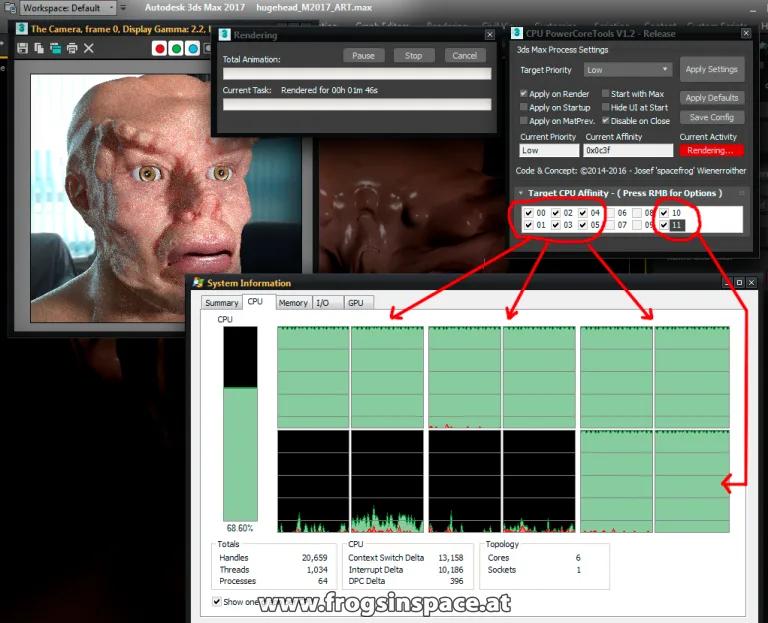
PowerCoreTools is a 3ds Max script that changes the render process’s priority and CPU affinity when rendering begins. It restores the initial settings when the render finishes, helping keep the workstation available for other tasks, including work in a second 3ds Max session.
How CPU management works
At render start, the script sets process priority and affinity. Affinity controls how many CPU cores the render process uses. When rendering ends, PowerCoreTools returns the settings to their initial values.
The script can run in a transparent No-UI mode that launches after 3ds Max starts. Its UI elements have tooltips with additional information. PowerCoreTools is intended for users who understand CPU priority and affinity settings.
Version and renderer support
PowerCoreTools requires 3ds Max 2010 or later. Version 1.2 added compatibility with 3ds Max 2017 and later, as well as support for the ART renderer. Support for MaxToArnold is limited because that renderer manages CPU resources itself.
Installation
- Drag the .mzp installation package onto the 3ds Max viewport.
- Choose an installation option from the prompt. A 3ds Max restart might be required before the tool is ready.
- Use the same package’s uninstall option if you want to remove the script.
Josef “spacefrog” Wienerroither created PowerCoreTools. The catalog lists it as free. Check the developer’s page for the package, release history, and licensing details. The tool is also listed on ScriptSpot.