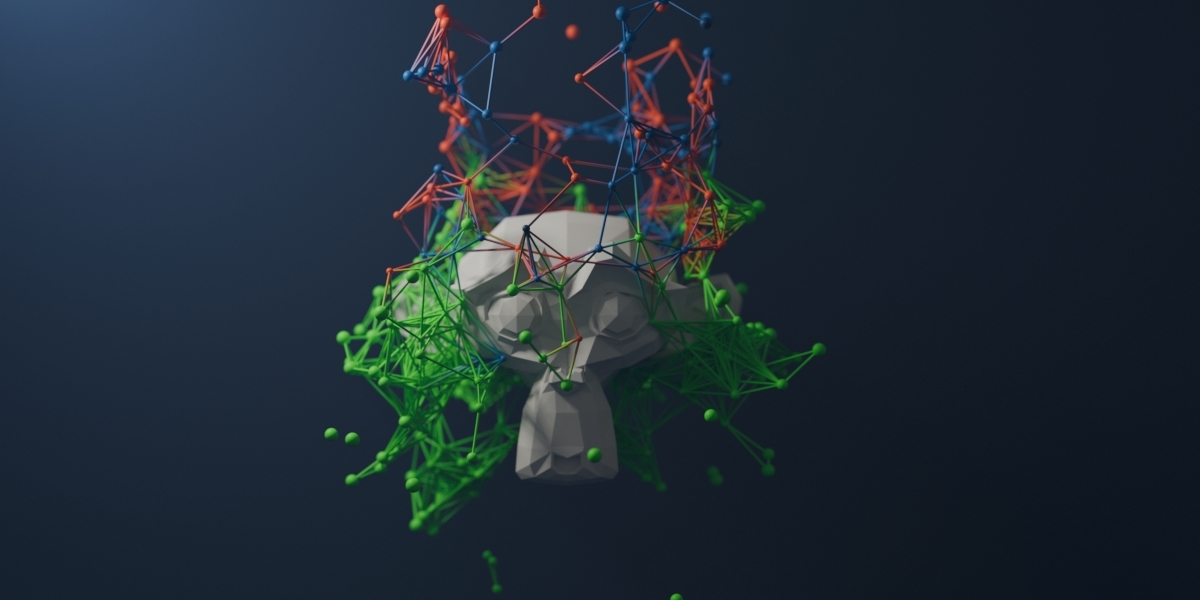
Pro Particles - Advanced Particle System is a Blender add-on for building GPU simulations and related effects. The Superhive listing describes version 5.5 as Pro Particles Studio, combining particles, fluids, granular materials, deformable objects, smoke and fire, terrain, and procedural motion graphics. Projects can use a list-based setup or the Pro Physics node editor.
Simulation tools for different effects
Particle workflows include emitters, forces, collisions, groups, trails, instancing, and conditional logic. Masks and data mapping can control where effects run and how particle properties change. For example, physics events can spawn particles or emit Pyro when particles are born, collide, or break through a deformable threshold.
Fluid tools include FLIP/APIC, SPH, and PBF workflows, with options for mixing sources, meshing, and ocean effects. The MPM and granular solvers cover materials such as sand, snow, clay, and foam. Cloth, soft body, and strand simulations add fabric, deformable meshes, hair guides, ropes, and cables. Pro Pyro handles smoke and fire, while Pro Graph and Pro Terrain provide separate workflows for procedural animation and landscapes.
Control setups and reuse them
Lists and Physics Nodes organize emitters, effects, and outputs in different ways. The Superhive listing says the two modes keep independent setups, so switching modes does not convert one setup into the other. Physics Groups can be nested and reused through Blender’s Asset Browser. Presets and reusable masks also help carry settings between supported controls and projects.
Effects can be reordered to shape a simulation. Forces, collisions, Flow Fields, constraints, color controls, and logic can be combined in the same stack. The Particle Inspector displays sampled simulation values and mapping results, which helps when adjusting a setup.
Preview, cache, and export
GPU previews let you inspect motion in Blender while working. The seller notes that performance depends on scene complexity, resolution, and available graphics memory, so results will vary by project and hardware. An in-memory cache supports preview scrubbing; Output Cache can store selected geometry for persistent playback and retiming. Supported geometry can be baked or exported as Alembic, and Pyro volumes can be baked to VDB sequences. The available outputs depend on the simulation and attributes enabled.
Check hardware and Blender compatibility
The product page says Pro Particles Studio 5.5 requires Blender 5.0 or newer. Simulation and GPU preview require Vulkan in Blender on Windows or Linux, or Metal on Apple Silicon macOS. OpenGL and DirectX 12 are not supported, and Intel Macs are not supported. On Windows and Linux, the listing instructs users to select Vulkan in Blender Preferences and restart Blender.
A dedicated GPU is recommended. The seller lists 6 GB of VRAM as a practical minimum for Pro Pyro and recommends 8 GB or more for larger particle counts, dense volumes, and high-resolution VDB export. It lists 16 GB of RAM as the minimum. The same page identifies native GPU preview support for Blender 5.0 through 5.3, so check the documentation or evaluation build for compatibility with your specific Blender version.
Try the evaluation build
A technical-evaluation build is available to check the workflow and graphics hardware before purchase. Its limits matter if you need to test baking or exports; see the FAQ below for the listed caps and unavailable features. The Superhive listing links to the evaluation build and a version 5.5 changelog.