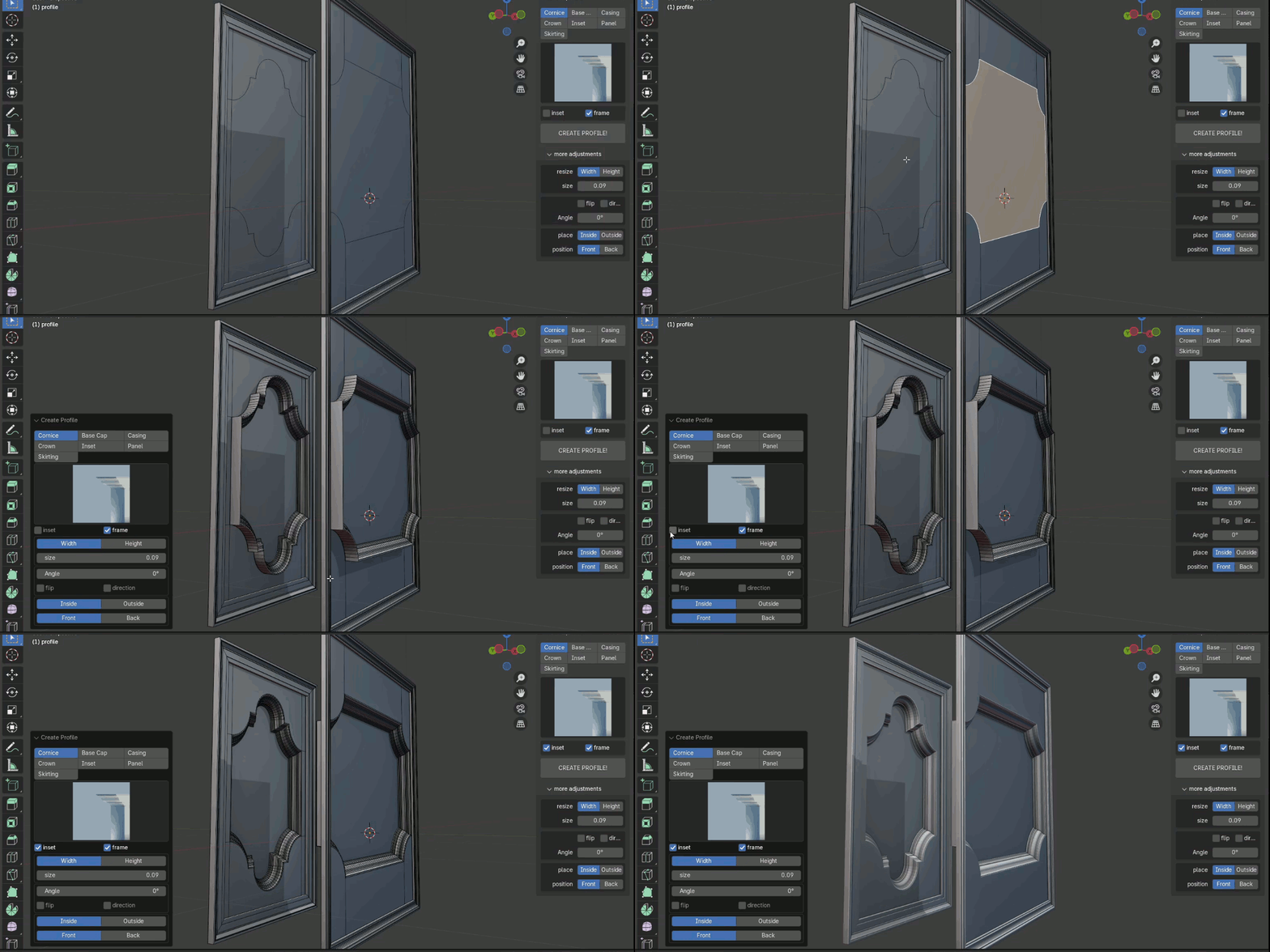
ProfileMaster is a Blender add-on for creating architectural profiles along selected edges or faces. Choose from a library of more than 170 profiles, select geometry and click Create Profile. It is intended for details such as covings, mouldings, trims and skirtings, where shaping a cross-section and keeping thickness consistent around turns can take several modeling steps.
Profile types and placement
The product documentation lists seven profile types: Cornices, Base Cap, Crown, Casing, Inset, Panel and Skirting. Skirting and Base Cap start upward from the selection by default; the other types start from the top. The starting behavior can be changed.
ProfileMaster has Frame and Inset modes. Frame profiles can use edge or face selections, while Inset mode works with face selections, and any profile type can be used as an inset. Placement controls let you adjust the angle and default position, and flip the profile's direction or orientation.
Adjust dimensions after creation
Width and height can be changed in real time from Blender's redo panel. The documentation says changing one dimension adjusts the other accordingly. This lets you tune a profile's size without rebuilding it. The product listing also describes thickness management for turns and corners and support for complex curves.
Check geometry when a profile looks wrong
ProfileMaster uses the geometry and normal directions of the selection. The product listing names intersecting profile tips, incorrect normals and frame settings as possible causes of missing geometry, odd placement or inconsistent framing. Reduce the profile size if its tips intersect. Check and, if needed, invert the normals; also check the frame box and frame direction. The add-on cannot repair bad geometry, so the selected mesh still needs to support the intended profile.
Compatibility, license and price
The Superhive listing marks ProfileMaster as Blender Extension Compatible and lists Blender 4.3, 4.2, 4.1, 4.0, 3.6, 3.5, 3.4, 3.3 and 3.2. It identifies the add-on's license as GPL. Check the listing for current compatibility details before installing.
The supplied listings disagree about price: AnyPlugins labels ProfileMaster free, while the Superhive page text shows a launch-sale notice without a base price. Confirm the current price on the Superhive product page.