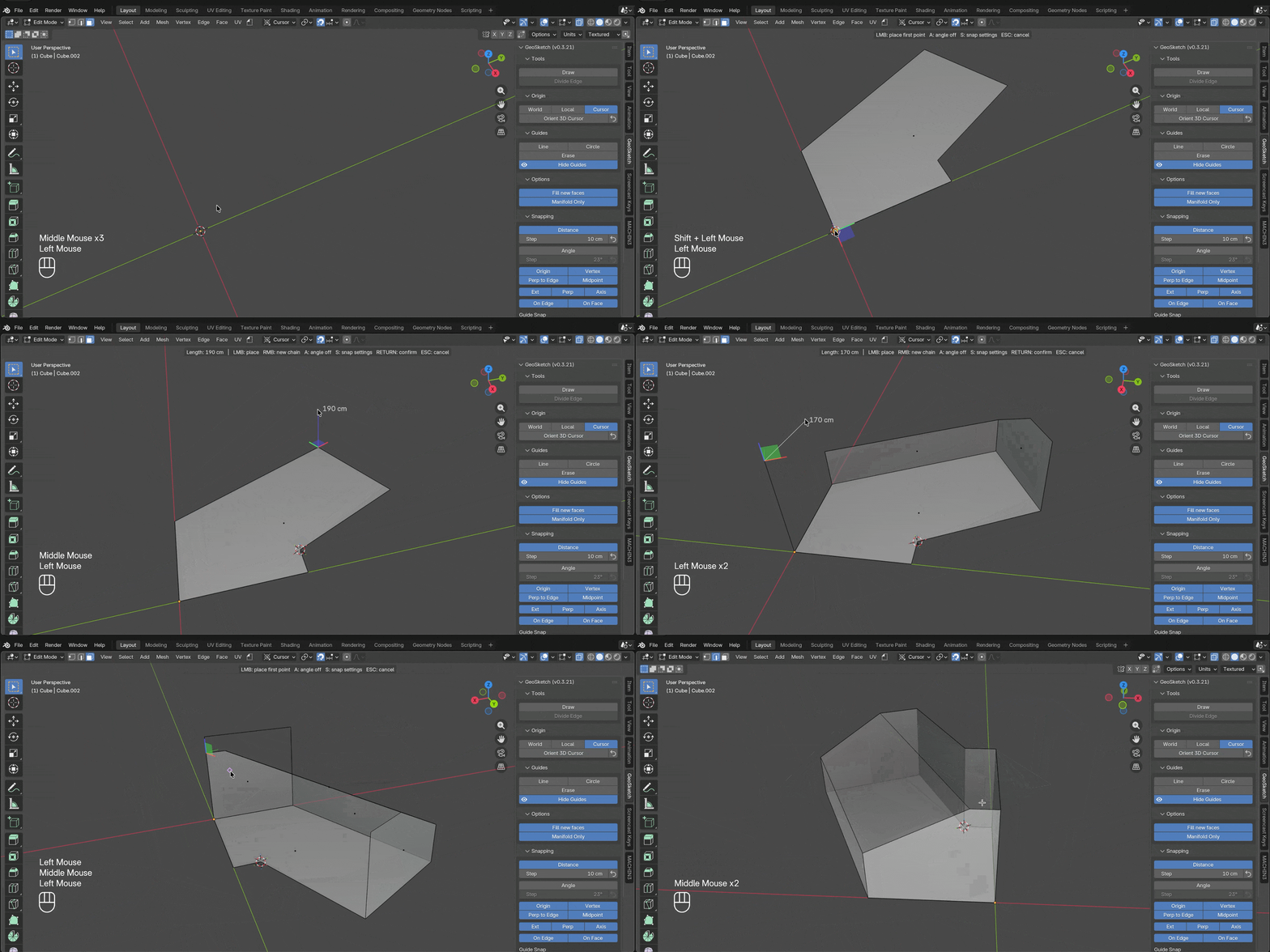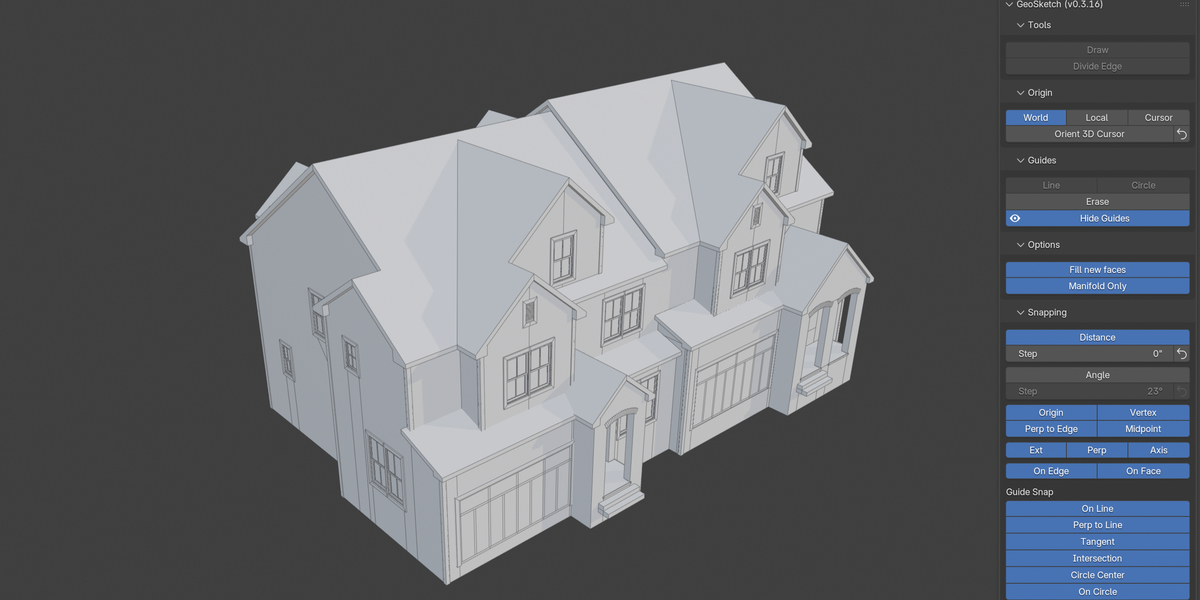
Geosketch is a Blender add-on for drawing and editing mesh geometry with control over placement. Its Draw tool works in Mesh Edit Mode, handles intersections and overlaps as you create geometry, and can make precise cuts in existing meshes. The developer describes architectural modeling and 3D printing as its main production uses.
Draw geometry with snapping controls
Press D in Mesh Edit Mode to start the Draw tool. Left-click to add consecutive points along an edge chain. Right-click ends the chain, which also closes automatically when you complete a loop. Press Enter or Space to confirm and leave the tool, or Esc to cancel. Numeric input locks the line length. Holding Shift locks the drawing direction and lets you project other objects onto the line.
The snapping system is shared across the tools. The Dominant Plane sets a default drawing plane based on viewport orientation, and an origin gizmo shows which plane will be used while drawing. OSNAP targets geometry such as vertices and midpoints, as well as perpendicular points on edges. DSNAP constrains direction to world, local, or 3D Cursor axes, extensions, or perpendiculars. In the tool, S opens snap settings, D toggles distance unit snapping (USNAP), and A toggles angle snapping (ASNAP). When ASNAP is active, R switches between absolute and relative angle modes.
Edge division, cursor alignment, and guides
Edge divide divides selected edges into a chosen number of divisions without destroying connected faces. Orient 3D Cursor, available with the default Alt-C shortcut, positions and aligns the 3D Cursor. The first point sets its position, the second aligns its X axis, and the third fully orients it to the plane formed by the three points. You can stop after the first point to move the cursor while keeping its previous orientation. The tool also sets the cursor as the Transform Orientation.
The Guides system is an initial implementation. Its guides are mathematical geometry rather than mesh geometry, so intersections can be precise even when a shape, such as a circle, has no mesh edges to intersect.
Release and compatibility
The Superhive product listing reports version 0.3.25, updated on June 18, 2026 with small tweaks and fixes. Its details list Blender 5.1–5.2, mark the add-on as Blender Extension Compatible, and identify its license as GPL. The developer plans to keep the add-on compatible with the newest Blender release and at least the latest LTS release, and to implement new functionality only for those versions. Check the listing for the current supported versions before installing. The developer also notes that the UI and functionality may change before version 1.0 as the tools evolve and user feedback comes in.
Who may find Geosketch useful
Geosketch fits Blender workflows that involve drawing points against existing geometry, splitting edges, or setting a precise cursor orientation. The developer says the add-on began as an internal production tool and is used in studio work, mainly for architectural modeling and 3D printing. Its tools are designed to work within Blender's workflow rather than replace other applications with a separate interface.