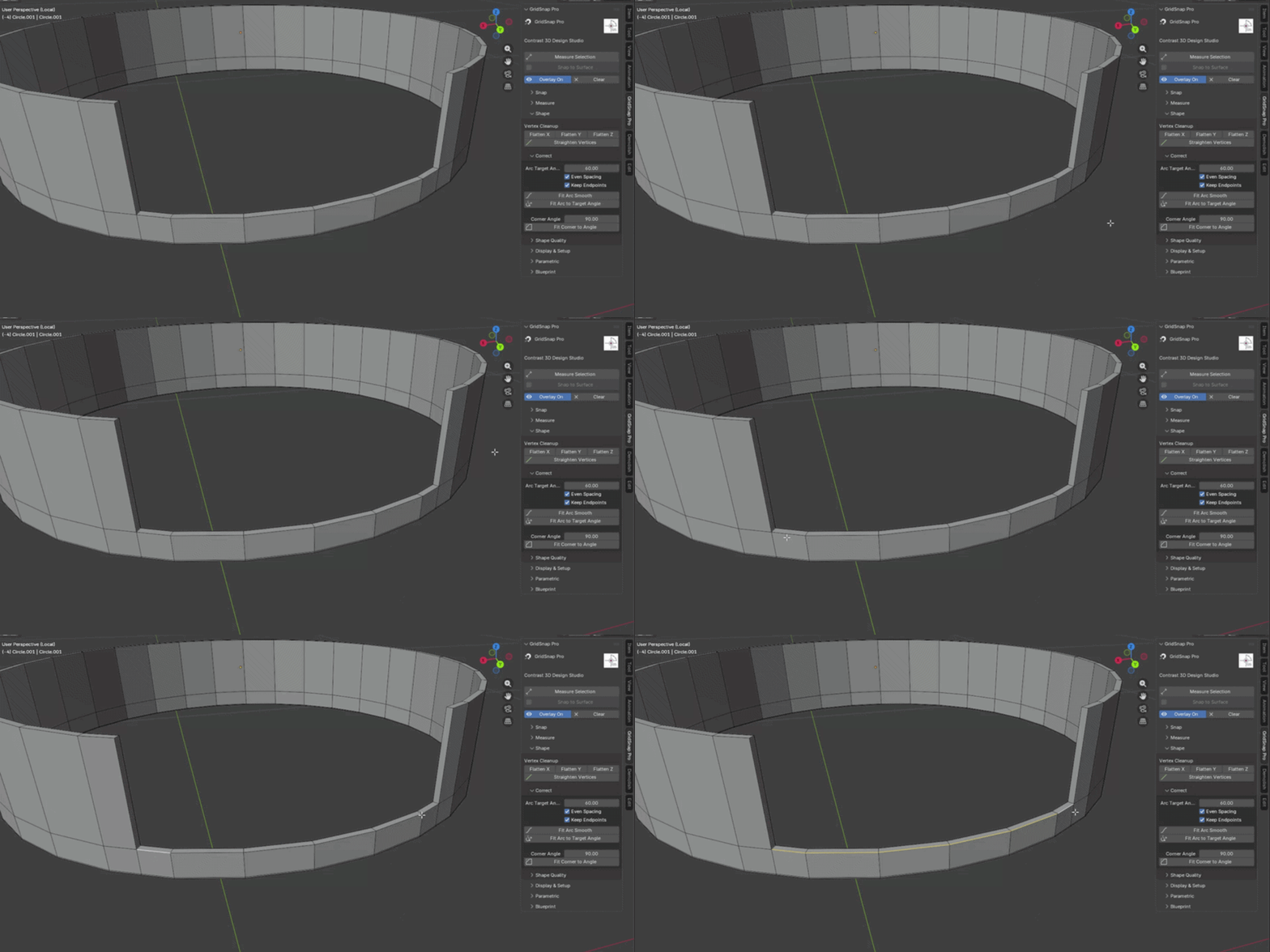
Gridsnap Pro - Precision Tools is a Blender add-on for artists who need accurate placement, measurements and geometry correction during modeling. It combines those tasks in Blender’s 3D Viewport for hard-surface work, product visualization, mechanical parts, props and 3D-printing workflows. Its developer describes it as a precision toolkit, not a full CAD replacement.
Place objects and snap to exact increments
Snap to Surface previews an object’s placement as you hover over a scene surface; click to confirm the position. You can align a chosen local axis to the surface normal and choose whether the object’s origin or base makes contact. Grid snapping moves object origins or selected vertices by a real-world increment. Set a custom step and snap on all axes or only X, Y or Z. For example, the product listing says a 1 mm step represents one real millimeter under any unit setup.
Measure and export dimensions
Measure distances between vertices or object origins, angles, radii, diameters, arcs and multi-vertex curves. Results appear as viewport overlays. Scene Units (Auto) follows Blender’s display, including Unit Scale; you can also choose a fixed unit such as metres, centimetres, millimetres, inches or feet. Copy the latest result to the clipboard when you need it elsewhere.
Saved Dimensions keep measurements in the scene as references. Mark one Live to measure it again after the geometry changes. Export saved dimensions as CSV or JSON, or create an SVG blueprint from a top, front or side view. The SVG places each dimension value beside its line.
Check outlines and correct geometry
Shape Quality checks selected outlines against circles, ellipses, squares, rectangles, diamonds, triangles, hexagons and regular polygons. After the check, select flagged vertices and adjust the outline toward the expected shape. Correction tools can clean an arc, fit it to an angle such as 30°, 45° or 90°, resize a circle or arc to an exact radius, or rebuild a three-point corner to a target angle. Follow Shape tracks tilted geometry; XY, XZ and YZ let you choose a world plane. A separate tool resizes selected geometry to a typed length. The listing also describes Undo support for snapping, correction and geometry operations.
Blender compatibility and setup
The Superhive listing’s details give Blender 4.2–5.2, while its requirements and FAQ say Blender 4.2 or newer. Check the current developer documentation for support for your exact release. To install, use Blender’s Edit > Preferences > Add-ons > Install from Disk command, select the ZIP and enable the add-on. Open the 3D Viewport sidebar with N and choose the GridSnap Pro tab. The product listing says it works fully offline after installation.
For simple precision tasks that fit Blender, Gridsnap Pro brings snapping, measurement and geometry correction into one viewport workflow. Use a dedicated CAD application when your work requires a full CAD toolset.