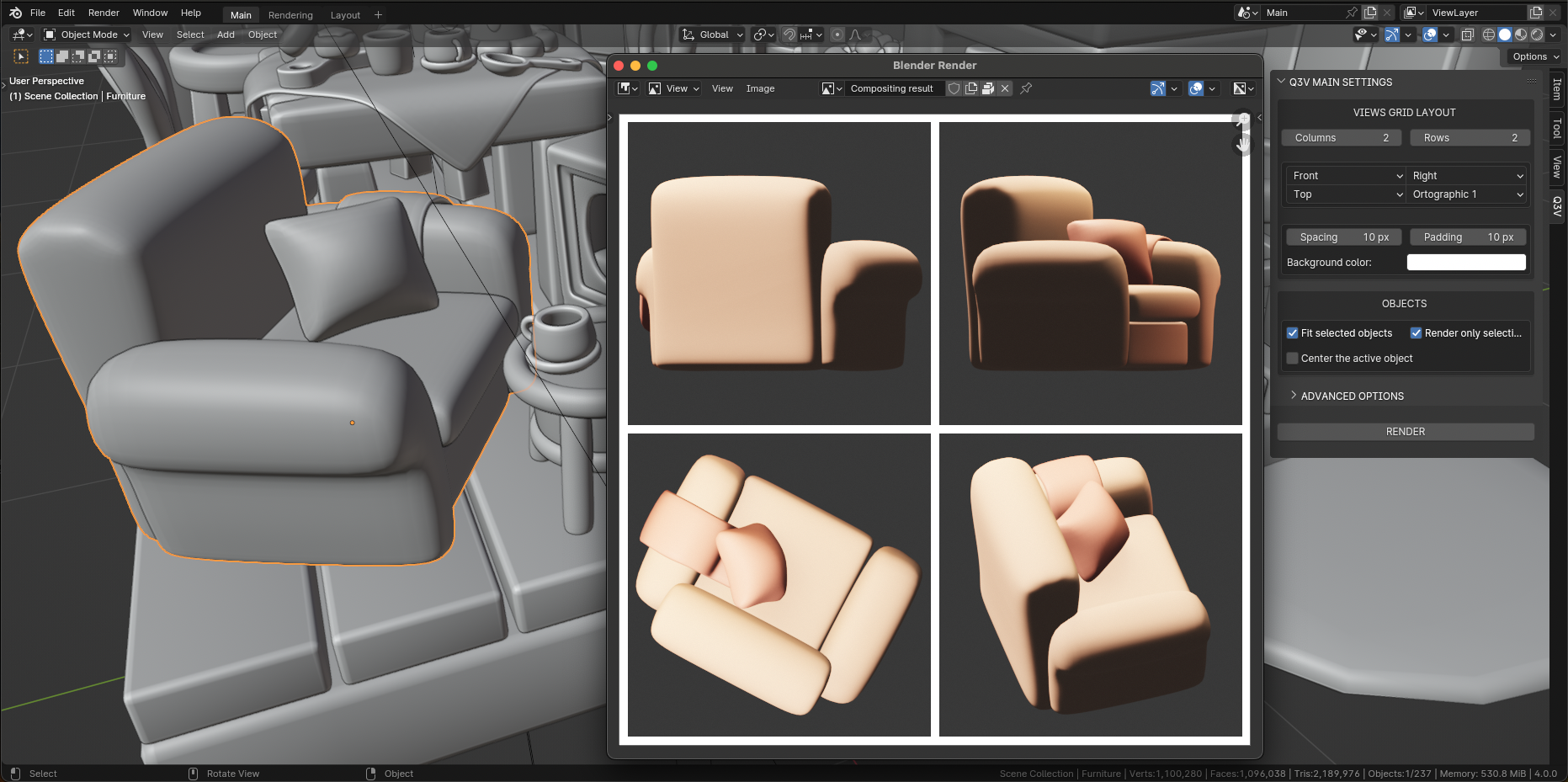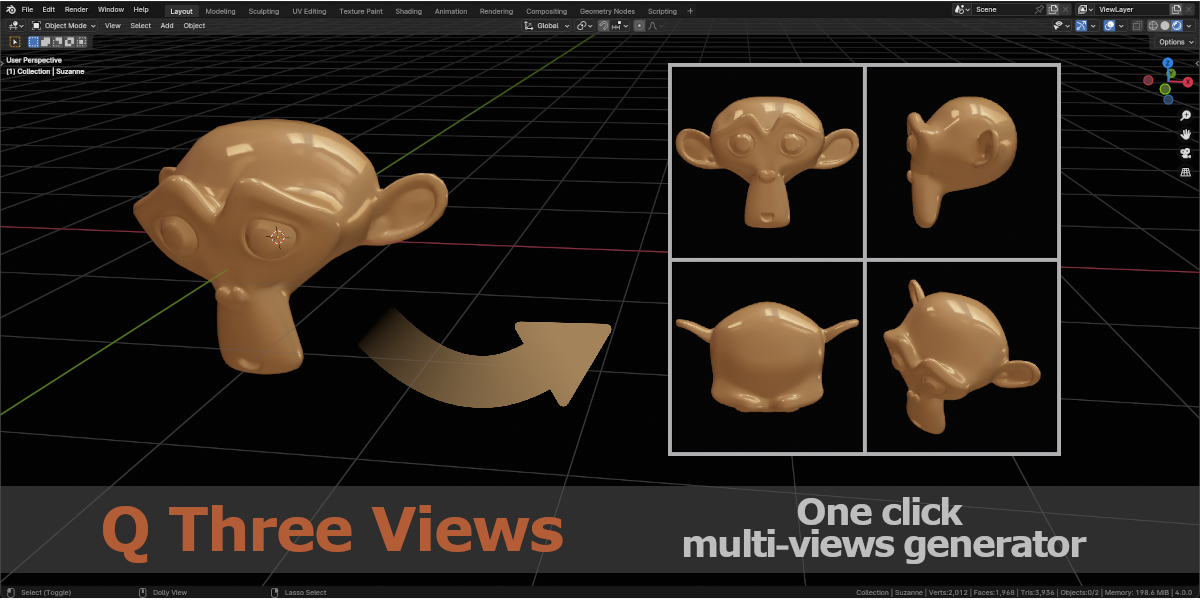
Q Three Views is a Blender add-on that automates camera placement for a composed set of renders. Select an object and click RENDER; it positions cameras, renders the views, then creates and displays the composition image. You can target one object, the current selection, or the whole scene.
Choose what appears
For a whole-scene render, you can keep the frame centered on a target object or on the scene center. An optional hide setting excludes other scene objects so the output shows only the selected object or group.
Arrange views in a grid
The default composition includes front, right, and top views, plus an orthographic camera at 45 degrees. You can arrange the views in any grid shape and choose from ten available view types.
Render engines and compatibility
Q Three Views works with Blender's Workbench, EEVEE, and Cycles render engines. Superhive's product details list Blender versions 3.6 to 5.3; the release notes for version 1.3.3 specifically mention compatibility with Blender 5.1. Those notes, published March 23, 2026, also describe a fix for saving the file name and extension. Check the Superhive product listing for current compatibility details. The seller advises disabling and uninstalling an older version before installing a new one.
Known Grease Pencil limitation
The seller reports that Grease Pencil objects using the LineArt modifier can render inaccurately, attributing the issue to a Blender bug that had been reported. If that combination matters to your work, test a scene with it before relying on the output.