Quick Rail Sweep & Profile Extrude is a Blender add-on for creating rail sweep and profile surfaces from curve selections in Edit Mode. Select the rail and generation curve vertices, enable the connection vertex when those curves are connected, then right-click and choose Rail Sweep. A panel in the bottom-left corner lets you adjust the result.
Three curve setups
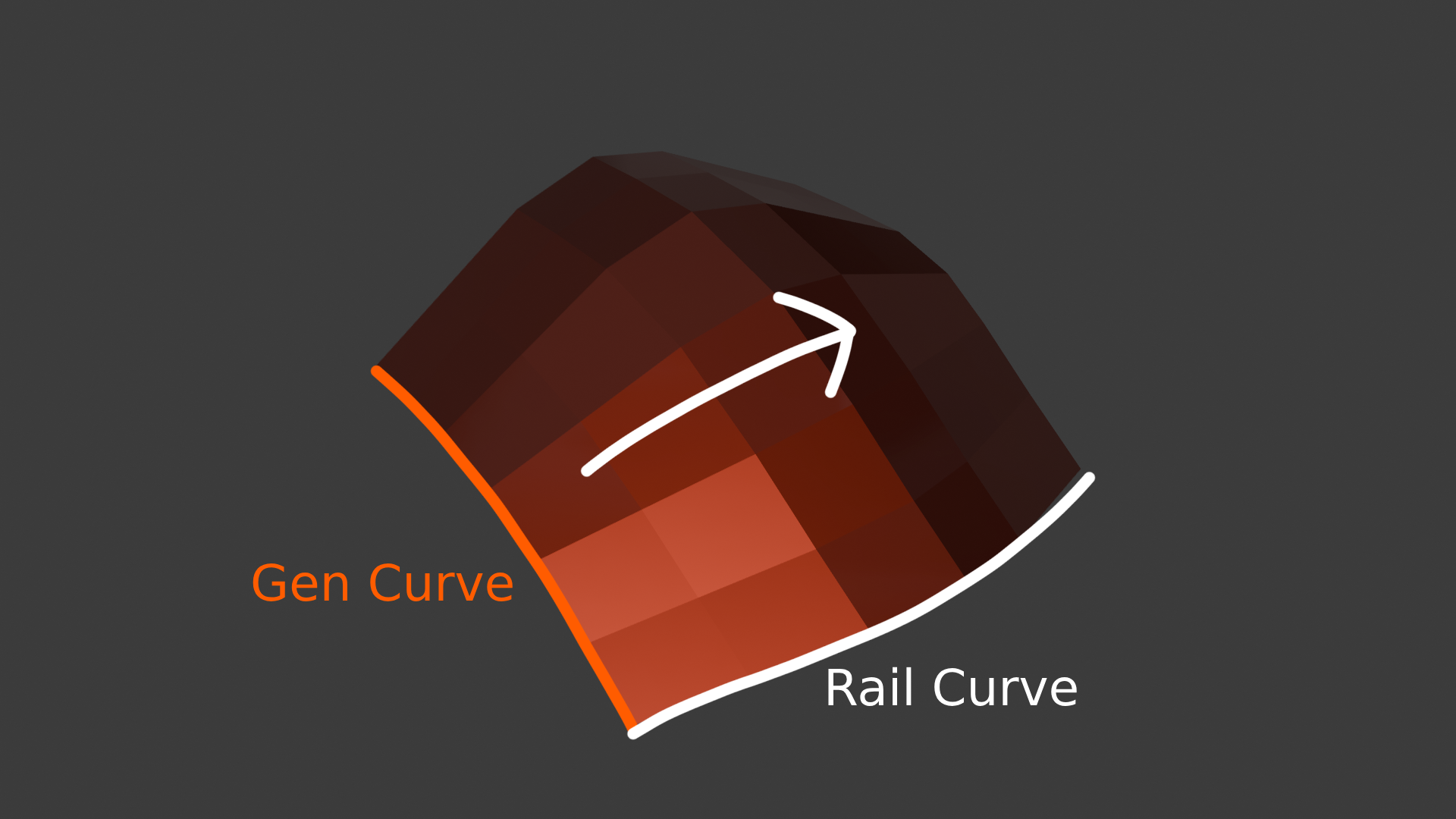
The add-on supports three arrangements: one generation curve swept along one rail; one generation curve guided by two rails at once; or a transition surface between two generation curves, guided by one rail. The first setup follows a single path, while the other two use additional curves to guide the generated surface.
Controls for the generated surface
The parameter panel includes controls for sweep behavior and surface orientation. Mode selects a sweeping mode. The Parallel factor controls whether the sweep stays parallel or follows the rail curve’s tangent. Swap exchanges the generation and rail curves, and Twist adds rotations during the sweep. For profile surfaces, Shape evenly controls whether thickness is uniform. Flip Normals reverses the generated surface’s normal.
Listed Blender versions and license
The Superhive listing names Blender 2.83, 2.9, 2.91, 2.92, 2.93, 3.0, 3.1, 3.2, 3.3, 3.4, 3.5, 3.6, and 4.0, and lists the license as GPL. Check the listing for the details available before installing.