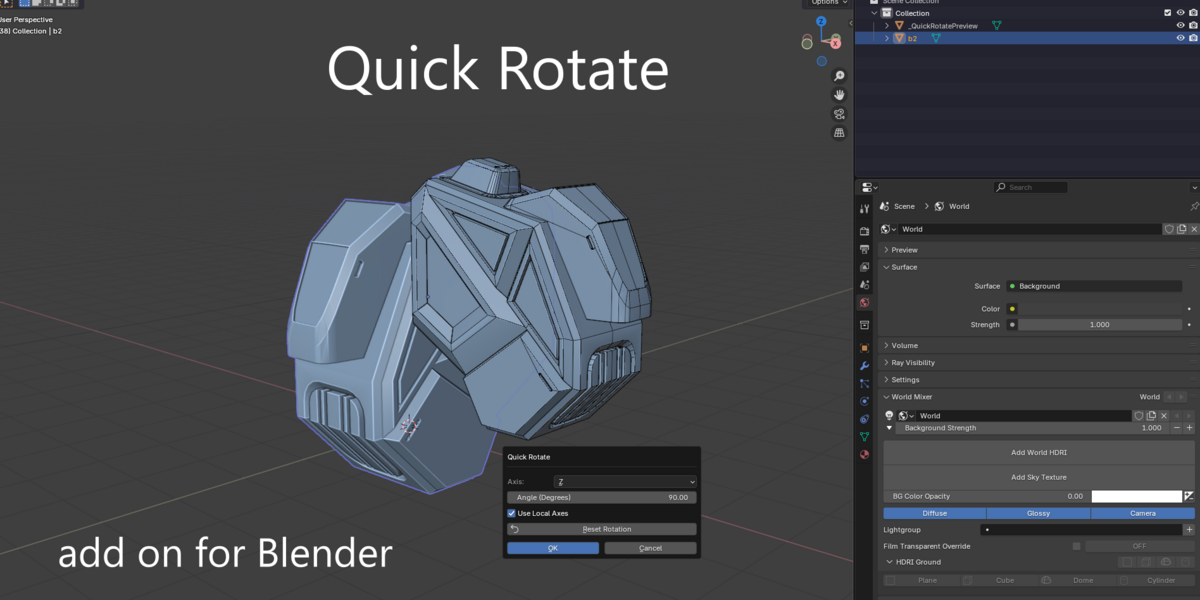
Quick Rotate is a Blender add-on for rotating the active object from a popup menu. Choose an axis, enter an angle, and review a live preview before applying the change.
Set the axis and rotation angle
In Object Mode, select an object and open the popup with the default shortcut, Shift + W. Choose the X, Y, or Z axis, enter a custom angle, and switch between Local and Global orientation with the Local Axes control. A Reset Rotation button sets the rotation to zero.
Preview before you apply
A transparent, light-blue ghost preview shows the proposed rotation in the viewport. Press OK to apply it or Esc to cancel. The preview does not change the object before confirmation. The product listing describes the operation as undo-safe and non-destructive, and it affects the active object only. The developer notes that multi-object support may come later.
Install it and customize the shortcut
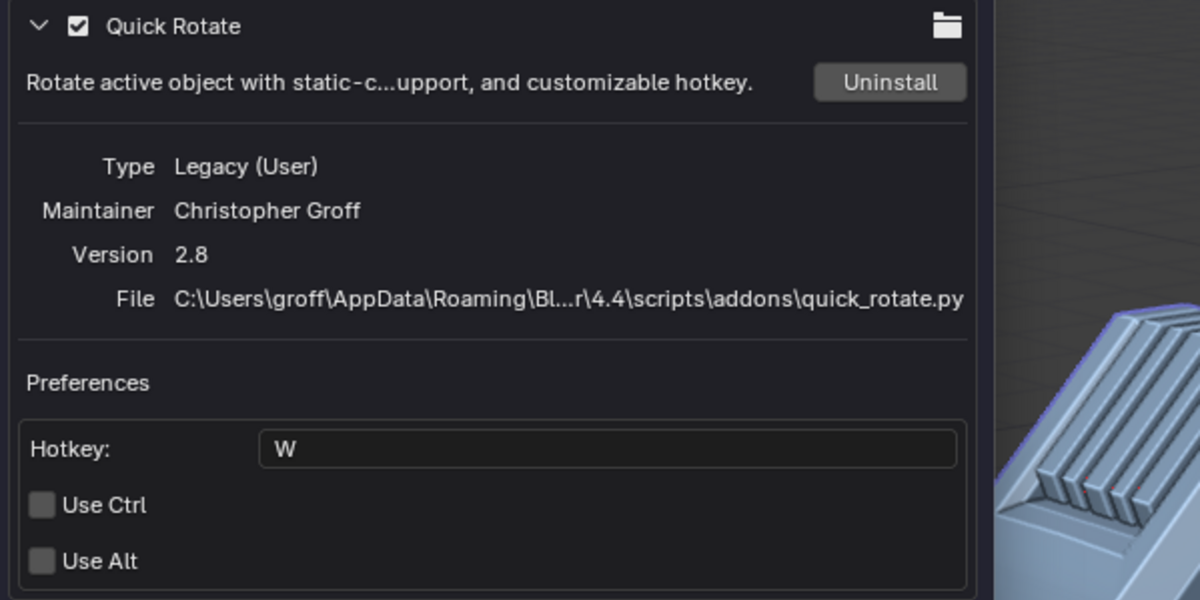
In Blender, open Edit > Preferences > Add-ons, choose Install, and select the quick_rotate.zip file. Enable Quick Rotate in the add-ons list. To change the shortcut, expand its preferences, choose a different main letter key, and toggle Ctrl or Alt if needed. Save your preferences for future sessions.
Compatibility and license
The product listing specifies Blender 4.0 to 4.4 and a GPL license. Its preview is described as working in Solid and Material Preview shading. Check the developer's Quick Rotate listing for current product details before installing.