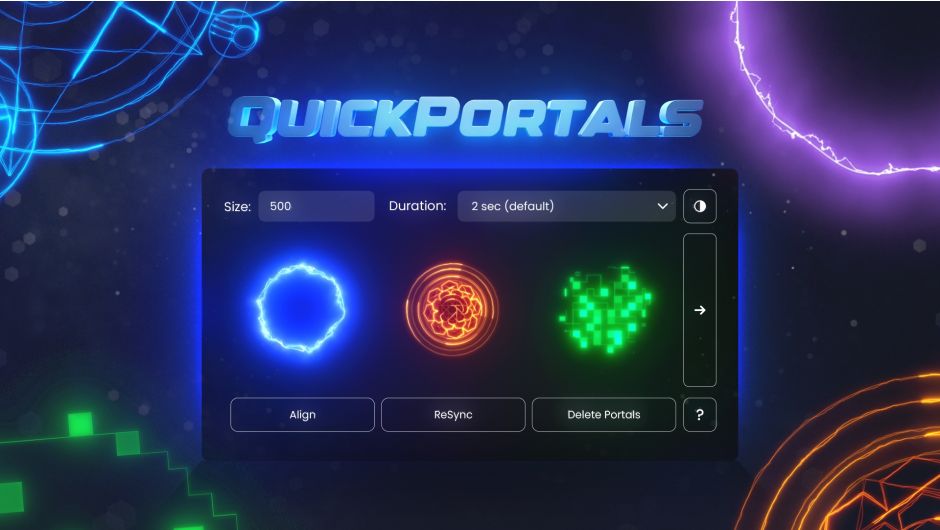
QuickPortals is an After Effects tool for adding portal transitions to footage. It includes three styles: NEON, SIGIL, and PIXEL. Each style has presets, and the portal can be customized in the project. The aescripts product page also has a walkthrough video.
Choose a portal style
Pick one of the three portal styles and a preset as a starting point. QuickPortals is suited to projects that call for a portal-style transition and where one of these looks can be adjusted to fit the shot.
Build the transition
- In After Effects 2025 or 2024, track your footage with After Effects’ built-in 3D Camera Tracker.
- Use the tracker to create a camera. The product instructions note that Null or Solid layers can be deleted.
- Choose a duration from the dropdown menu, then select one of the three portal icons.
- Wait for QuickPortals to load the After Effects template.
Adjust the style and framing
Open the STYLE composition to customize the portal. If it is off-center, use ALIGN / REPLACE Video and reposition it manually. Title/Action Safe guides can help you check the placement.
Compatibility
The product page lists compatibility with After Effects 2025 and 2024. Check the current listing for the trial and current product details.