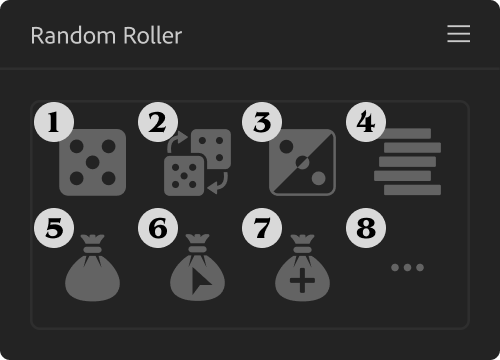
Random Roller is an After Effects script for changing how layers are selected, ordered, and grouped in a composition. It can randomly select or deselect layers from the current selection, sort selected layers into a chosen number of groups, and shuffle layer order or selection order.
Make and refine random selections
Random Layer Selection assigns each layer in the active composition's current selection a selected or deselected state. Running the selection command again creates a subset from the layers selected in the previous step. Re-roll Random Selection can generate another result from a previous random layer selection.
After Random Layer Selection, Invert Random Selection swaps the selected and deselected states of all layers in the initial selection. After Randomize Layers into X Groups, it swaps those states for all grouped layers only when not all of them are selected.
Group layers for later use
Choose how many groups to create, and Random Roller assigns the selected layers among them. For layers that support effects, it adds a Slider Control set to the assigned group number. You can also apply label colors, prefix layer names with group numbers, or add comments to identify the groups.
Select Group X selects that group's layers and deselects other layers in the composition; Add Group X to Selection adds the group's layers to the current selection.
Shuffle layer order or selection order
Randomize Layer Order rearranges the selected layers in the composition. Randomize Selection Order changes the order in which the selected layers are selected. The latter is useful with After Effects' Quick Offset feature when you want offsets to follow a randomized selection sequence. Check your selection before using Randomize Layer Order, since it changes the layer stack.
Compatibility and current listing
The aescripts listing names After Effects 2024, 2025, and 2026 as compatible versions. Its version history says version 1.1.4, released April 2, 2026, fixed a panel-loading bug. The listing displays a $13 price; check it for current pricing and checkout offers. View Random Roller on aescripts. Adobe's layer selection and arrangement guide describes Quick Offset.