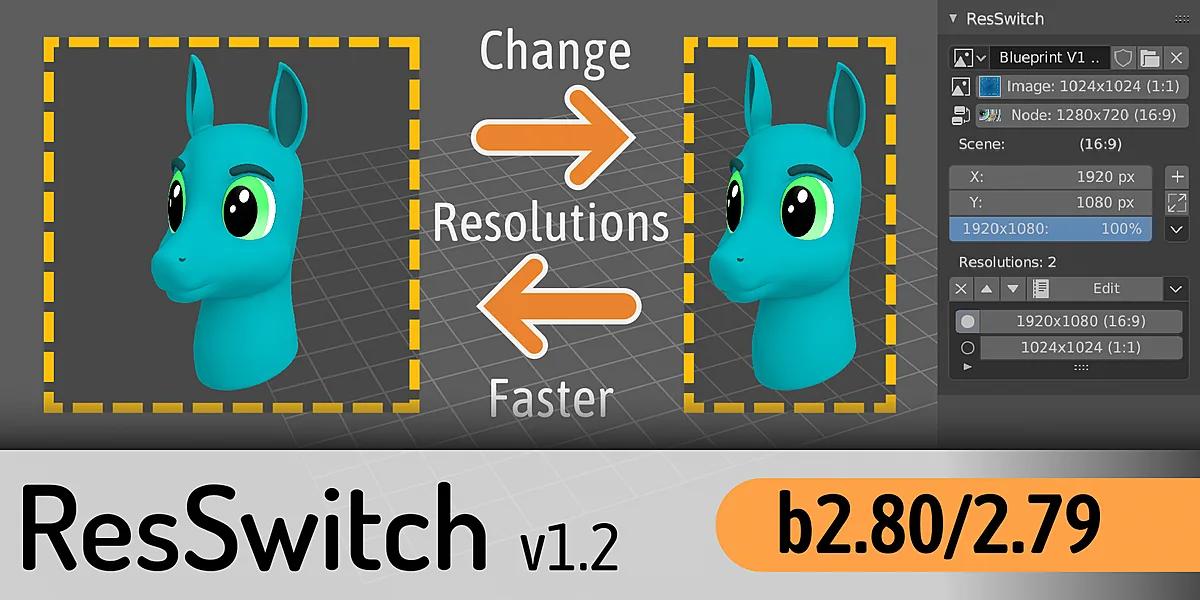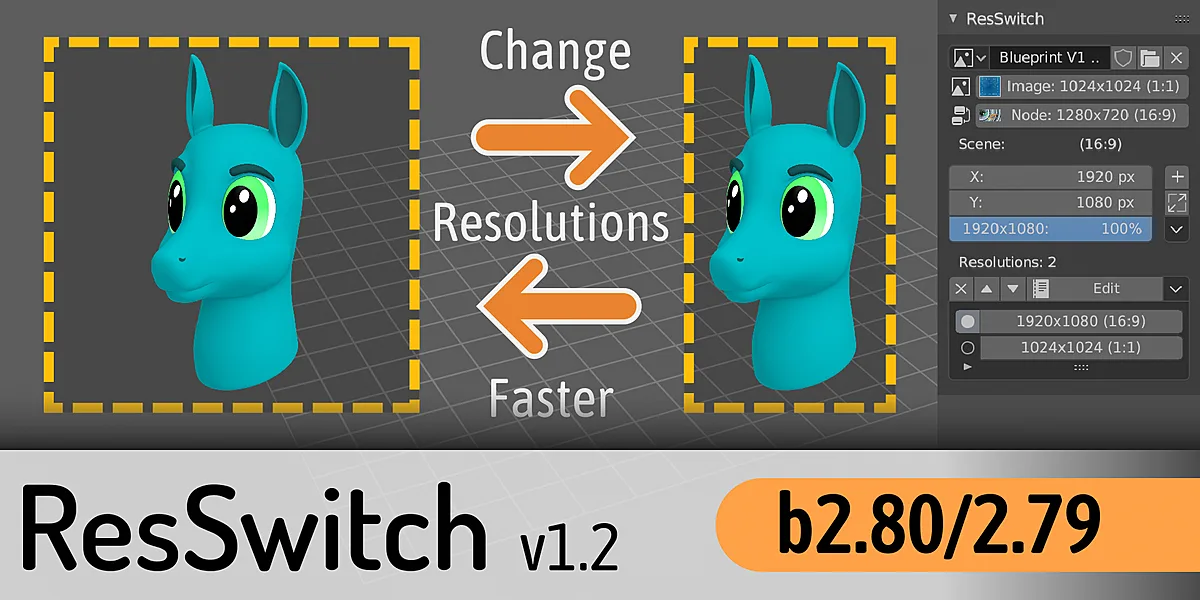
Res Switch is a Blender add-on for adjusting scene render resolution from panels in the Properties Render tab and the Node Editor compositor. Its controls cover X and Y dimensions, percentage scaling, aspect-ratio display, and saved custom sizes.
Adjust render dimensions
The panel displays render resolution in a percentage bar. Switch the scene's X and Y values, apply a percentage, or enable Maintain Aspect Ratio while changing the size. Res Switch can also display each resolution's aspect ratio; a pixel-tolerance setting controls how those ratios are calculated.
Use image and compositor dimensions
Two one-click controls set the scene resolution to the dimensions of the active compositor node or selected image.
Save reusable sizes
Add custom resolutions as buttons in the Custom Resolutions box. The buttons are saved in the Blender file and apply that size when clicked. Edit mode lets you modify and reorder them. Display options show the buttons in a condensed dropdown or an extended view.
Compatibility and installation
The Superhive listing names Blender 2.79 and 2.8. ResSwitch documentation says version 1.2 is supported for Blender 2.8. The FAQ says support for 2.79 will stop as development shifts to 2.8, but does not say whether that change has taken effect. The listing and documentation do not establish compatibility with later releases. Check the Superhive listing for compatibility details before relying on another Blender release. Install the add-on from its ZIP file in Blender without extracting it.