Distribute objects across a 3ds Max surface
Scatter is a free 3ds Max plugin from SiNi Software for placing geometry across large surfaces. Choose a surface, add the objects, proxies or cache files to distribute, then use a distribution map to place them randomly. The Autodesk listing says a map can place up to one million points.
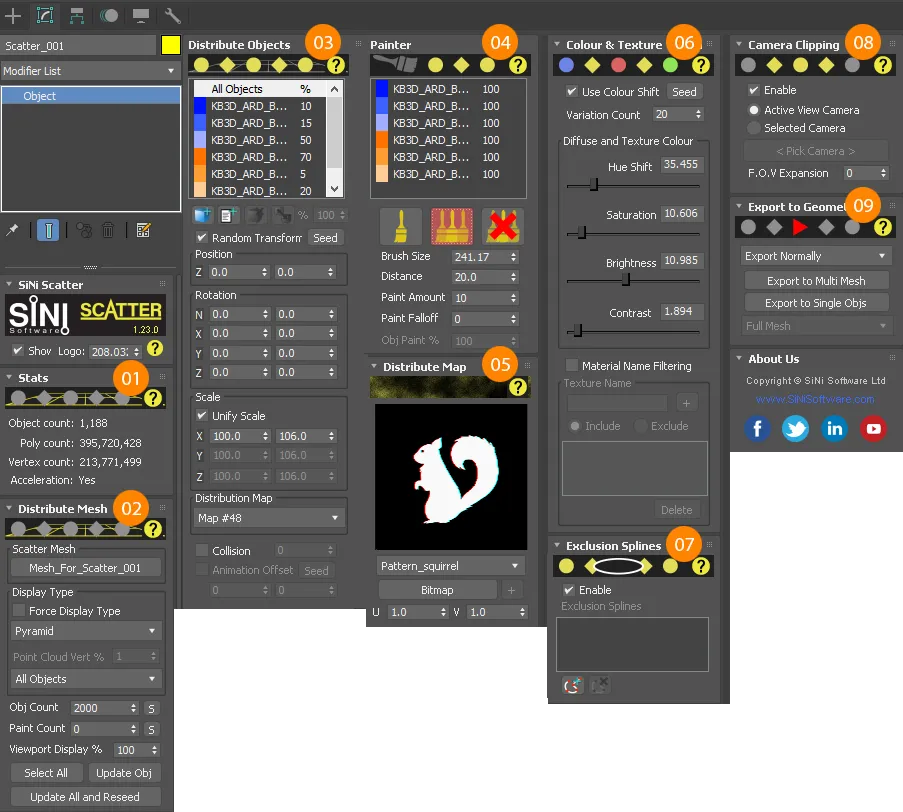
Scatter works with 3D geometry, ProxSi and third-party proxies, including external ProxSi files. Its paintbrush lets you add objects in specific areas or erase them after the initial distribution.
Refine the distribution
You can transform, add, replace and erase objects by type without regenerating the distribution. Colour and texture variation, exclusion splines and camera clipping provide further control over the result. For dense scenes, the interface includes a viewport display percentage; SiNi recommends Pyramid display for heavy scenes with millions of polygons.
When the layout is ready, Scatter can export to edit mesh. The SiNi Help Docs also describe exports to ProxSi, V-Ray proxy and Corona proxy formats.
Renderer support and compatibility
The Autodesk listing says Scatter is optimized for V-Ray and Corona, and also lists support for Arnold, Maxwell, Octane, finalRender and Iray. It recommends V-Ray build 3.60.04 or later and Corona 5 or later.
The listing names Autodesk 3ds Max 2017 to 2024 as supported. It also notes that Scatter uses a custom installer rather than the standard App Store installer. SiNi describes Scatter as installed with its own installer. If you use a later 3ds Max release, check the developer documentation .
Autodesk lists Scatter as free and describes it as licence-free for render farms.