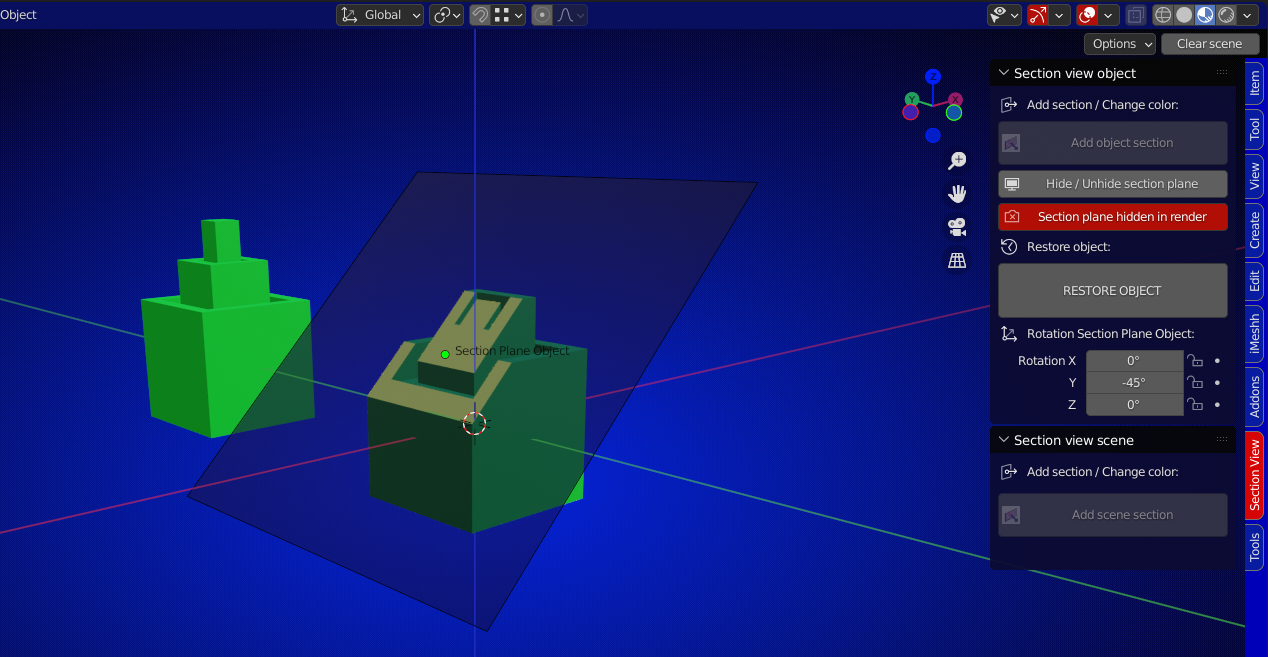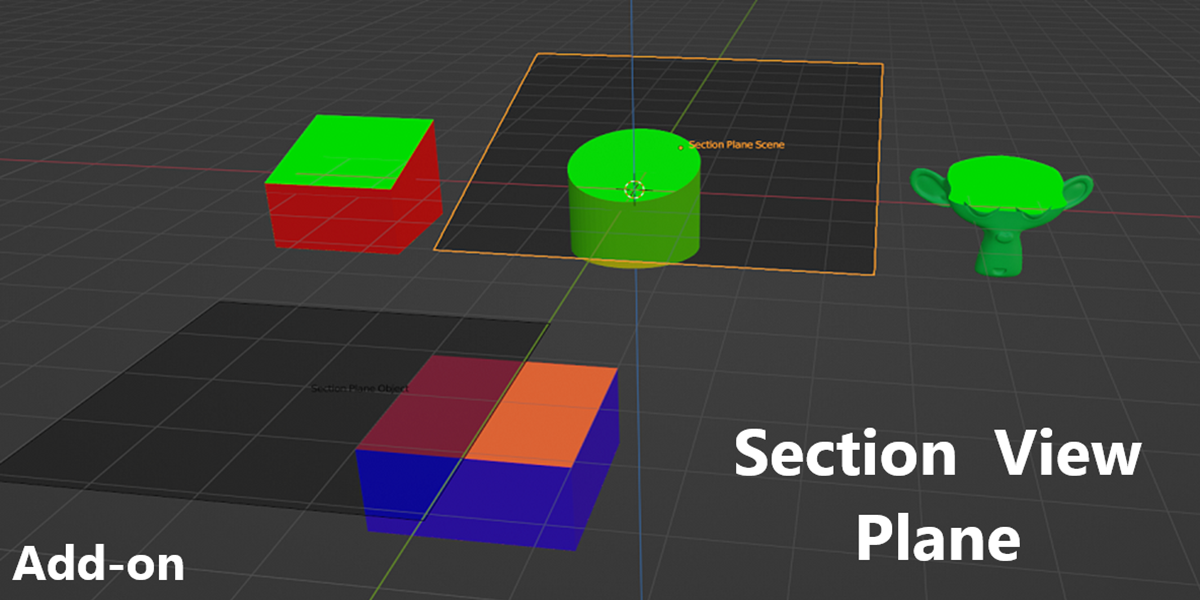
Section View Plane by KVD adds section views to Blender models so you can inspect their interiors. It has controls for a selected object and for a whole scene; moving or rotating a section plane sets the cut. The product documentation describes both workflows.
Section a single object
Select an object and choose Add object section. The plane is added at the active object's origin, where you can move or rotate it to position the cut. Choose a section color when adding it. To change the color later, use the button again and choose another one.
Restore Object removes the section plane and returns the object to its original shape and material or texture. In version 5, each sectioned object also gets its own collection. The same release added a second object plane, positioned at a 90-degree angle on the x-axis, plus full and partial section options that can be used with Inverse Section.
Section a whole scene
Choose Add scene section while an object is selected to add a plane for the scene. The plane is placed at the 3D cursor by default. Version 5 adds a checkbox to place scene planes at the cursor or at the origin. Move or rotate the plane to change the section view. You can add a second scene plane at a 90-degree angle on the x-axis.
The version 5 changelog also describes a control for hiding or showing the scene section on selected objects while the other objects remain sectioned. Restore All removes the planes and restores the scene's original materials and textures.
Choose a Blender version
The product page lists Blender 3.0–5.0 overall and labels individual downloads by Blender version: V5.2 and V5.1 for Blender 5.0; V5 for Blender 4.3, 4.4, and 4.5; V4.2 for Blender 4.3; and V4 for Blender 4.0. Since the listing includes two archive choices for Blender 4.3, check the current download and changelog page before installing.