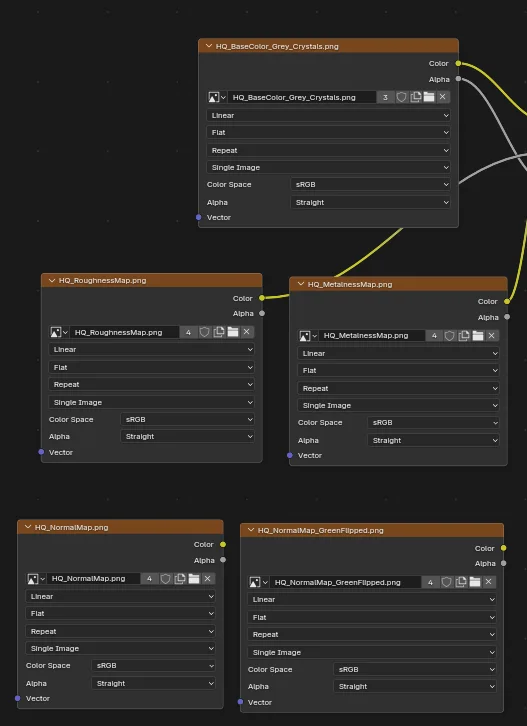
Shader Node Auto Size resizes Blender Image Texture nodes to show assigned filenames, subject to Blender’s built-in 700 px width limit. It scans existing shader trees when a Blender file loads, then watches for new nodes, materials, image assignments, and renamed files.
How automatic sizing works
The add-on measures each filename with Blender’s font metrics, using the actual glyphs in the name to determine the required width. Nodes only expand, and manually enlarged nodes stay at their existing size. When an expansion causes overlap, neighboring nodes shift while keeping their vertical placement.
Where it works and manual controls
Automatic sizing covers materials, worlds, lights, and shader node groups. Manual actions let you size selected nodes, the current node tree, or the entire file. You can also configure padding and spacing between nodes.
Compatibility and release
Version 1.1.1 is listed for Blender 4.2.0 or later and is licensed under GNU GPL v3 or later. The Blender Extensions listing says the add-on does not require special permissions. See the official Blender Extensions listing for release details and download options.