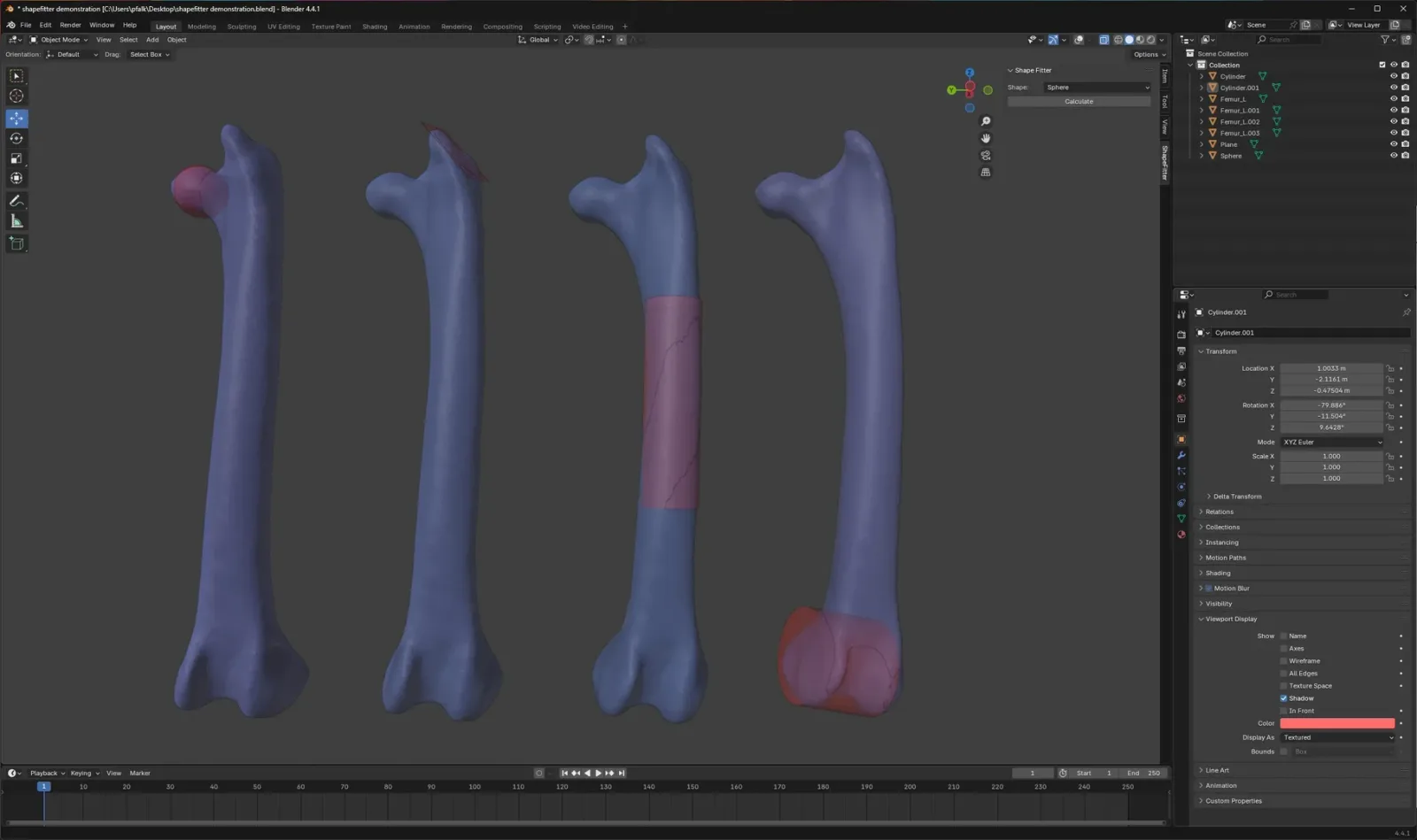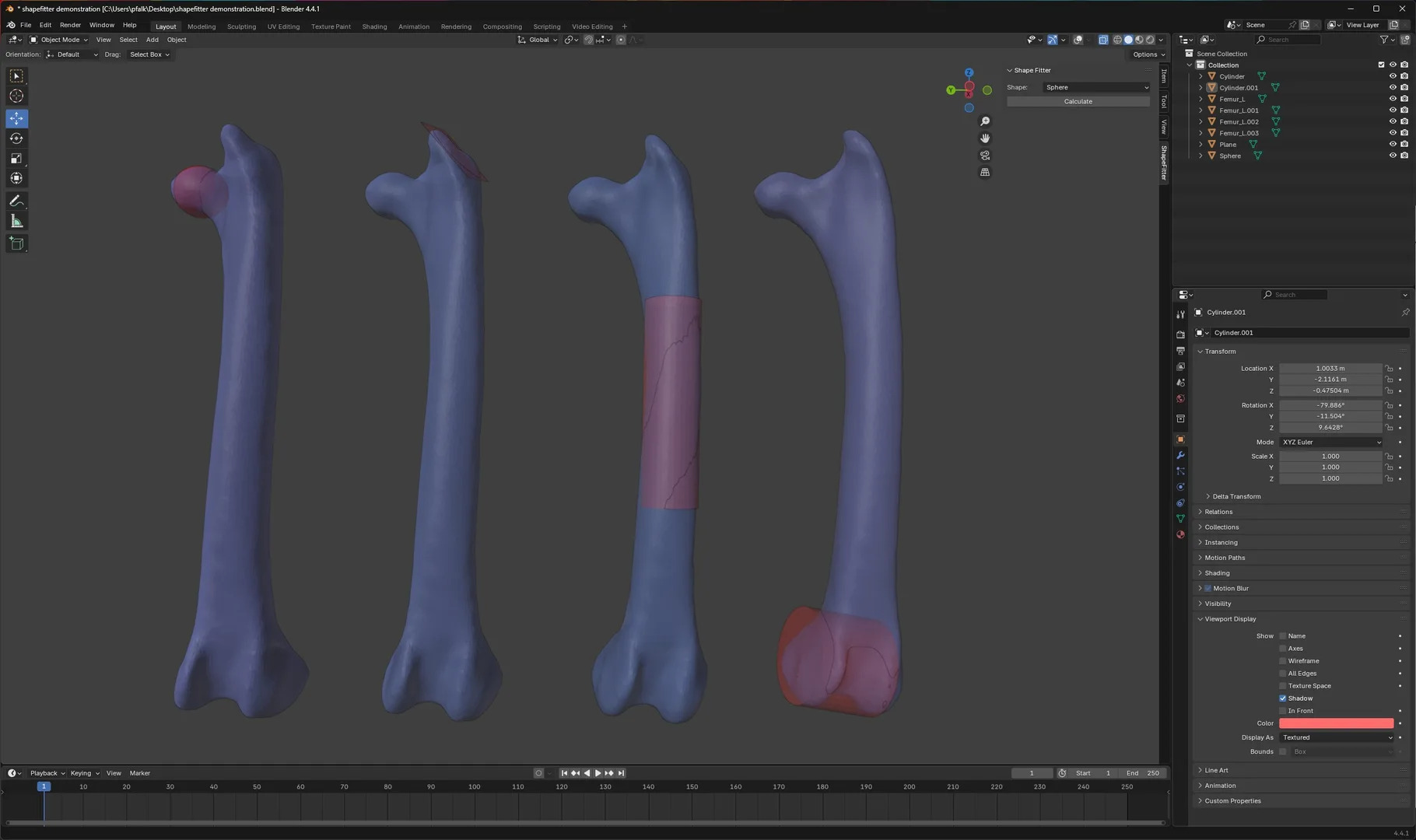
Shape Fitter is a Blender add-on that fits primitive shapes to selected mesh vertices. It can create a sphere, plane, cylinder, ellipsoid, or two-condyle cylinder from geometry in Edit Mode. This is useful when you need a fitted primitive based on a mesh region rather than placing one by eye.
Shapes and fitting workflow
To use Shape Fitter, enter Edit Mode on a mesh object and select the vertices for the fit. Open the ShapeFitter panel from the 3D Viewport sidebar, choose a shape and centering method, then click Calculate. The resulting shape's local axes are oriented to the fit.
The two-condyle cylinder uses two vertex sets. Select the first region and click Add under Condyle 1 Vertices. Select the second region and add it under Condyle 2 Vertices, then choose the two-condyle cylinder and calculate. The fit uses both sets and their full height span. The developer's usage notes describe the controls and steps.
Centering options and vertex minimums
Average centers the fit at the centroid of the selected vertices or regions. Midpoint uses the midpoint of the bounding box or height span, projected onto the shape's axis or plane. Both options are available for each shape.
| Shape | Minimum selection |
|---|---|
| Sphere | 4 vertices |
| Plane | 3 vertices |
| Cylinder | 6 vertices |
| Ellipsoid | 9 vertices |
| Two-condyle cylinder | 3 vertices in each of two stored sets |
The ellipsoid fits the selection's spread along its principal axes. Cylinder fitting uses the full height span, though the developer notes that geometric ambiguity can make cylinder fitting less robust. If a calculation does not proceed, check that a mesh object is active, Blender is in Edit Mode, the selection meets the minimum, and both condyle sets have been added when using that shape.
Version and compatibility
The Blender Extensions listing identifies the add-on as Shape Fitter by pfalkingham. It lists version 1.3.1, a minimum Blender version of 4.2.0, and the GPL-3.0-or-later license. Check the Blender Extensions entry for the published release and compatibility details.