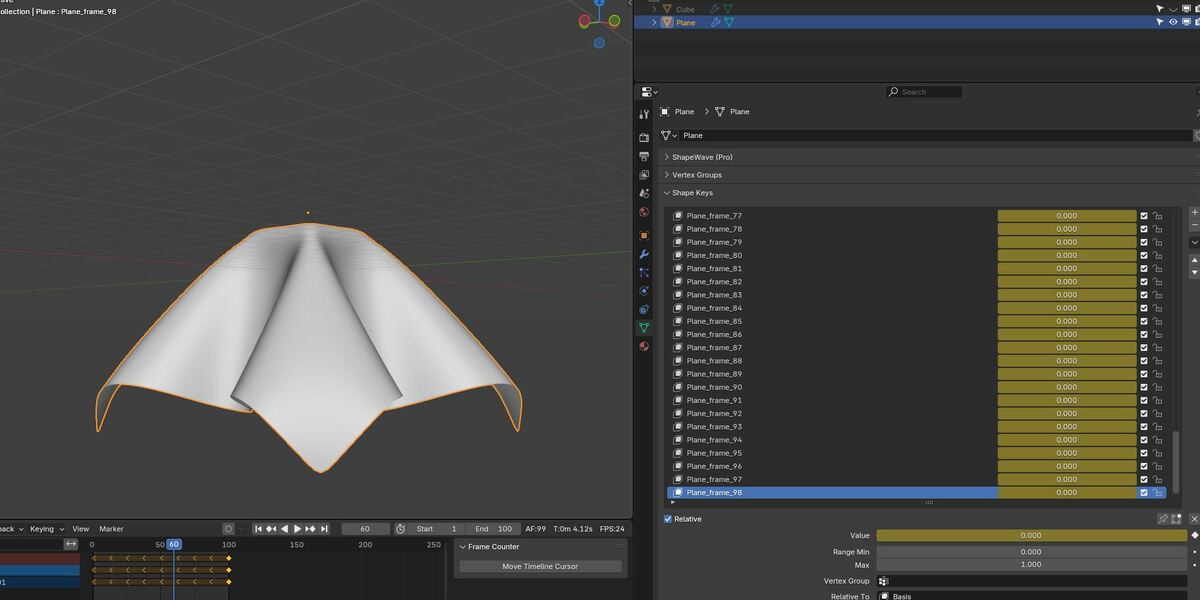
Shape Wave (Pro) is a Blender add-on for shaping animations built from shape keys. Its controls appear in Blender's Shape Keys panel, where you can organize keys into layers, choose interpolation methods, and control animation progress with an evaluation-time slider. The product listing names Blender 4.2 and 4.1 as supported versions.
Organize shape keys into layers
Create layers for groups of related shape keys, add new keys, or import existing ones selectively. You can reorder keys, move them between layers, lock a layer to prevent accidental changes, and batch-rename keys. These tools keep a multi-key animation organized while you work on its transitions.
Choose how transitions move
The interpolation library includes more than 20 methods, among them Linear, Smooth, Spring, Bounce Back, Heartbeat, Wind Flutter, and Glitch. The documentation suggests Smooth or Elastic Snap for facial expressions, Linear for mechanical movement, and Heartbeat or Wind Flutter for organic motion. These are starting points for choosing how a shape key transition should behave; the result depends on the keys and timing in your scene.
Control timing during playback
Adjust the evaluation-time slider to move through the animation. The slider can be keyed or driven with a driver object. Auto-Play advances evaluation time during playback, while Loop repeats the animation. Timing settings include segment size, overlap start, and loop interval; the documentation also describes random intervals between loops.
Bake the animation for handoff
When you need the effect stored as keyframes, use Bake to Keyframes to bake interpolated values and remove them from the list. The documentation describes baking animated frames into shape keys; the product listing presents baking to shape key keyframes as preparation for a game engine, another DCC application, or simplification. The listing also says ShapeWave can accurately bake deformers to shape keys.
Install and check compatibility
Download ShapeWave.zip, open Blender's Edit > Preferences > Add-ons, choose Install, select the ZIP file, click Install Add-on, and enable ShapeWave. After activation, select a mesh, open Object Data Properties, and find the ShapeWave panel. If the interface differs in your Blender release, check the ShapeWave documentation The product listing specifies Blender 4.2 and 4.1, so confirm newer-version support there before installing.
Shape Wave (Pro) fits Blender workflows that already use shape keys and need grouped controls, varied transitions, or a baked result for export. Its developer is Emmanuel Okafor, who publishes work as Luwizart.