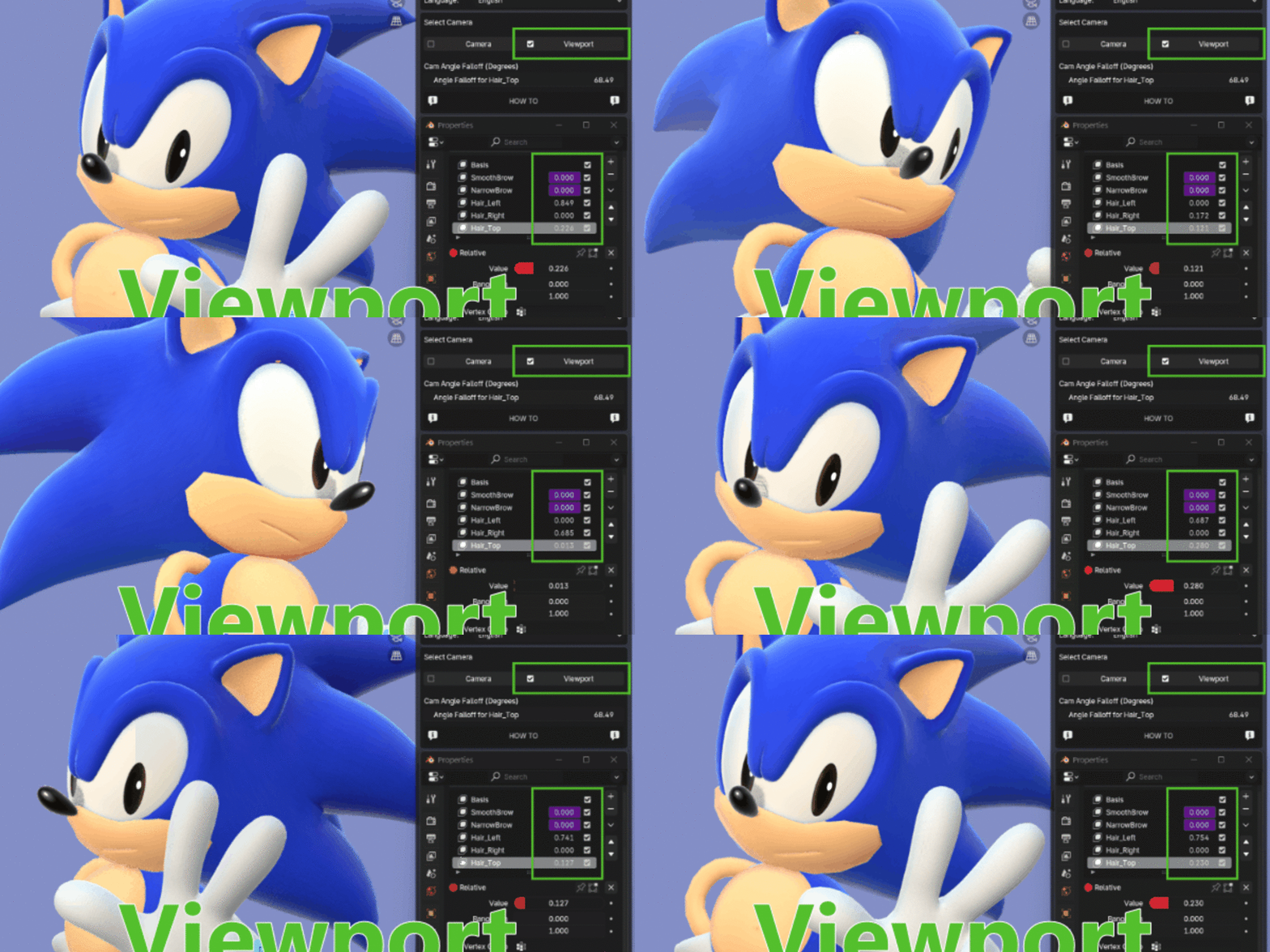
CamKeys is a Blender add-on by Beyond Studios that links shape key and object-property values to camera angle. Capture values for an object at multiple angles, then have them respond as the camera changes. This is useful when a character or scene needs different shapes or settings from different views.
Capture values by camera angle
For each object, you can capture CamKeys for shape keys and CamProps for object properties at as many camera angles as you like. The add-on drives those values according to the camera angle. You can use the selected camera or the 3D viewport as the control source.
Use forced perspective
Forced Perspective gives each object a custom field of view, with falloff curves for pushing parts of a character or background closer to or farther from the camera. The product listing gives an enlarged punch or kick toward the camera as an example.
Track bones and bake animation
For a rigged character, select a bone to track. CamKeys then adjusts shape key or property values relative to that bone’s orientation. Keyframe Baking can bake driven shape key values across a frame range into animation data. Baking works only when the selected camera is driving the animation; it is unavailable when using the 3D viewport.
Compatibility and availability
The Superhive detail panel lists Blender versions 3.3 through 5.2 and a GPL license. Its notice says CamKeys is available only on COMMSOPEN; check that seller page for current availability and price. The interface text and documentation are available in English, Japanese, and Spanish. See the CamKeys documentation for setup and compatibility details.