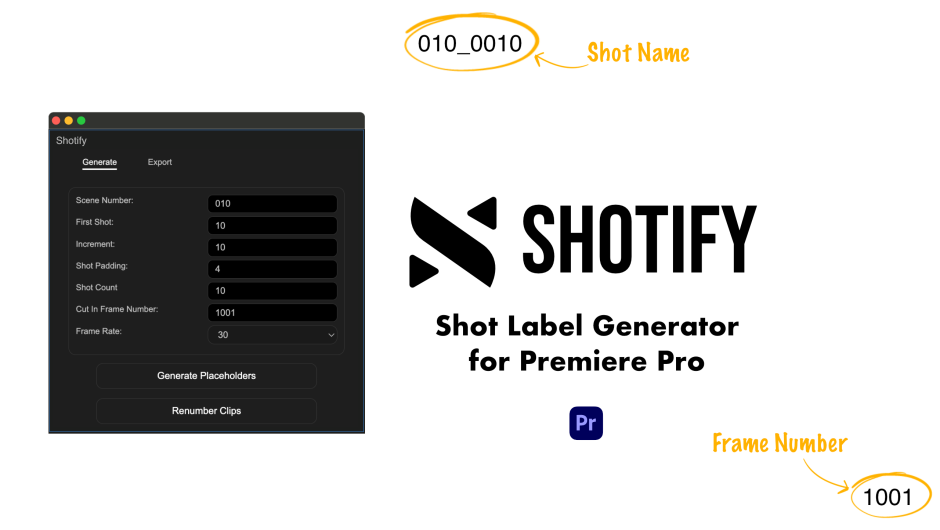
Shotify is PostCode's shot management plugin for Premiere Pro. It creates shot placeholders and labels, renumbers clips, and exports per-shot thumbnails or movie references for editorial and VFX workflows. Its controls are aimed at assistant editors and post-production teams preparing sequences or shot references.
Set up shot numbers and labels
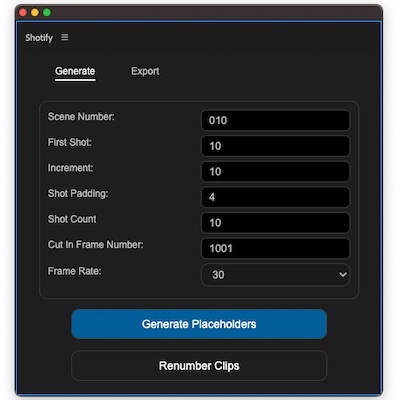
To generate shot placeholders, Shotify provides settings for the scene number, first shot, increment, shot padding, shot count, cut-in frame number, and frame rate. It can also add shot overlays and frame counters. These controls let editors define the numbering pattern used for a sequence.
For clips already on a timeline, Shotify can renumber selected clips or an entire timeline using new numbering rules. This is useful when a sequence needs its shot numbers revised before references or turnover materials are prepared.
Export thumbnails and movie references
Shotify can export a thumbnail from the first frame of each shot and name the file to match its shot number. It can also export a movie reference for each shot. Choose an export location, then use the resulting files in review or tracking workflows. The product listing describes these exports as suitable for ftrack, ShotGrid, spreadsheets, databases, and production reviews.
OpenTimelineIO and Premiere Pro compatibility
Shotify's generated placeholders include frame-referenced metadata and timecode for OpenTimelineIO workflows. The listing also describes exporting XML from Premiere Pro or exporting OTIO directly in Premiere Pro 2026 and later workflows.
The seller lists compatibility with Premiere Pro 2023, 2024, 2025, and 2026. Version 1.0.7 is dated June 11, 2026. On November 23, 2026, the aescripts listing showed a $49 price, a 25% discount at checkout, and a free trial. Check the current product listing for trial, license, and price terms.