SlackOut is a panel for Adobe Premiere Pro and After Effects that exports videos and sends them to Slack. It suits editors who share cuts with a Slack channel or teammate and want export settings and delivery in one panel.
Set up draft and final exports
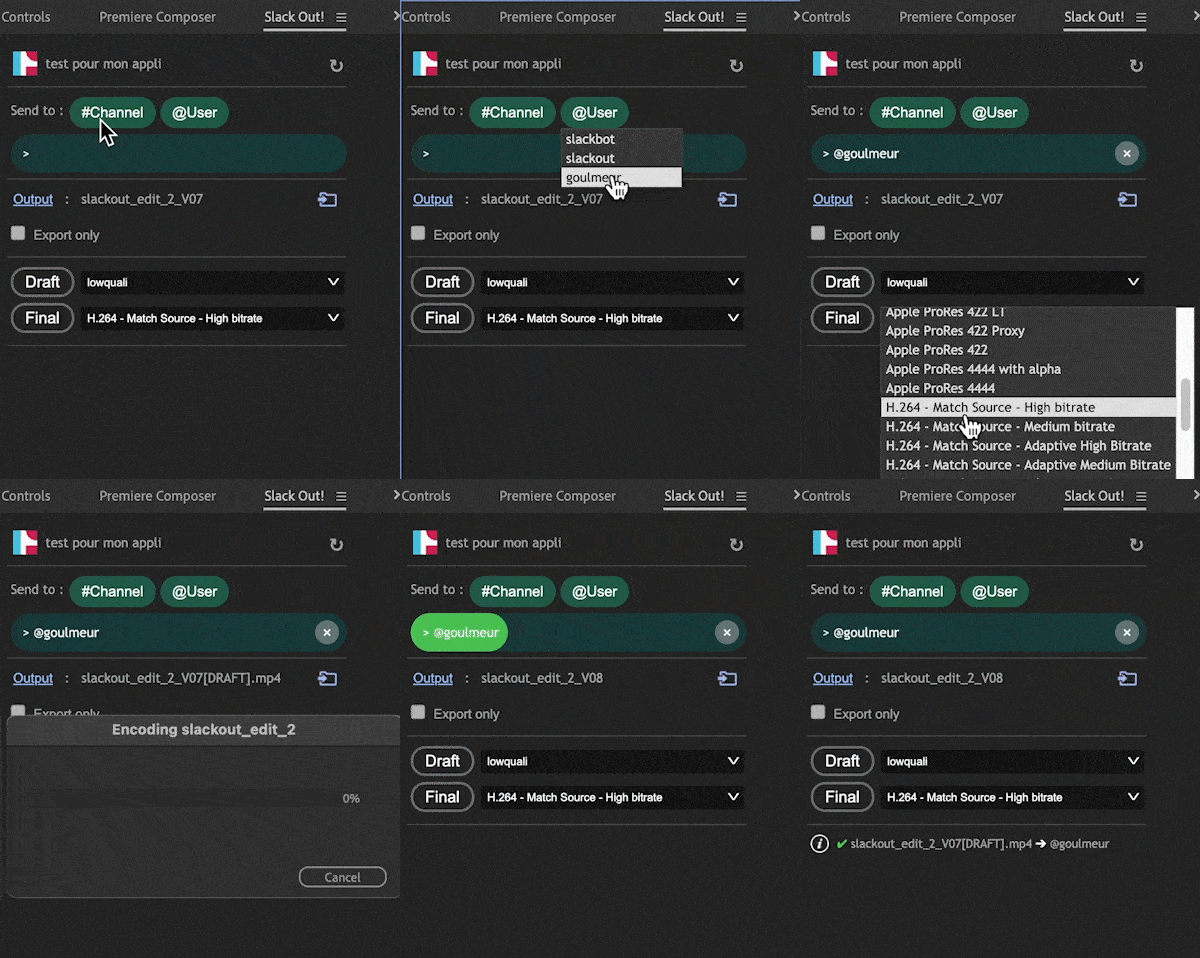
Choose an export preset, including a custom preset, and save the file in an export folder beside the project or in a folder you select. Separate Draft and Final buttons have their own codec settings. SlackOut adds a matching label to the filename, and increments filenames to keep exports unique.
Send the video to Slack
After export, upload the video to a Slack channel or an individual user. You can choose to delete the local file after upload. Settings are remembered for each sequence, so its preset, destination, and other choices are available when you return to that sequence.
The developer says SlackOut stores credentials on your computer in .slackout.json. You can remove them manually or log out from the panel. Review the Slack permissions it requests before connecting an account.
Supported host versions
The developer's product page lists Premiere Pro and After Effects versions 2021, 2022, and 2023. Its version history lists 3.1.6, dated June 13, 2023, as fixing sequence profiles that were not updating. The published compatibility list stops at 2023, so check with the developer if you use a newer host version.