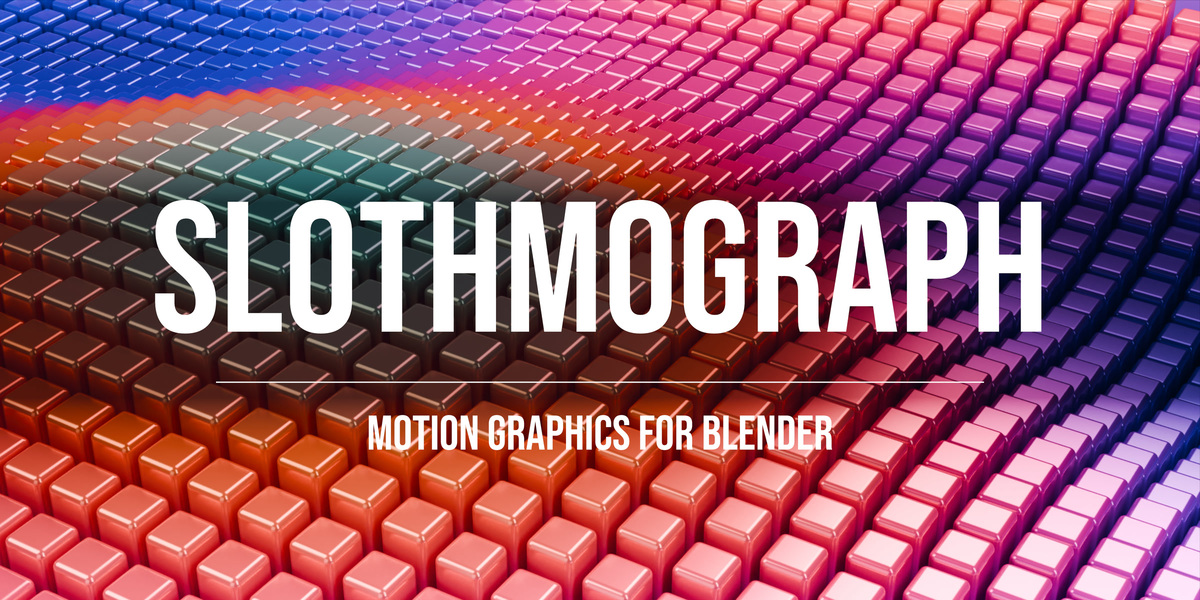
SlothMograph is a Blender add-on for building motion graphics from repeated objects, procedural influences and animation tools. Its cloners arrange a source across grids, curves, volumes and other patterns; effectors shape the clones; and tools such as MoText, MoSpline and Fracture add text, curves and breakup animation. The product listing describes version 1.2.3 and links to the add-on's documentation.
It is useful when a shot needs an art-directed arrangement that can keep changing in Blender. The add-on generates Blender objects, curves, Geometry Nodes, rigs and animation data, depending on the tool. You can adjust supported controls and edit generated keys in Blender's animation tools.
Arrange clones with patterns and images
The cloner includes 14 distribution modes, including Grid, Radial, Curve, Volume, Partition, Beads and Image Density. Use these to form ordered arrays, follow a curve, distribute objects across a surface or volume, or place clones according to image brightness.
Image Density can use two images as layouts for the same clone IDs. Set a source mesh and count, load Image A and Image B, then animate Progress between the formations. Brighter image areas receive more clones, while black areas receive none. The supported static image size is up to 16 megapixels, and the clone count can be set from 1 to 10,000. Spacing positions source centers; it does not prevent meshes from colliding while they travel between layouts.
Shape the motion and influence
SlothMograph includes 19 effectors for influencing position, rotation, scale or color. They can be layered, with fields and field modifiers used to define where an effect applies and how its influence falls off. The available tools include Random, Noise, Sound, Spline, Formula and Magnet effectors, plus fields such as Sphere, Box, Object and Spline.
Animation presets provide starting motions such as Follow Path, Assembly, Bounce, Hover and Spline Wrap. Four independent Studio Motion Layers add Float, Shake, Turntable or Pulse contributions. Shared Signals can connect supported numeric controls to procedural waveforms or shaped audio. Presets expose their supported controls; the available adjustments vary by tool.
Add text, curves and fracture effects
MoText splits type by character, word or line and includes 14 letter presets. MoSpline provides curve construction, growth, trim and tube controls, with 33 shape and motion presets. The L-System Artist Studio has 24 editable starting recipes for forms such as branches, leaves and petals.
For breakup animation, Fracture offers ten presets that generate standard Blender transform Actions. You can adjust supported timing and motion controls, then edit the resulting keys. These keyframed examples do not imply rigid-body simulation or collision avoidance. Rebuilding geometry or applying a preset again can regenerate parts of a setup, so save an authored take before changing its recipe.
Edit and hand off Blender data
Generated animation can be refined in Blender's Graph Editor, and Actions can be retimed through the NLA. Some structural choices, such as travel type and clone pairing, are rebuilt through the add-on. Native copies and bakes are separate snapshots, so keep a live setup when you expect to revise its structure. The documentation covers the controls, troubleshooting and handoff options.
Background delivery depends on the setup. Simple, single-source Image Density Progress motion plays natively in Geometry Nodes, including subframes and background rendering. Enabled effectors, multi-source setups and cached procedural workflows require the documented native handoff for animated background delivery. Native mesh sequences use sampled frames, so check the guide before planning motion blur or cross-DCC delivery.
Install and check compatibility
The product listing identifies the legacy add-on ZIP as supporting Blender 4.1 onward and the Cycles and Eevee render engines. It says to use Install in Blender 4.1 and Install from Disk in later builds. Version 1.2.3 passed 44 automated headless suites on each of the listed Windows builds: Blender 4.1.1, 4.2.3 LTS, 4.3.2, 4.4.0, 4.5.14 LTS, 5.0.1 and 5.2.3 LTS. macOS, Apple Silicon and Metal rendering have not been runtime-qualified, and other builds or operating systems are outside the stated test evidence.
The ZIP contains the add-on and offline documentation. The listing describes five PDF manuals totaling 166 pages, along with searchable text, browser-readable HTML and Markdown guides. Install the ZIP through Blender Preferences, enable the add-on, then press N in the 3D View and open SlothMograph. See the Quickstart and full documentation for setup and delivery details.