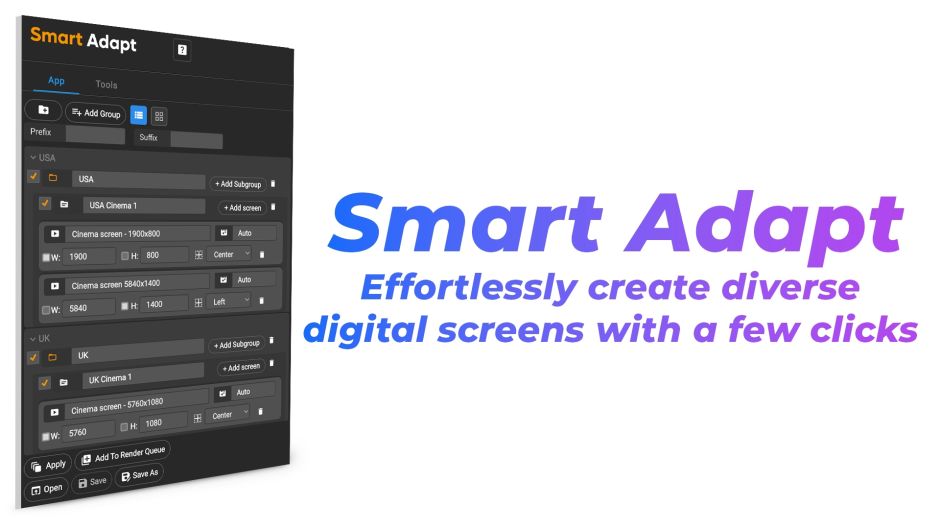
Smart Adapt is an After Effects extension for creating screen adaptations from compositions. Build a list of target screens, set sizing and alignment, then apply the list to make adaptations. The annual edition is a recurring subscription; a month-to-month option is listed separately.
Build a reusable screen list
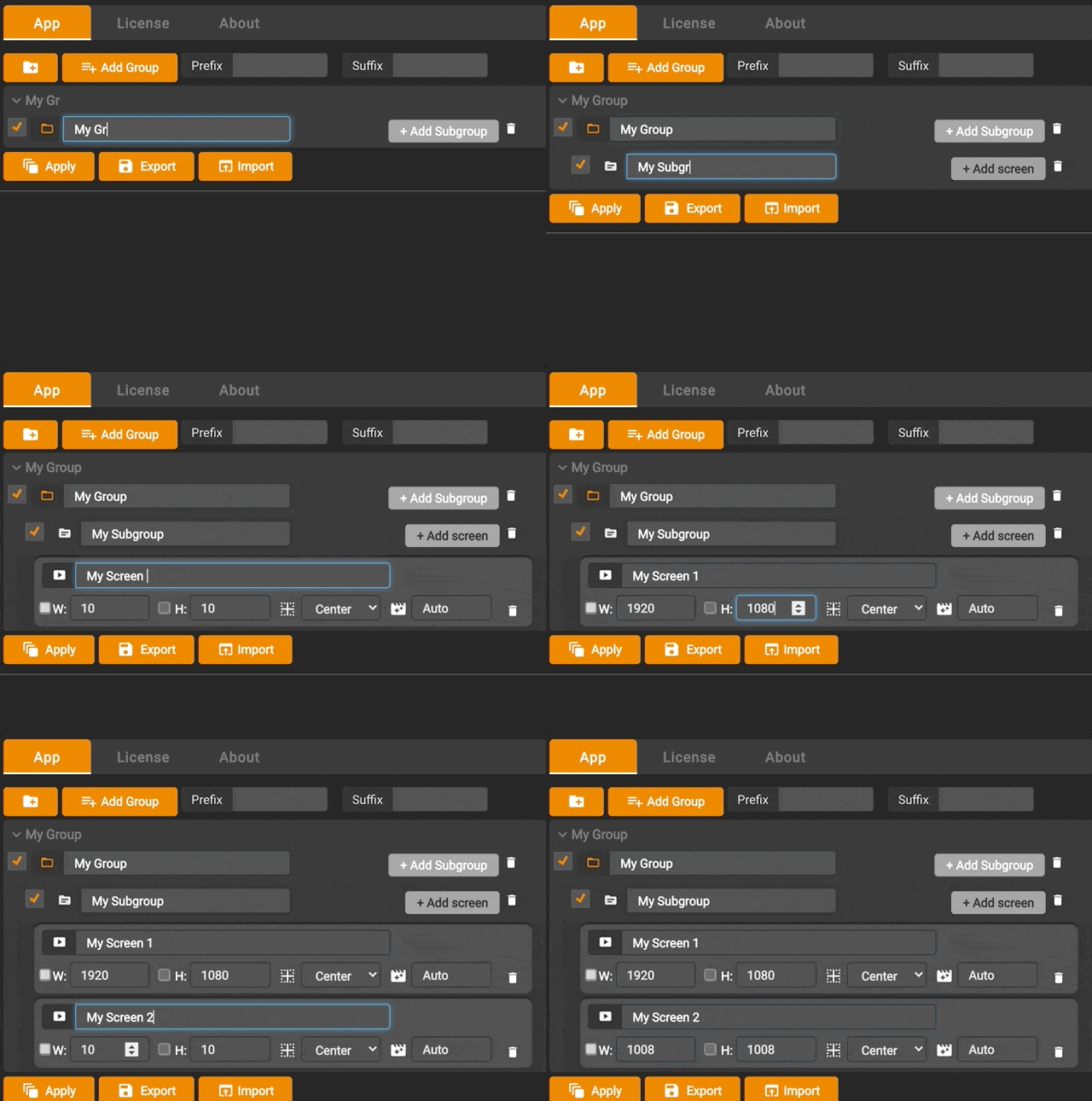
Start by creating the master composition or compositions you want to adapt. Then build a target screen list in Smart Adapt or import one, and apply it. For projects with many output sizes, groups and subgroups help organize the screens. Use their checkboxes to include or exclude them from an adaptation.
Smart Adapt allows as many screens and lists as you need. Lists can be exported and imported for use next time, so you can keep a recurring set of targets. Prefix and suffix support is available for naming the resulting screens.
Set sizing, alignment, and duplication
For each screen, choose whether resizing is based on width or height. Alignment can also be set for every screen, allowing different targets in a list to use their own positioning.
Smart Adapt has two ways to duplicate screens. Automatic duplication copies the closest resolution. With manual duplication, you assign a specific composition to use as the master. Use the automatic option when the closest resolution is suitable, or choose a master composition directly when you want to control the source.
Check compatibility and subscription details
The product listing gives compatibility with After Effects 2026, 2025, 2024, 2023, 2022, 2021, 2020, and CC 2019. Its version history lists version 2.0, dated August 31, 2025. The same listing includes a free trial and a step-by-step video tutorial.
This edition is an annual recurring subscription, and the seller lists a separate monthly option. Check the product page for current price and availability. The subscription FAQ has account and subscription information.