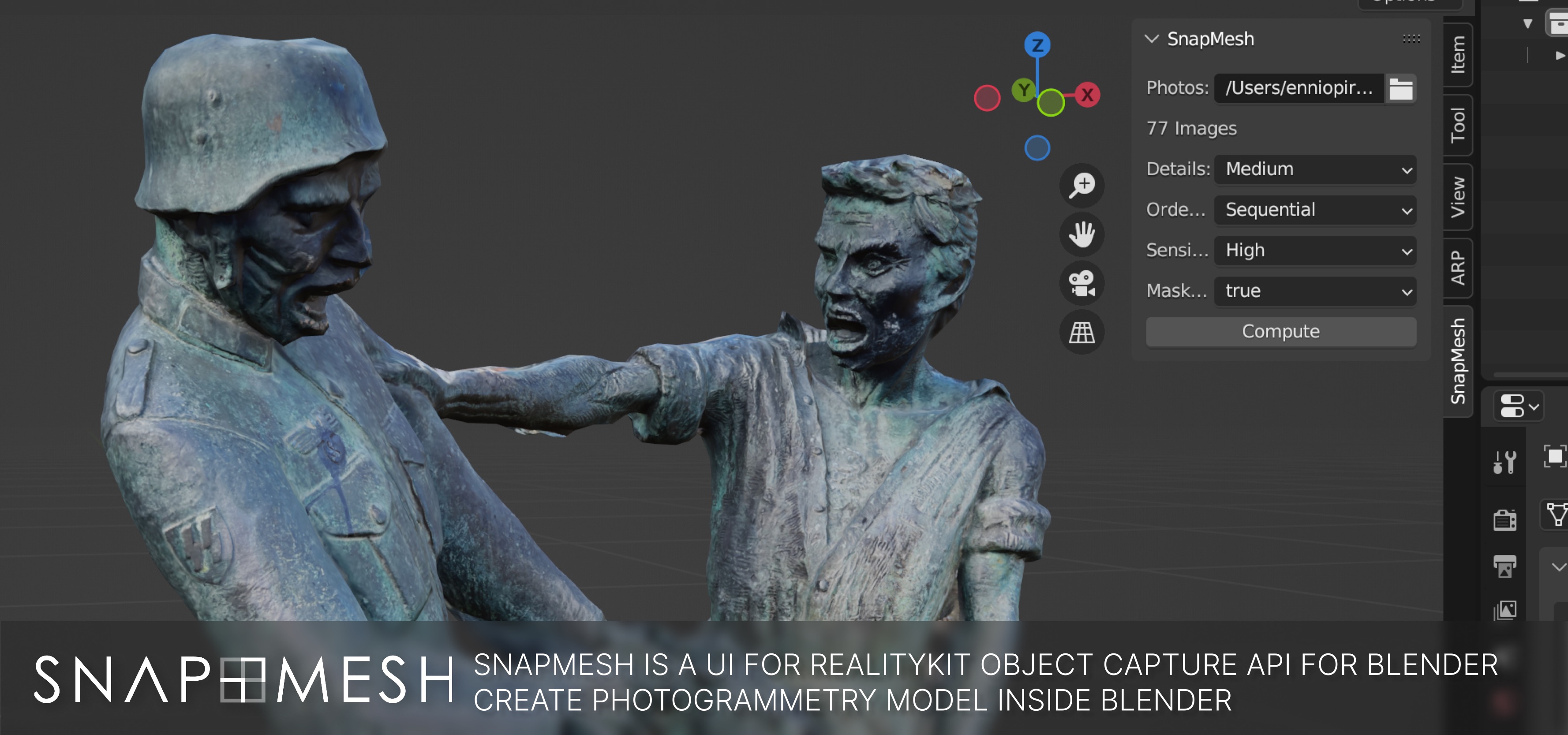
SnapMesh connects Apple's Object Capture APIs to Blender on Mac through RealityKit. It turns photographs into a 3D model: reconstruction runs in a background process, and the result is imported into Blender when it finishes.
Check Mac and Blender compatibility
The listed hardware requirements are an Intel Mac with 16 GB of RAM and an AMD GPU with at least 4 GB of VRAM, or any Mac with an M1 chip or newer. The Pro edition also requires MacOS Sequoia. The product listing names Blender versions 3.0 through 4.3; check the SnapMesh documentation if you use a newer Blender release.
Compare the three editions
Tester, Lite and Pro share the core photo reconstruction workflow, with different input options and controls. Object Masking can be turned on or off in every edition.
| Edition | Quality and input options | Other included features |
|---|---|---|
| Tester | Preview, reduced, medium and full quality; JPG and PNG; unordered photos; normal feature sensitivity | Object Masking toggle |
| Lite | Tester options plus raw and custom quality, ordered photos and high feature sensitivity; JPG and PNG | Object Masking toggle |
| Pro | Lite options, plus TIFF and HEIF support | Camera pose and sparse point cloud import, quad output, presets and post-processing workflow operations |
Choose a detail setting
The Details option limits triangle and texture counts to help control output size. The product page gives these estimates for USDZ files:
| Setting | Triangles | Estimated USDZ size | Texture size | Generated maps |
|---|---|---|---|---|
| Preview | <25,000 | 5 MB | 1024 × 1024 | Diffuse, normal |
| Reduced | <50,000 | 10 MB | 2048 × 2048 | Diffuse, normal |
| Medium | <100,000 | 30 MB | 4096 × 4096 | Diffuse, normal, AO, roughness, displacement |
| Full | <250,000 | 100 MB | 8192 × 8192 | Diffuse, normal, AO, roughness, displacement |
| Raw | <30 million | Varies | 8192 × 8192 | Diffuse, normal, AO, roughness, displacement |
Adjust settings for the photos
RealityKit searches for recognizable landmarks across overlapping photos. Low contrast, blur or an object that is uniformly colored and lacks surface detail can make those landmarks harder to find. High Feature Sensitivity uses a slower, more detailed search, which can help when landmarks are difficult to detect.
If your photos are already in sequence, with neighboring views next to each other, choose sequential ordering to speed up computation. The documentation says this does not change output quality. Object Masking asks RealityKit to separate the subject from its surroundings; if it cannot create a mask, it reconstructs from the full image. With masking off, it uses the full image from the start.
When Pro workflow tools help
Pro can run post-processing operations after reconstruction. Listed examples include scaling to a target bounding box, aligning to cameras, exporting to GLB, USDZ or FBX with embedded or organized textures, and cleaning up memory before another computation. Pro also includes presets for different object types and disk-space monitoring. Its beta splat export produces PLY data; quad generation creates quad-based topology instead of triangles for editing; camera pose and point cloud imports help verify accuracy through visual debugging.
For current edition details and the changelog, check the SnapMesh product listing and documentation.