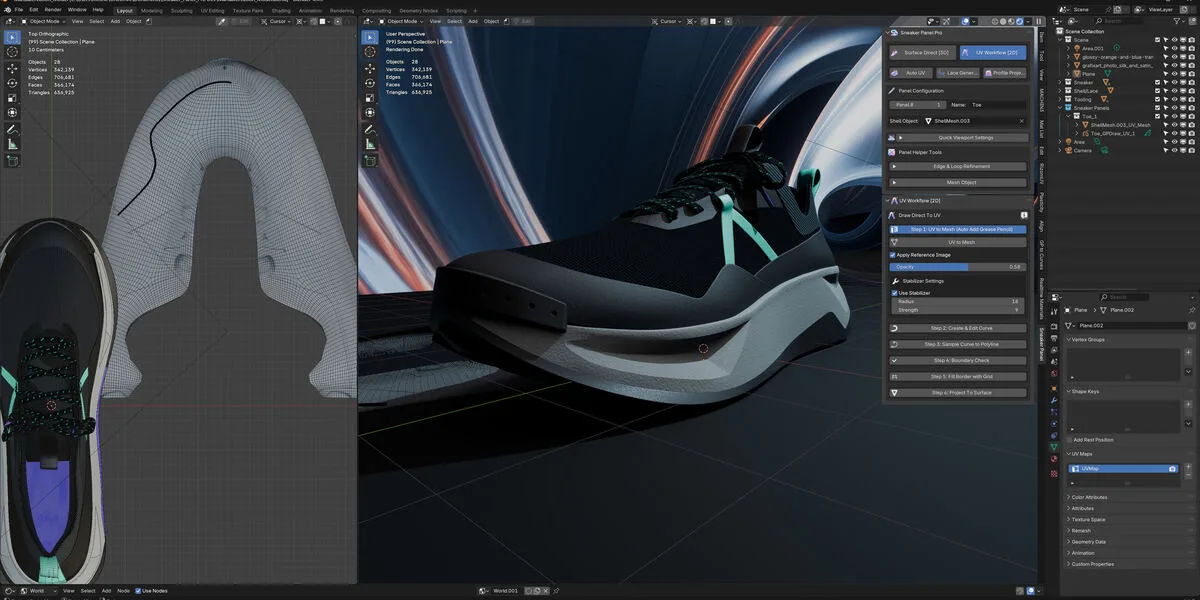
Sneaker Panel Pro is a Blender add-on for designing footwear panels on a virtual shoe shell. You can draw panel shapes on a flattened UV mesh or sketch directly on the 3D surface, then turn the outlines into mesh geometry and project it back onto the shell. Its tools also cover UV setup, reference projection, laces and panel refinement.
The add-on is aimed at footwear designers, concept artists and 3D modelers. Its field guide assumes basic Blender knowledge and explains the workflows and tools.
Two ways to design shoe panels
UV workflow: draw in 2D
The UV workflow flattens the shoe shell into a UV mesh. Draw and edit panel outlines in that planar view, check their boundaries, fill them with quad topology, then project the finished panels back onto the curved shell. This route suits designers who want to lay out panel shapes against a 2D view of the shoe.
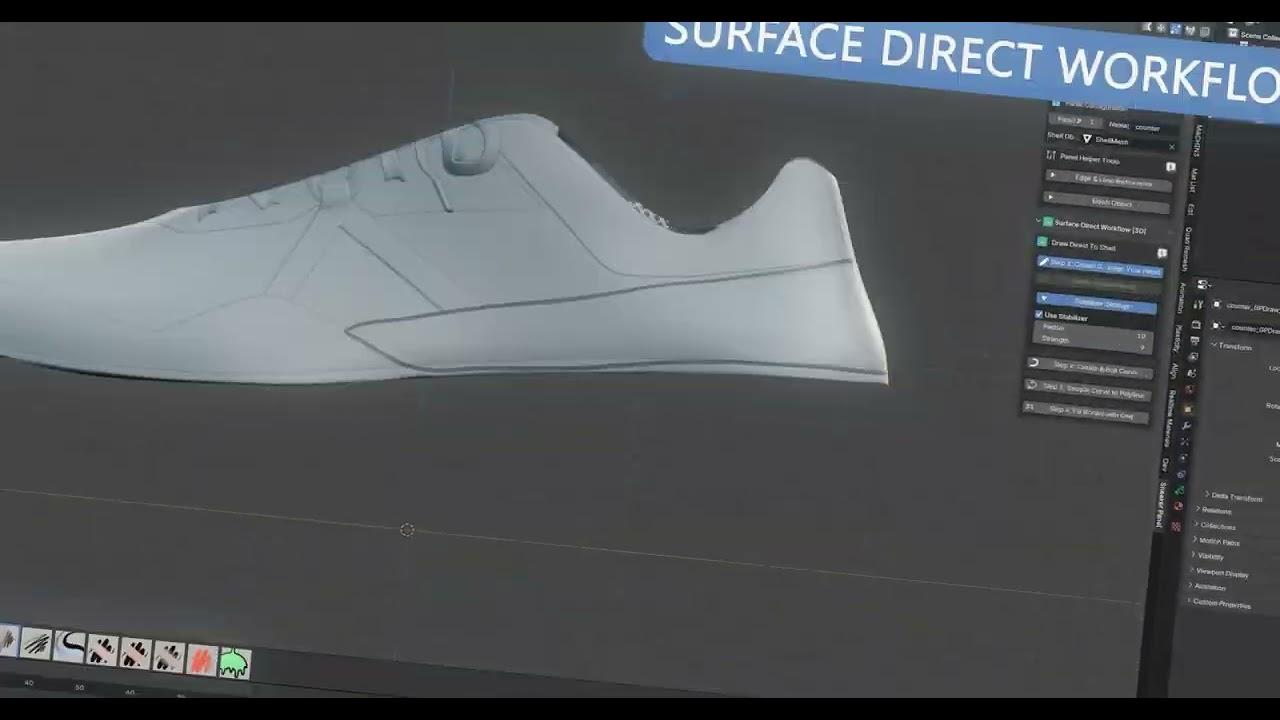
Surface workflow: sketch on the model
For direct ideation, draw on the 3D shell with Grease Pencil. Convert the strokes to curves, create a boundary, fill it with geometry and project the panel onto the surface. The guide recommends a closed polyline with an even vertex count for Grid Fill. You can switch between the UV and Surface workflows as the design calls for it.
UV setup, laces and panel helpers
Auto UV unwraps and orients a shell for either workflow. Reference Projection places 2D sketches or artwork on the 3D shell for tracing and alignment. For lace details, Curves to Laces generates geometry from a curve; the guide lists round, oval, flat and custom profiles, with controls such as scale and tilt.
Panel helpers include edge flow and edge straightening, smoothing, mirroring, shrinkwrap and solidifying. These tools help refine the panel mesh and adjust how it conforms to the shoe shell. The product listing describes additional checks and mesh optimization for panel geometry.
Using the panels in other tools
The field guide describes panels as standard Blender meshes. After applying any needed modifiers and naming objects, you can export them as FBX, OBJ or GLB. It says UVs remain attached for texturing in applications such as Substance Painter or Marmoset.
For the full setup steps and tool controls, see the Sneaker Panel Pro field guide . The workflows and features are also summarized in the product listing.