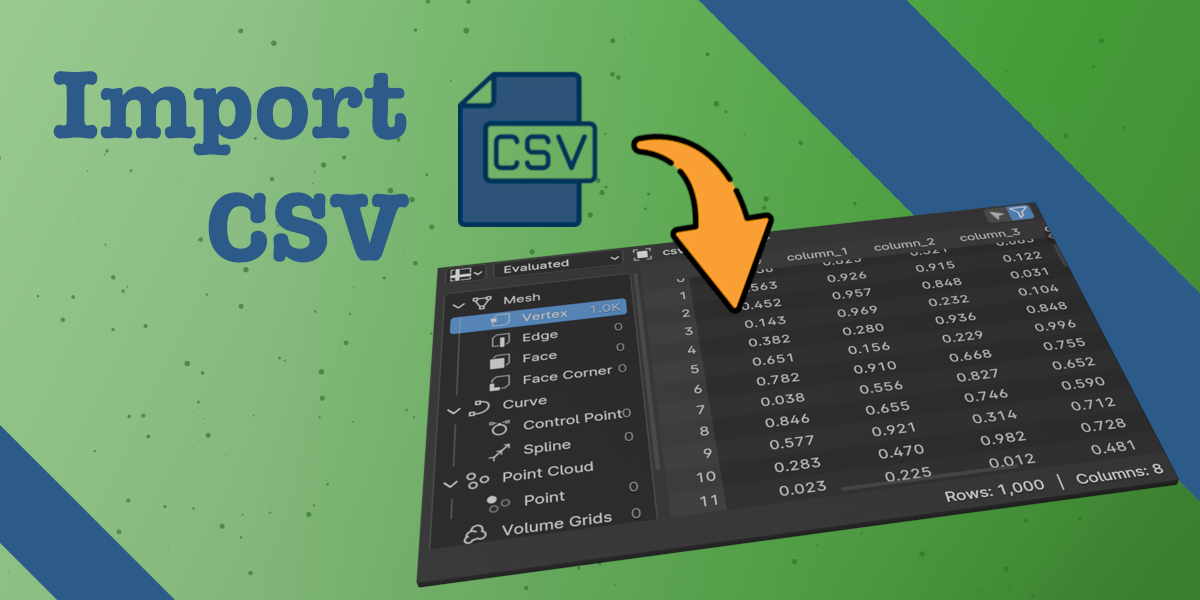
Spreadsheet Import is a Blender add-on by smonbrogg for loading CSV or JSON data into Blender's spreadsheet and using those fields in Geometry Nodes. The Blender Extensions record lists version 0.4.0, a minimum Blender version of 4.2.0, and the GPL-3.0-or-later license.
Import CSV or JSON data
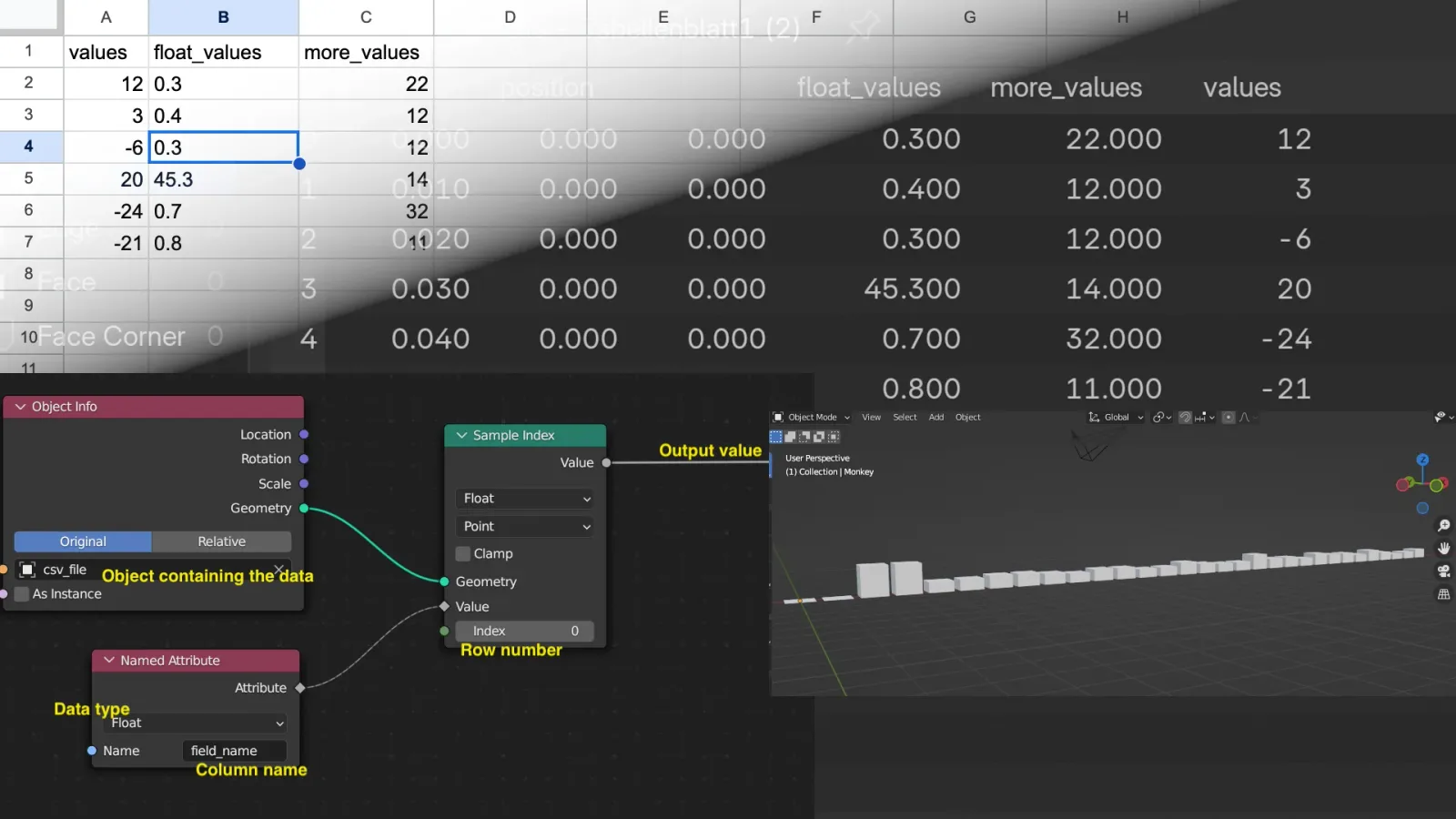
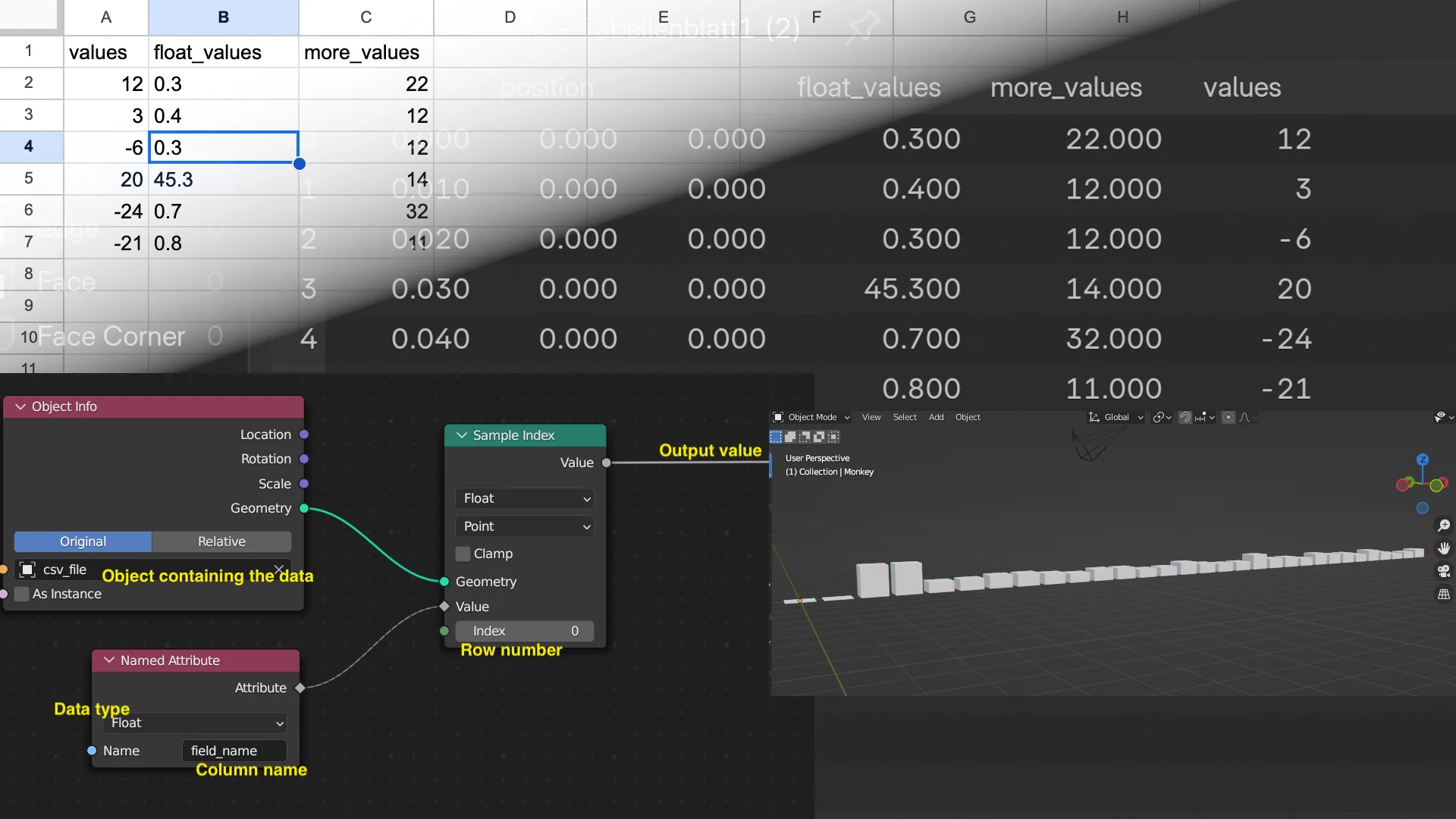
Open File > Import > Spreadsheet Importer and choose a file. For CSV, put field names in the header row. You can set the delimiter and skip lines before the header. Add each field name with the plus control, then choose its data type before importing. For JSON, specify the name of an array in the root object; the imported field names come from objects in that array. See the import workflow guide for its CSV and JSON steps.
Use imported fields in Geometry Nodes
After import, the add-on creates an object named after the file. Its mesh data is named csv_data or json_data, depending on the file type. In a Geometry Nodes tree, add an Object Info node and select the imported object to work with its data. You can inspect the imported result in Blender's Spreadsheet editor before building the node setup.
Replace the imported dataset
To use another dataset with an existing setup, link a different mesh data block in the imported object's data properties. The existing Geometry Nodes setup can read the replacement values when the column names it uses are present in the new data. Check those names when preparing replacement CSV or JSON files.
Compatibility and installation
The extension record lists Blender 4.2.0 as the minimum host version. That number describes Blender compatibility; the add-on release shown in the record is 0.4.0. The add-on requests permission to load CSV and JSON files from disk. Check the extension record for current release details, and consult Blender's Install from Disk instructions if you are installing the downloaded extension file.