Sprocket Tools moves tank blueprint data between the game Sprocket and Blender. It imports .blueprint files for Plate Structures and Vehicles, while export supports Plate Structures only. Version 1.0.2 lists Blender 4.2.0 as its minimum version. See the Blender Extensions listing.
Blueprint support and thickness data
On import, the add-on creates a mesh and stores the blueprint's original thickness in a sprocket_thickness face attribute. You can view or edit that value under Mesh Properties > Attributes. When exporting a compartment, Sprocket Tools uses a default thickness if the mesh has no thickness attribute.
Exported compartments are saved as .blueprint files under Factions/[Faction]/Blueprints/Plate Structures/[Name].blueprint. The Blender object name becomes the part name in Sprocket. The developer's README documents these fields and file-format limits.
Import or export from Blender
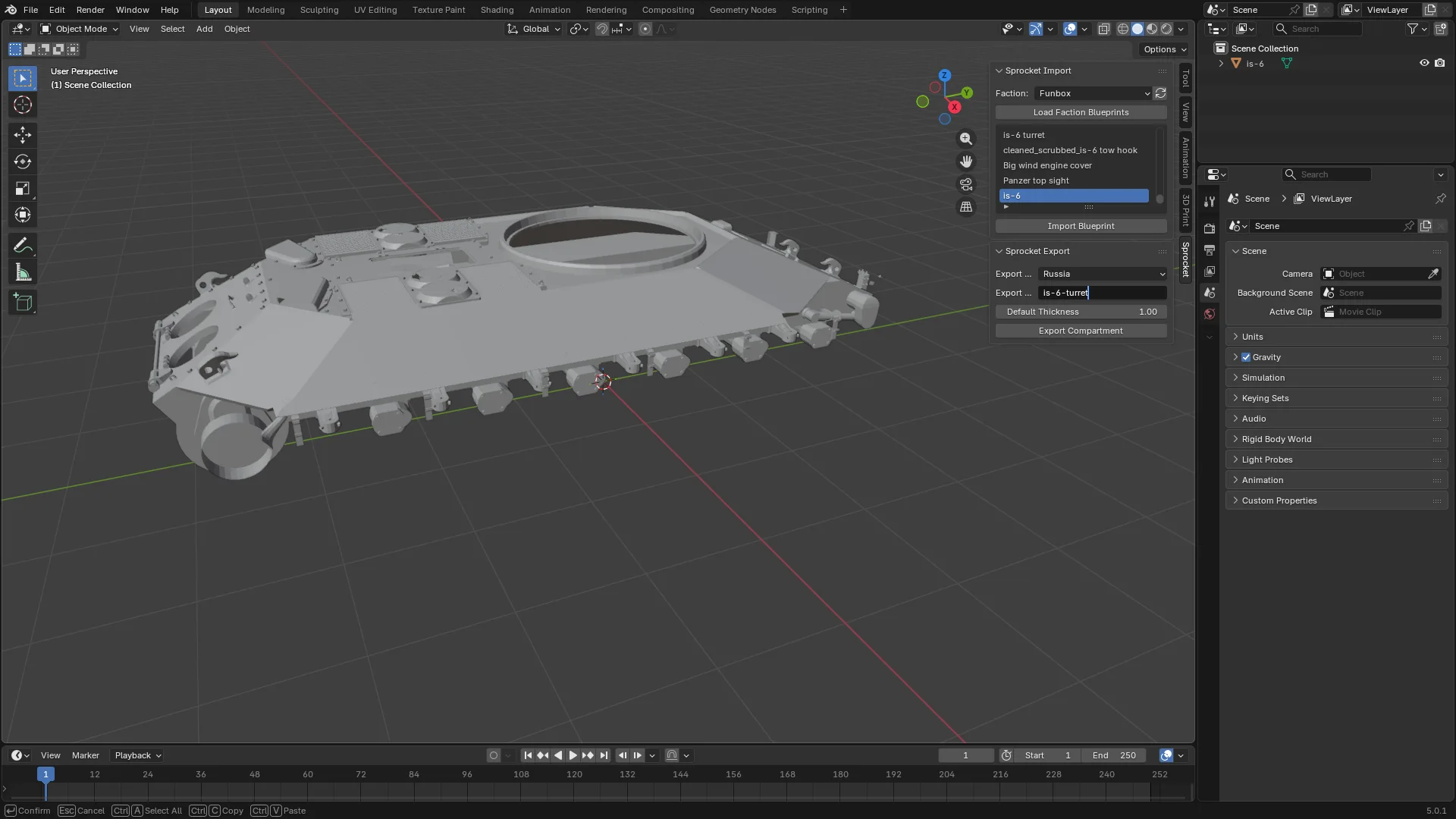
Both operations use tabs in the Sprocket panel in the 3D Viewport sidebar. Press N if the sidebar is hidden. To import, choose a faction in the Sprocket Import tab, load its blueprint list, select a blueprint, then import it.
To export, select a mesh in Object Mode and open the Sprocket Export tab. Choose a faction, enter a compartment name, set a default thickness if needed, and export the compartment.
Installation and Sprocket data path
You can install Sprocket Tools from Blender's Edit > Preferences > Extensions area by allowing Blender to access the official repositories, searching for the add-on, and selecting Install. The developer also documents installing a downloaded ZIP through Preferences > Add-ons > Install from Disk.
The add-on fills in a default Sprocket data directory for Windows and Linux through Proton. If it does not find your game data, set Sprocket Data Path in the add-on's preferences. The selected directory must contain a Factions folder for factions to appear.
The extension requests file access to read and write blueprint data. Its README also lists exported files being larger than intended as a known issue, attributed to redundant geometry. Check exported files in Sprocket if file size matters to your workflow.
License information
The Blender Extensions listing identifies version 1.0.2 as GNU GPL v3.0 or later, while the linked GitHub repository displays an AGPL-3.0 license. If you plan to redistribute modified files, check the license included with the exact release you use.