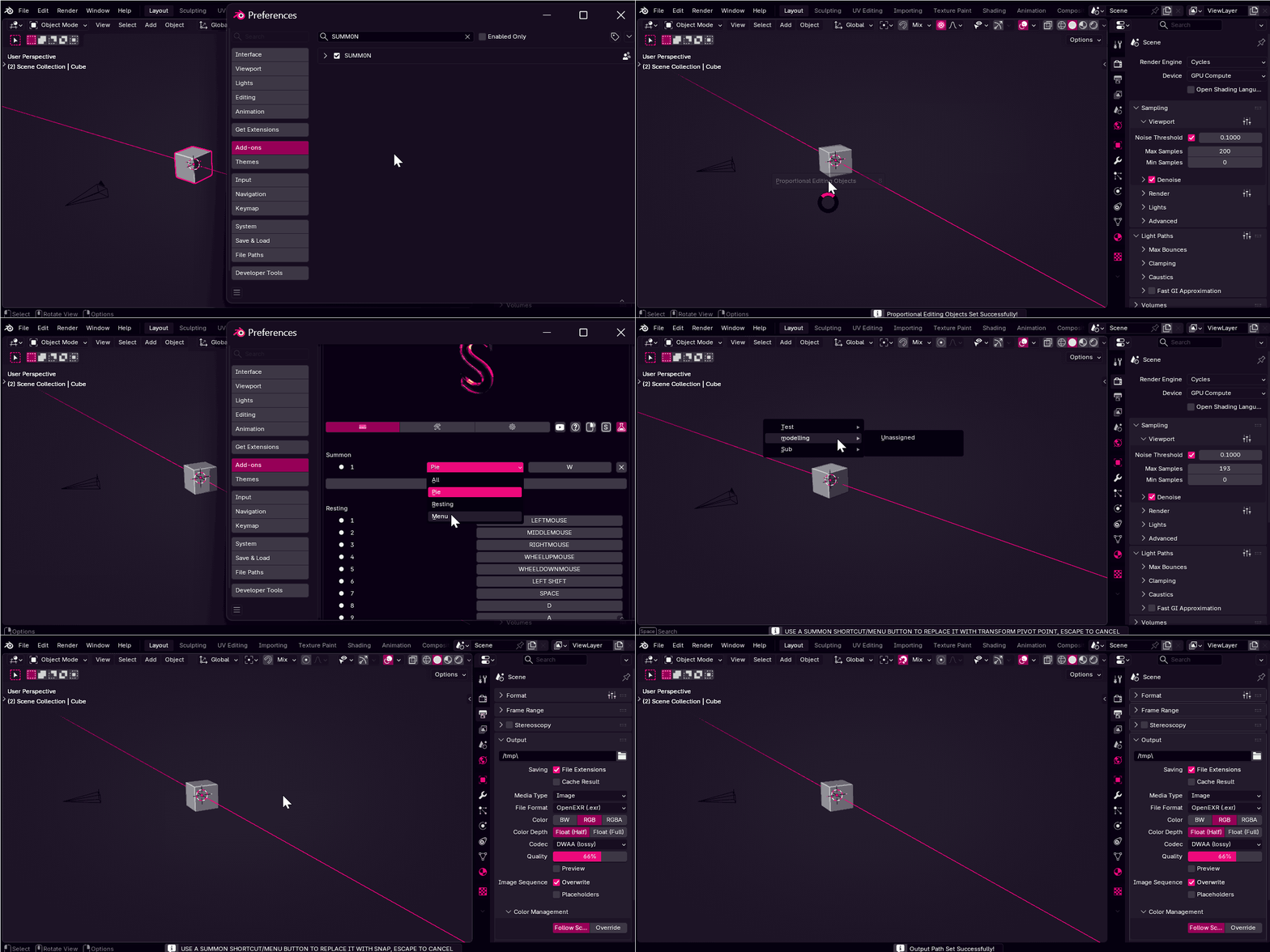
Summon, Quick Favourites On Steroids is a Blender add-on by CG LIFE for building custom pie menus, menus, and shortcuts around the tools you use. Hover over a Blender interface item, run the configured binding shortcut, then assign it to a menu slot or resting key. The developer says a complete pie can be set up in about ten seconds, and menu items can be added or removed while you work.
Summon can bind controls such as dropdowns, file paths, sliders, and color settings. To make a shortcut set a property to a specific value, set that value first, hover over the control, and use the exact-bind shortcut (Shift+MMB by default or right-click + X). The setup documentation explains the binding options and configuration steps.
Use a summon key for pies, menus, or resting shortcuts
A summon key can open a menu when tapped, act as a modifier while held, or open a pie menu while held and paired with a mouse drag. Resting keys are secondary keys pressed while holding the main key. You choose them for where your fingers naturally rest, so mapped actions are within reach without moving to distant keys.
Standard Blender menus also support accelerator-key sequences, which move through a menu, submenu, and command. The add-on includes customizable settings, configuration import and export using JSON files, and a built-in updater.
Check context and experimental features
Menu contents are specific to a Blender space type. A menu configured for Object Mode will not automatically show the same entries in Edit Mode or the Shader Editor. You can select a fallback space type in the Actions panel when you want other spaces to use shared entries.
Binding Blender or add-on panels and menus is an experimental feature. CG LIFE warns that it may have bugs. The developer estimates that about 95% of Blender items are currently supported for binding; some controls may be impossible to bind because of how they are coded, while others may need a workaround.
Compatibility and support
Blender 5.1 is the only version the developer says has been fully tested. Earlier Blender versions may work, but their compatibility is unverified. Windows is the only tested operating system. The developer expects macOS and Linux to work and asks users to get in touch if they encounter problems.
CG LIFE describes free lifetime updates, dedicated support, and video documentation. An embedded text tutorial and explanations are also available in the add-on. The Superhive product listing provides the product description and lists Blender 5.1.