Swift 4D is a Blender add-on from LaoMa 3D for viewport-based modeling and motion graphics. It brings together volume modeling, loop and ring previews, editable extrusion and bevel tools, and curve-based sweeps. Artists can use it to build hard-surface or concept forms, stylized transitions, kitbashed shapes, and motion-design elements. The product is described as node-free and designed for artists who prefer direct viewport controls to creating a Geometry Nodes setup for each small task. See the Swift 4D product page for its feature details.
Combine meshes in the Volume Builder
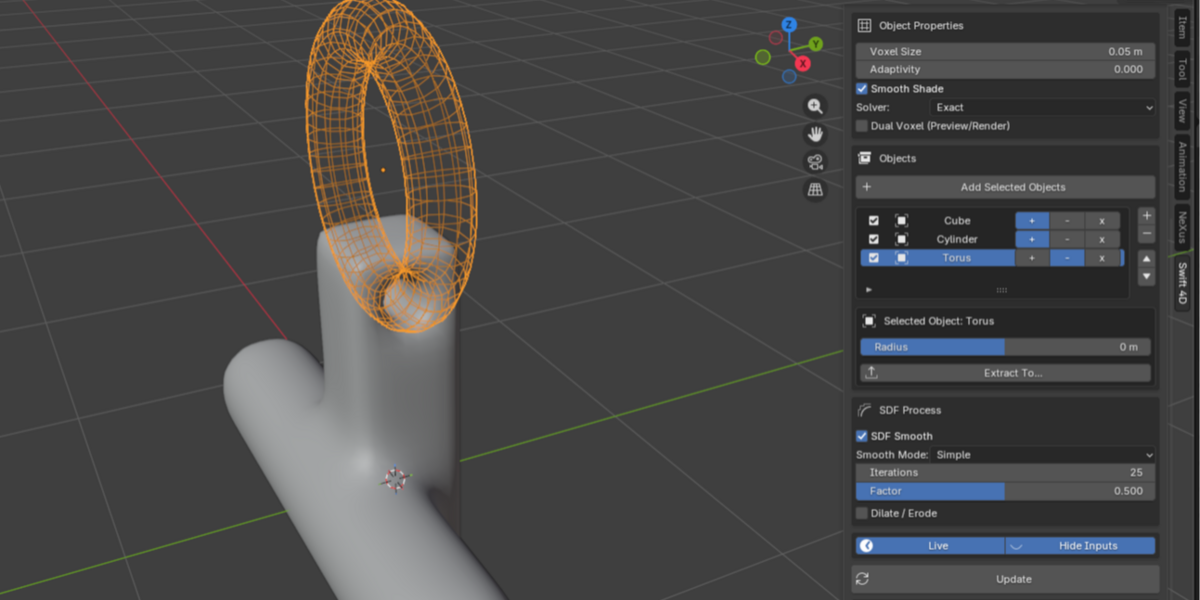
The Volume Builder combines ordinary mesh objects using add, subtract, or intersect operations. You can enable or disable inputs, change their order, smooth the result, and use Dilate or Erode to expand or shrink the form. For heavier scenes, Live Update can be turned off while you edit and refreshed when you are ready. The finished volume can be baked into a regular mesh.
Adjust face edits as you model
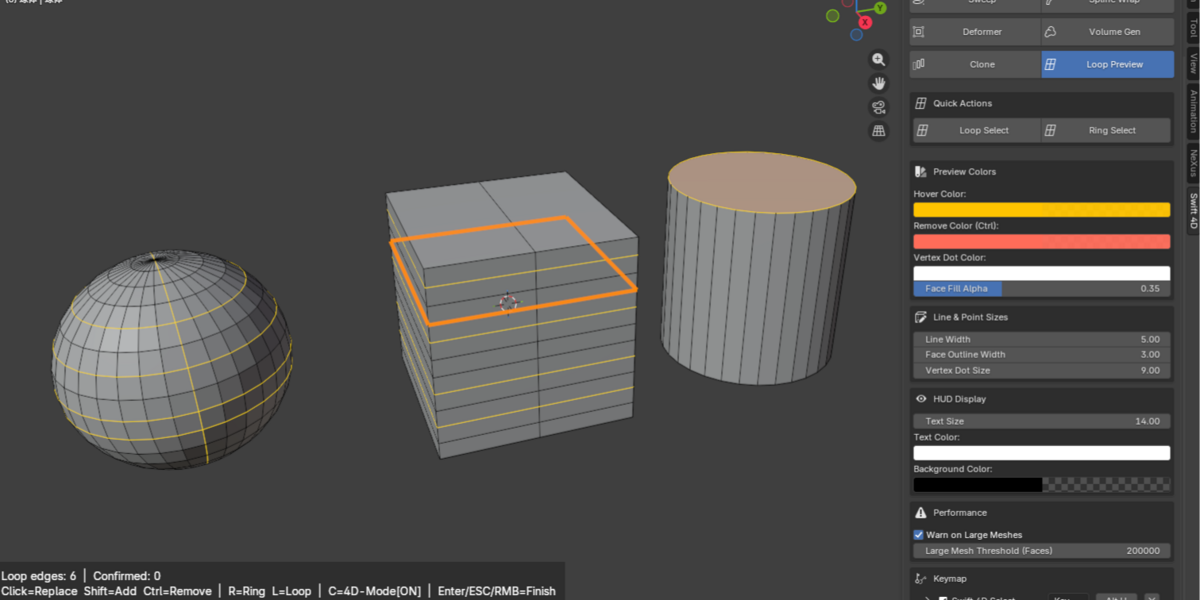
Loop Preview shows a loop or ring selection when you hover over the topology, so you can inspect it before selecting. The display can be adjusted, shortcuts can be customized, and Loop Select is integrated with Blender's native modeling tools.
Smart Extrude keeps face extrusions in an editable stack, with distance and thickness controls you can revise later. It also includes Individual Faces and Manifold modes. Smart Bevel manages bevels by face or vertex groups and keeps their settings editable.
Shape forms from curves
Sweep turns curves into 3D forms using Circle, Triangle, Rectangle, or Star profiles, or a custom curve profile. Controls include profile size, end scale, twist, growth along a path, and None, Flat, or Rounded caps. Rounded caps have their own size, segment, and tension settings. A finished sweep can be baked into a regular mesh.
Spline Wrap deforms meshes along a curve, with Fit to Spline and Keep Length modes, an animatable offset percentage, and size and rotation curve mapping. Bend, Twist, Taper, and Bulge deformers use generated controllers; Match to Parent fits a deformer to an object's bounding box. Quick shape-generation tools and editable, animation-ready parameters are also included.
Install it and check compatibility
The product documentation says to install the .zip file through Blender Preferences, press N in the 3D Viewport to open the side panel, select a mesh or curve, and choose a tool in the Swift 4D panel.
Check the Blender version before installing: the product description says Blender 5.0 and above, while its compatibility details list Blender 5.0–5.2. The listing identifies the add-on as GPL licensed and says its interface is available in English and Chinese. Confirm support for your exact Blender release on the current product page.
Who Swift 4D may suit
Swift 4D may suit Blender artists who make motion graphics, hard-surface models, concept forms, or procedural-looking shapes and want adjustable modeling tools in the viewport. Its tools cover specific modeling and curve workflows; check the feature list and version support against your project before adopting it.