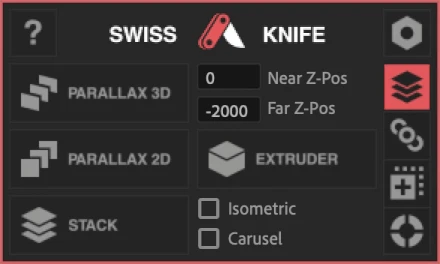
Swiss Knife is a Motion Design School script for After Effects with 20 tools grouped into parallaxer, interactor, placeholder, and support functions. The developer says the tools can be combined in thousands of variations. See the Swiss Knife product page for current product details.
Parallax and layer arrangement
The parallaxer group covers several ways to arrange depth and layers. Parallax 2D creates a simulated parallax effect with 2D layers. Parallax 3D places layers at near and far distances that you set manually. Extruder works from placeholders, while Stack arranges layers in linear sequences in 2D or 3D space. Together, these functions cover projects that need layered depth or repeated spatial arrangements.
Link animation to other controls
The interactor tools connect animation to properties, positions, markers, timing, and rotation. Dependence links one animation to another property. Interactor uses the position relationship between the last selected layer and other layers. Animarker links animation to markers, and Offset applies a time delay to parameter animation. Revolver links an object's rotation to a main object. These controls let an animator use existing project values to drive motion.
Work with placeholders
Placeholder uses shape or picture layers as stand-ins for footage stacks. Piner pins images to vertices on a path. Switcher precomposes selected layers, crops the result to the largest layer, and turns on Time Remap.
Where Swiss Knife fits
The toolset is aimed at After Effects work such as character animation, video editing, templates, and UI/UX animation. It may suit a project that combines several of its documented tasks, such as arranging layers for parallax, linking movement to markers or properties, and working with placeholder footage. Before installing it into an existing workflow, compare your After Effects release with the current compatibility details on the developer's product page.