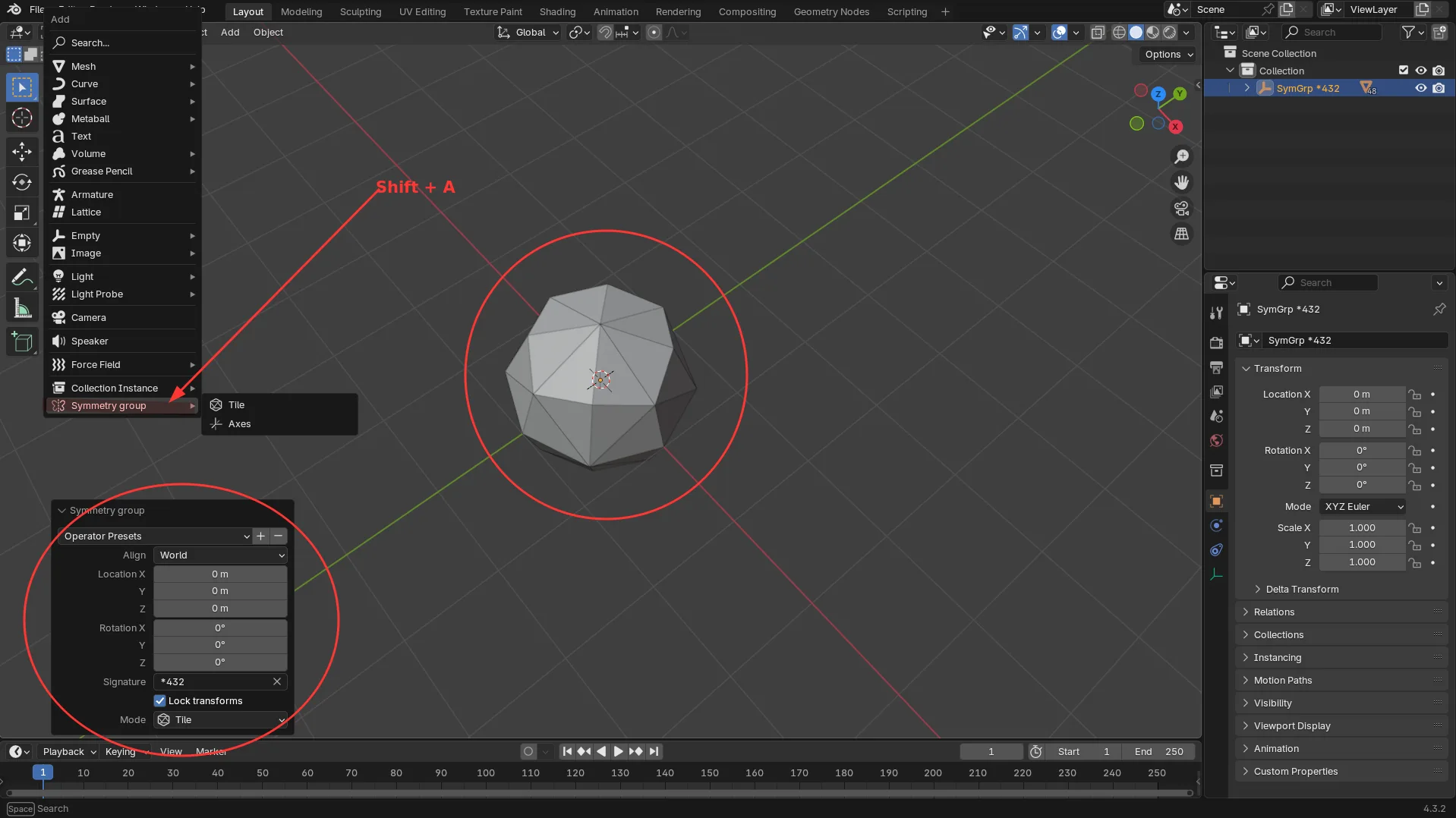
Symple is a Blender add-on for creating figures with discrete spherical symmetry. It can generate dihedral, cyclic, tetrahedral, octahedral, and icosahedral groups from a mesh tile or a group of axes.
How Symple creates a group
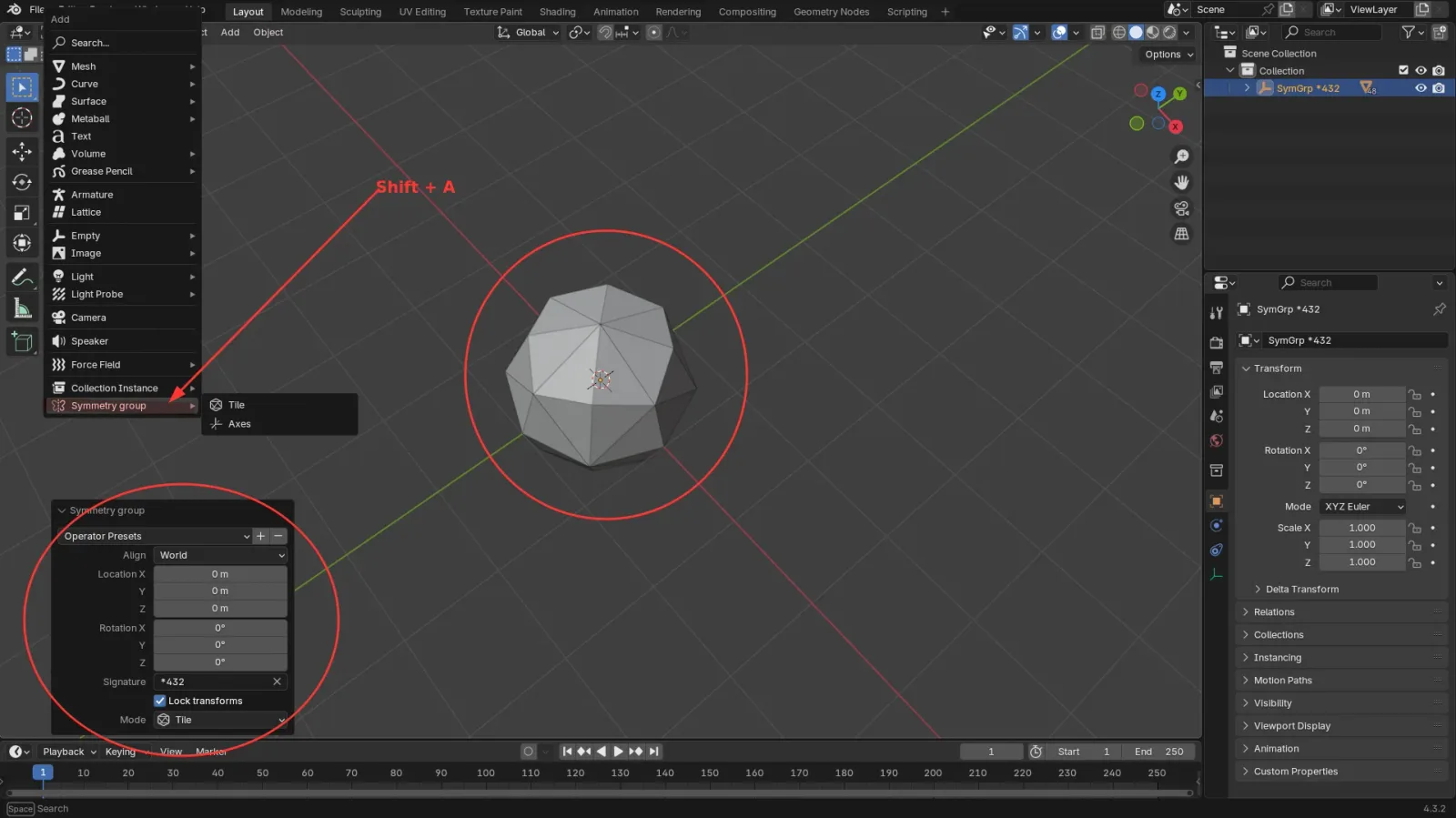
In Object Mode, press Shift+A and choose Symmetry group. Select a mesh fundamental tile or axes, then choose a group signature. Symple places the resulting objects under an Empty named for that signature. The objects share data and differ in location, rotation, and scale. Presets are available if you do not know the Orbifold notation used for signatures. Different number permutations can produce slightly different fundamental domains for the same group.
You can also right-click an existing object and choose Symmetry group from object. This uses the object's data instead of a tile, so the workflow can use data such as curves or bones.
Keep edits aligned
The lock transforms option fixes each generated object's location, rotation, and scale to help preserve the arrangement. Move the parent Empty to reposition the whole group. For mesh work, the developer suggests trying different pivot points; placing the 3D cursor at the group center and using it as the pivot can help. Joining the meshes with Ctrl+J creates one mesh, but further edits can break the symmetry.
The add-on's documentation also suggests using it with the Extra Mesh Objects extension for regular solids. For a modifier-based workflow, it describes using Mirror or Array modifiers with symmetry-group axes as their object references.
Version and compatibility
The official Blender Extensions listing identifies version 0.1.2, Blender 4.2.0 or later, and the GNU GPL v3.0 or later license. The listing also links to the project issue tracker.