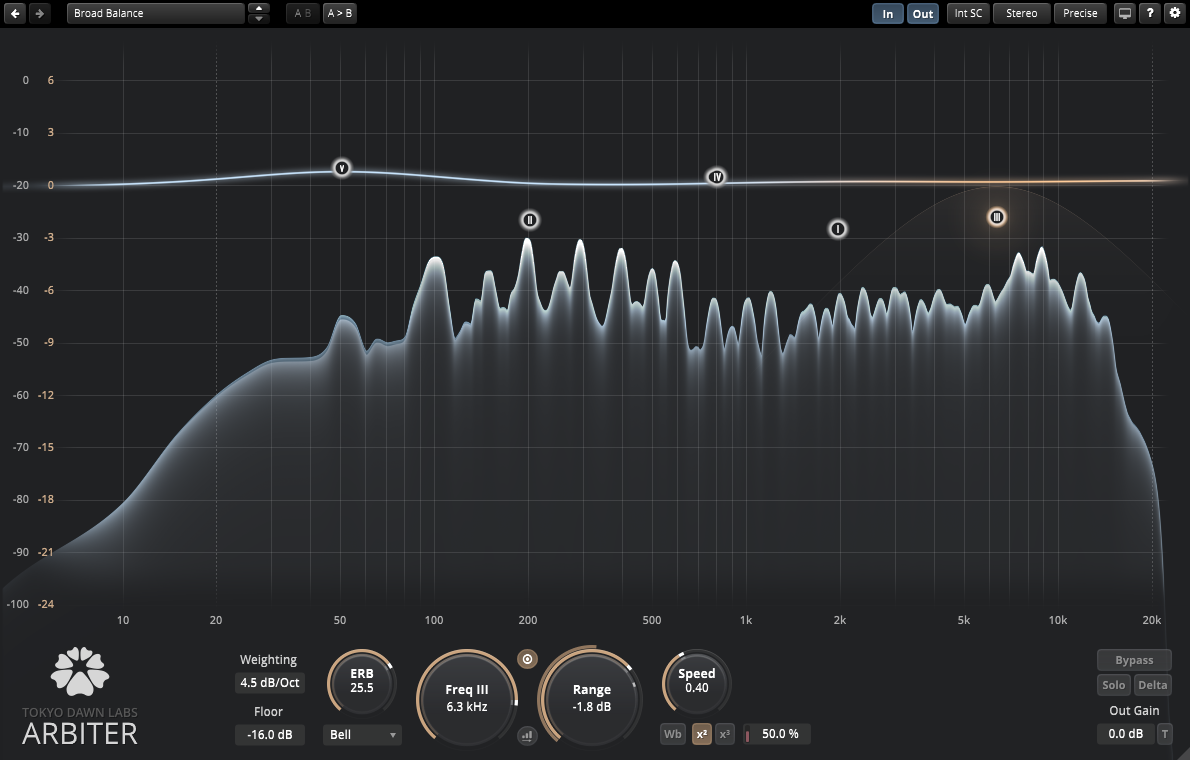
TDR Arbiter is a frequency-selective spectral balancer for audio mixing, restoration, and mastering. It is designed for tasks such as de-essing, reducing plosives, controlling sharpness, and correcting broad frequency-balance problems. Its detection works independently of absolute signal level, so quieter and louder sections receive the same gain reduction within the selected range.
Shape a correction across up to six bands
Arbiter provides up to six adjustable bands. Choose a bell, flat-top, low-shelf, or high-shelf shape for each one, then set its center frequency and width with the ERB/Q control. Positive and negative ranges let a band move the spectral balance upward or downward. Range sets the maximum modulation, Speed adjusts the detector's reaction time, and Floor stops detection and processing when the input falls below a chosen level threshold.
Wideband mode controls the wideband signal instead of the selected frequency band. It bypasses the audio filter to preserve phase response. TDR's manual notes that this mode tends to work well on monophonic sources such as vocals and horns.
Use it for vocal cleanup and tonal balance
- De-essing and plosive reduction: Set a band around the problem area, then use its range and speed controls to shape the amount and response of the correction.
- Sharpness and broad balance: Choose a band shape and width suited to the frequency region you want Arbiter to control.
- Harmonic compensation: Even and Odd controls can replace low-frequency content attenuated by a band's gain reduction with an even- or odd-numbered harmonic series. A percentage control adjusts the harmonic level.
Monitor the processing and route signals
The wideband spectral analyzer displays input and output spectra alongside the filter magnitude. Click the display to freeze it and inspect the spectrum with a crosshair. Solo lets you monitor a selected band, while Delta plays the difference between the input and output. Out Gain can compensate for level changes, and Equal Loudness Trim adjusts output loudness to match the input; the manual notes that this adjustment takes a few seconds.
An external sidechain can use another track to control Arbiter's processing for ducking. Channel modes include stereo, sum/difference (mid/side), dual mono, and separate left or right processing. The manual says the Stereo Configuration button is inactive on mono or multi-mono tracks, and that some hosts do not support this feature.
Compatibility and licensing
TDR lists VST2, VST3, Audio Unit, and AAX-compatible hosts. Its system requirements specify Windows Vista or later, Mac OS X 10.9 or later, or Linux x86-64 with GLIBC 2.14 or later, plus OpenGL support. The demo has no time limit, but automatic recall is blocked. TDR lists a personal/small-business license; its EULA permits one user to install a licensed copy on up to five computers and prohibits sharing the software.