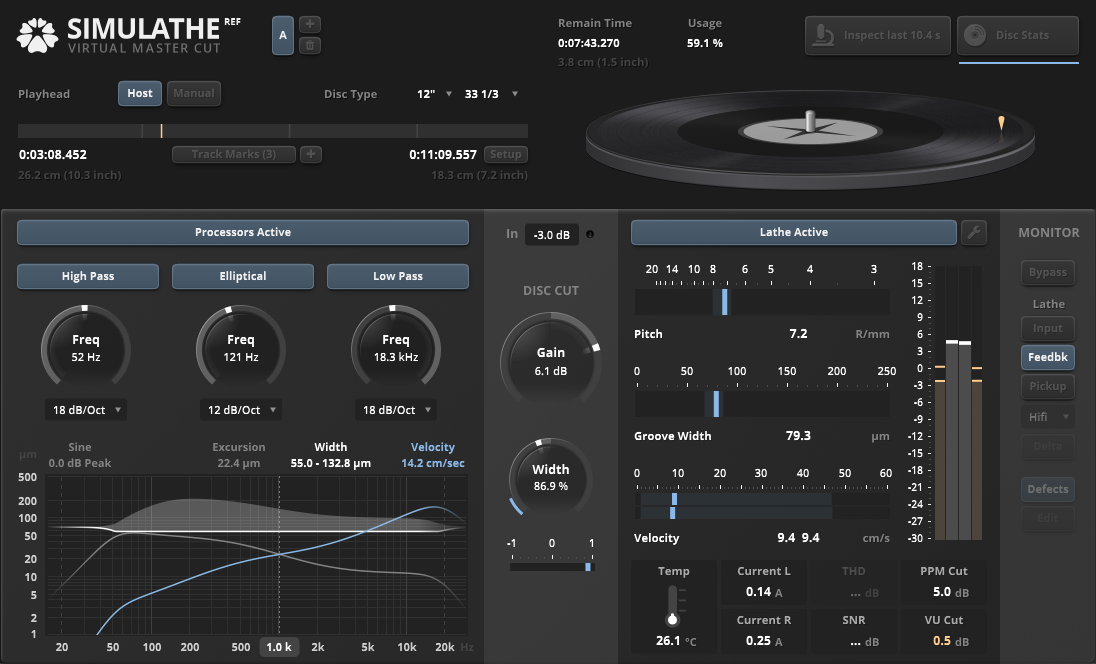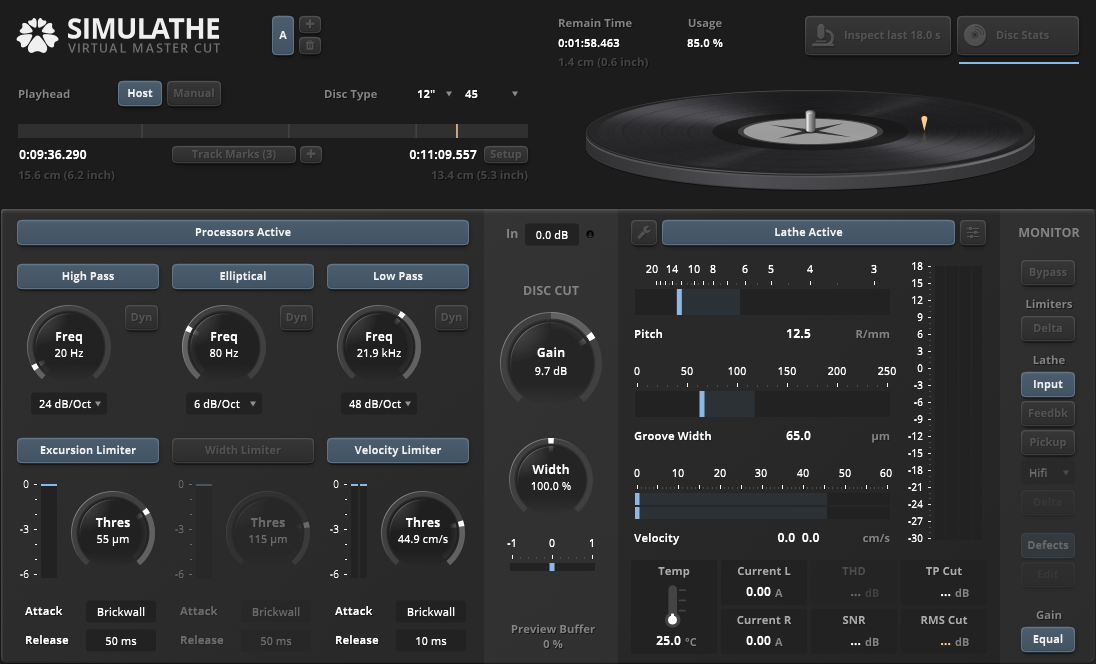
TDR SimuLathe CUT is a disk-cutting simulation plugin for professional lathe operators. Its parametric virtual lathe can be calibrated to match an existing cutting system. Use it to inspect a side before cutting, estimate how much disc space the audio will use, create audible test cuts, or process audio for a cut.
Plan and inspect a disc side
In a DAW, place audio for a side on a track with gaps between tracks and insert SimuLathe CUT. In Host mode, create a disc side, set its start and end points from the playhead (the start point is unnecessary if the first file begins at 00:00:000), then confirm the disc-time setup. Add track markers at the desired track starts. Markers affect groove pitch and spacing, not the audio itself.
As the audio plays or is rendered, SimuLathe builds a disc surface map. The map can show excursion, groove width, velocity, and land, along with space usage. Heatmaps and minimum and maximum markers help locate sections to inspect. The Groove Microscope shows a close view of the virtual groove, while simulated pickups let you listen to how the cut plays back. You can create up to eight disc sides, labeled A through H.
Calibrate and shape the cut
Calibration settings let operators match the simulation to their lathe and pitch system. The manual's setup guidance covers reference level, test-record velocity, disc diameters, and pitch-system gains. SimuLathe CUT includes high-pass, low-pass, and elliptical filters, plus limiters that act on groove excursion, width, and velocity. These controls let an operator examine and adjust how the audio affects groove geometry and available space.
The Simulator mode provides the full simulation, monitoring, and analysis tools for authoring, quality control, and test cuts. It uses substantial CPU, memory, and GPU resources. Processor mode is a lighter, preprocessor-only option that skips most statistical collection and hides controls that are not needed for that task.
Playhead sync options
In Host mode, SimuLathe CUT uses a synchronized playhead to build the disc map and estimate space. It can follow a DAW playhead when the host and plugin format support sync. If native sync is unavailable, a host with parameter automation can use the automated-position workaround. Manual playhead mode works across hosts, but does not support Disc Statistics inspection and provides only very limited space-use prediction. Reaper also supports SimuLathe taking control of the playback position.
Compatibility and license
The product page lists 64-bit VST2, VST3, AU, and AAX formats, with no 32-bit support. It lists Windows 7 or later, Mac OS X 10.9 or later, and OpenGL support as system requirements. Check that the intended DAW and plugin format provide the playhead sync or automation needed for the analysis workflow.
Tokyo Dawn Labs lists a personal or small-business license with free updates. The EULA allows one licensed user to use a copy on up to five single computers. The time-unlimited demo blocks automatic recall. CUT may overwhelm workflows when users do not run a disk-mastering service or cut discs in any other way. SimuLathe REF targets people who do not operate their own lathe; the TDR Labs catalog lists it for referencing and early quality control.