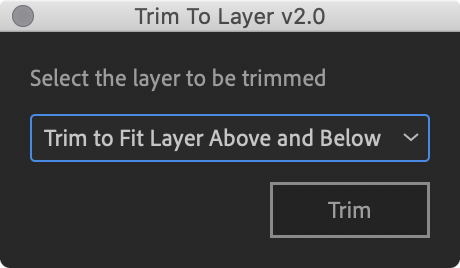
Trim to Layer is a script by Lloyd Alvarez for Adobe After Effects. It trims the selected layer to the layer above it, the layer below it, or fits it between both.
Choose a trim mode
Three separate functions cover the available operations:
- Above: trim the selected layer to the layer above it.
- Below: trim the selected layer to the layer below it.
- Fit: trim the selected layer to fit between the layers above and below.
Use Above or Below when one neighboring layer sets the trim, or Fit when the selected layer should fit between both. These options suit supporting layers such as mattes, glows, tints, adjustment layers, and difference layers.
Run it from the dockable UI, KBar, or a script argument
Trim to Layer has a dockable UI; KBar buttons can trigger each function, and direct arguments can call a mode.
Version 2.1.1, dated November 13, 2020, improved error correction. Version 2.1 added direct argument support. Version 2.0 added the Fit mode, dockable UI, and KBar support.
Compatibility and license terms
The developer lists compatibility with After Effects 2026, 2025, 2024, 2023, 2022, 2021, and 2020; CC 2019, CC 2018, CC 2017, CC 2015.3, CC 2015, CC 2014, CC, and CS6. Check the aescripts product page for the current compatibility details.
The listing shows $4.99 as the suggested price. Individual users can pay any amount. Businesses and teams must pay the suggested price to receive a valid license. See the Name Your Own Price terms and product page for current details.