vAEriable is an After Effects panel for arithmetic, algebra, and cross-multiplication. Enter values manually or load them from timeline selections to keep routine calculations in the application. It can help when solving for a missing value, checking property differences, or working out scale ratios.
Calculate from selected values
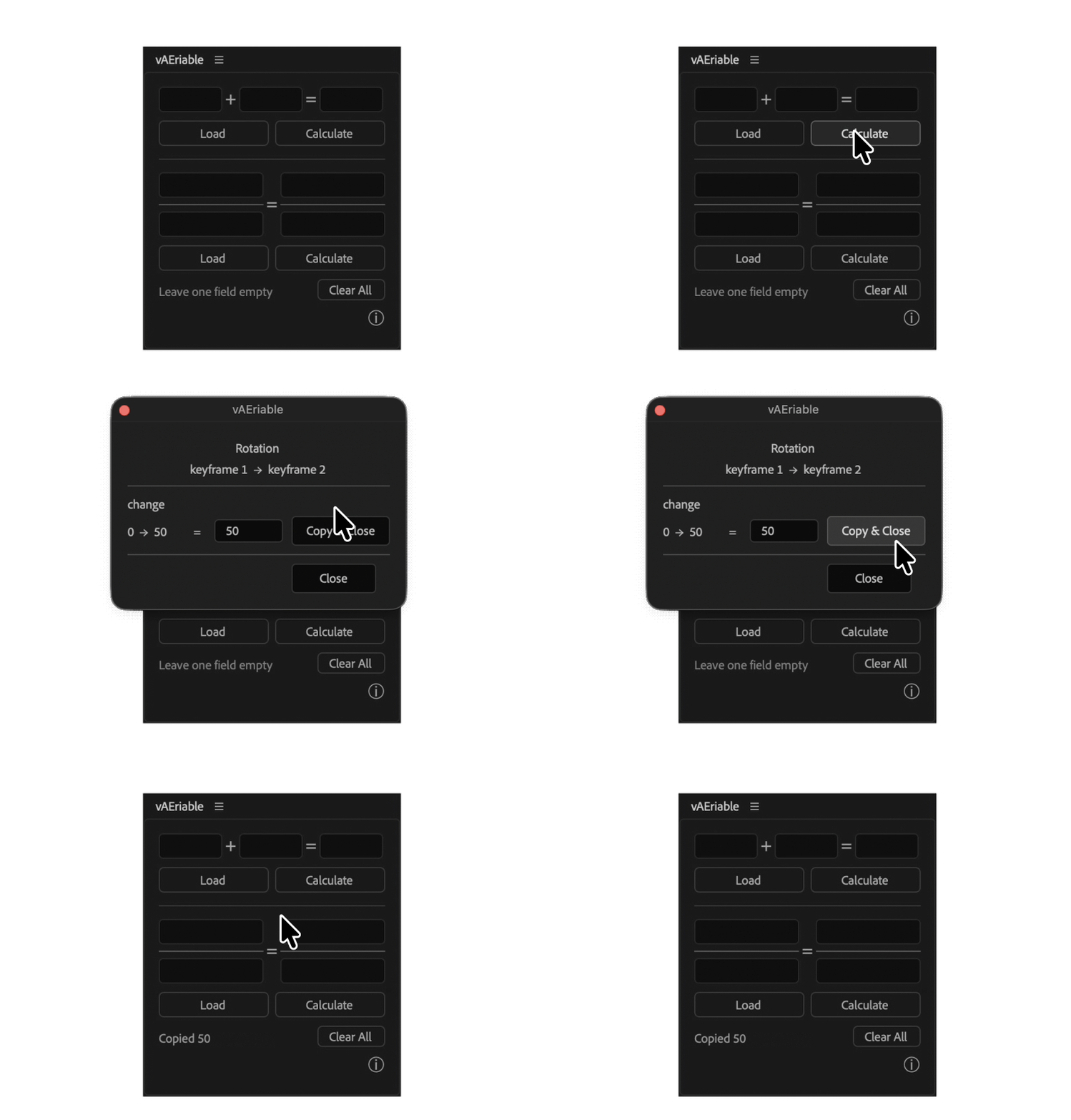
For arithmetic or algebra, fill two fields and leave the unknown field blank. You can type values or load them from keyframes or properties on one or two layers. If a selected value is an array, choose which dimension to load. Click the operator to cycle through operations, or right-click it to choose from its menu. Calculate copies the result to the clipboard.
Load dimensions and solve ratios
Cross-multiplication uses three known values, with the fourth field left blank. Load reads selections in priority order: a selected mask's bounding-box size, then a selected layer's size, then dimensions from a selected composition or footage item in the Project panel.
Compare keyframes and properties
When the top fields are empty, select two keyframes or matching properties across layers, then click the top Calculate button. vAEriable opens a comparison window. For position or anchor point selections, it shows the difference on each axis and the net distance. For scale, it shows the difference and the multipliers for scaling from the smaller value to the larger one and from the larger value to the smaller one. A selected single-value property shows its difference.
Compatibility and availability
The aescripts listing documents compatibility with After Effects 2026 through 2020. Its version history lists v1.1.0, dated July 7, 2026. The listing shows a price of $0.00. Check the vAEriable listing on aescripts for current availability and license terms.