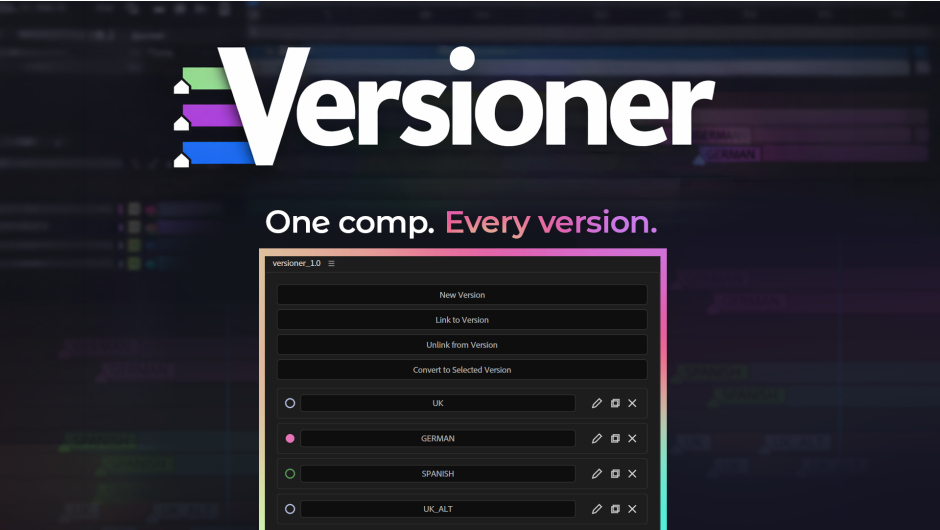
Versioner manages language, client, and text variants inside an After Effects project. Assign layers to versions, then switch which layers are enabled without duplicating projects or comps.
Assign layers and switch versions
Create versions and link the relevant layers to each one. A layer can belong to multiple versions, which helps keep shared design elements available across language or client variants. Versioner can switch versions with one click, enabling the layers for the selected version and disabling the others. You can also convert to a selected version, edit layer names or colors, and unlink layers when they no longer belong.
Track membership and handle duplicates
Versioner uses layer IDs and timeline markers to track version membership. It applies After Effects label colors to layers as visual markers, so membership can be checked in the timeline. After Effects duplicates a layer’s metadata along with the layer; Versioner detects duplicate IDs and offers a cleanup tool to prevent version conflicts.
Unlinking a layer removes its internal ID when it no longer belongs to any version. Deleting a version removes its markers and cleans up unused IDs without deleting artwork or layers. If the project’s internal storage is deleted, Versioner can rebuild the version structure by scanning layer IDs and timeline markers. An optional debug mode stores logs in the project for troubleshooting.
Compatibility and recent releases
Versioner supports After Effects 2026 through CC 2019. The developer’s release history lists version 1.2, released November 7, 2026. It improves scrolling in long version lists, including scrollbar dragging and trackpad scrolling. Version 1.1 fixed undo-history issues involving linked layers, locked layers, and nested undo steps, and added clearer error messages.
The developer listing includes a feature walkthrough and current product details.